

Resetting an Atosa ice maker can feel intimidating, especially if you’re not used to working with commercial appliances. Whether you run a restaurant, hotel, or café, a reliable ice machine is essential. But sometimes, your Atosa ice maker stops working or produces less ice.
Knowing how to reset it safely can save you time and prevent business interruptions. This guide covers everything you need to reset your Atosa ice maker, from preparation to troubleshooting. You’ll also learn about common mistakes and practical tips that many beginners miss.

36% off Today’s Exclusive Deals
Limited-time Exclusive Deals. Check current discount on Amazon.
Check Price on Amazon As an Amazon Associate I earn from qualifying purchases.By the end, you’ll feel confident handling the reset process yourself, even if English isn’t your first language.
Understanding Atosa Ice Makers
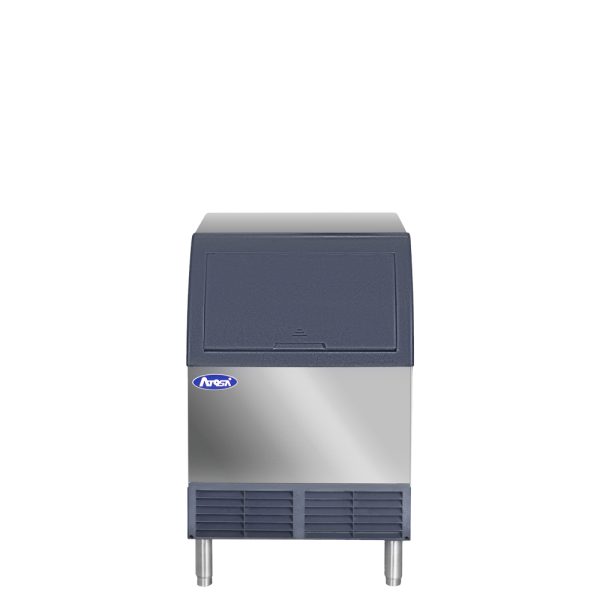
Atosa is a well-known brand in commercial refrigeration and kitchen equipment. Their ice makers are popular for their durability, efficiency, and easy operation. These machines come in different sizes and models, such as modular, undercounter, and self-contained units. Each model works similarly, using water, refrigeration, and a control board to produce ice.
Most Atosa ice makers use a simple control panel with indicators for Power, Water, Ice Full, and sometimes Error. Resetting the unit often fixes issues like slow ice production, error lights, or the machine not starting. However, before you attempt a reset, it helps to know how the basic system works.
Key Parts Of An Atosa Ice Maker
- Water inlet valve: Brings water into the machine.
- Evaporator: The surface where water freezes into ice.
- Control board: The electronic “brain” that runs cycles and monitors problems.
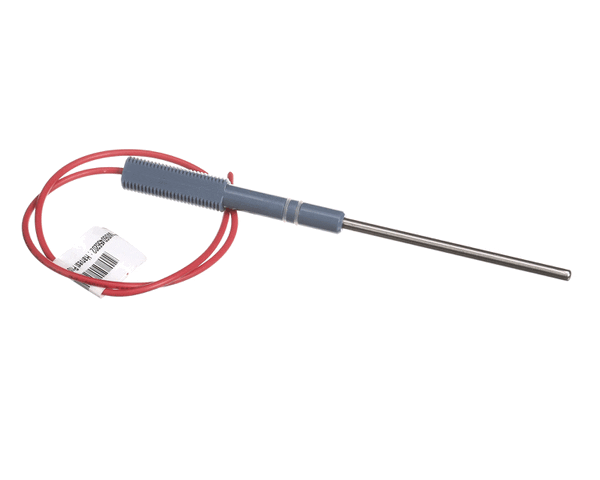
- Ice bin sensor: Detects when the ice bin is full.
- Drain pump: Removes water during cleaning or after ice melts.
Understanding these parts helps you know what to check if the reset doesn’t solve your problem.
When Should You Reset Your Atosa Ice Maker?
Resetting your ice maker is not always the solution for every issue. Here are situations when a reset is helpful:
- Error lights or beeping: The control board may detect a fault and stop the machine.
- Machine not producing ice: If the unit is powered but not making ice.
- Ice production is slow: Sometimes, internal sensors need to be cleared.
- After cleaning or maintenance: Resetting ensures the machine starts fresh.
- After a power outage: The machine may need a reset to reboot its system.
If you notice strange noises, leaks, or electrical smells, do not reset. Instead, turn off the machine and call a professional. Resetting is safe for minor issues, but it’s not a fix for mechanical failures.
Preparing To Reset Your Atosa Ice Maker
Before you start, gather a few items and follow safety steps. These steps are important to protect you and the machine.
Safety Precautions
- Disconnect power: Always unplug the unit or turn off the breaker before working.
- Wear gloves: Protect your hands from sharp edges or cold surfaces.
- Have towels nearby: In case of water spills during reset.
Tools You May Need
- Flathead screwdriver (to open panels, if needed)
- Flashlight (for dark areas)
- User manual for your specific Atosa model
Checking For Common Issues First
Sometimes, problems are simple and don’t need a full reset. Check these points first:
- Is the power cord firmly plugged in?
- Is the water supply turned on?
- Is the drain hose blocked?
- Is the ice bin full, triggering the sensor?
If you fix any of these, the machine may start working again. If not, proceed with the reset steps.
Step-by-step Guide: Resetting An Atosa Ice Maker
Resetting an Atosa ice maker is usually straightforward. Here’s how to do it for most models. If your machine is different, check your user manual for exact instructions.
1. Turn Off The Power
Find the power switch, usually on the front or side of the machine. Switch it to “Off. ” If there’s no switch, unplug the unit from the wall outlet. Wait at least 2 minutes. This gives the control board time to clear any errors.
2. Inspect The Machine
Open the ice bin and check for ice buildup, water pooling, or visible dirt. Remove excess ice or clean as needed. Make sure nothing is blocking the sensors.
3. Locate The Reset Button
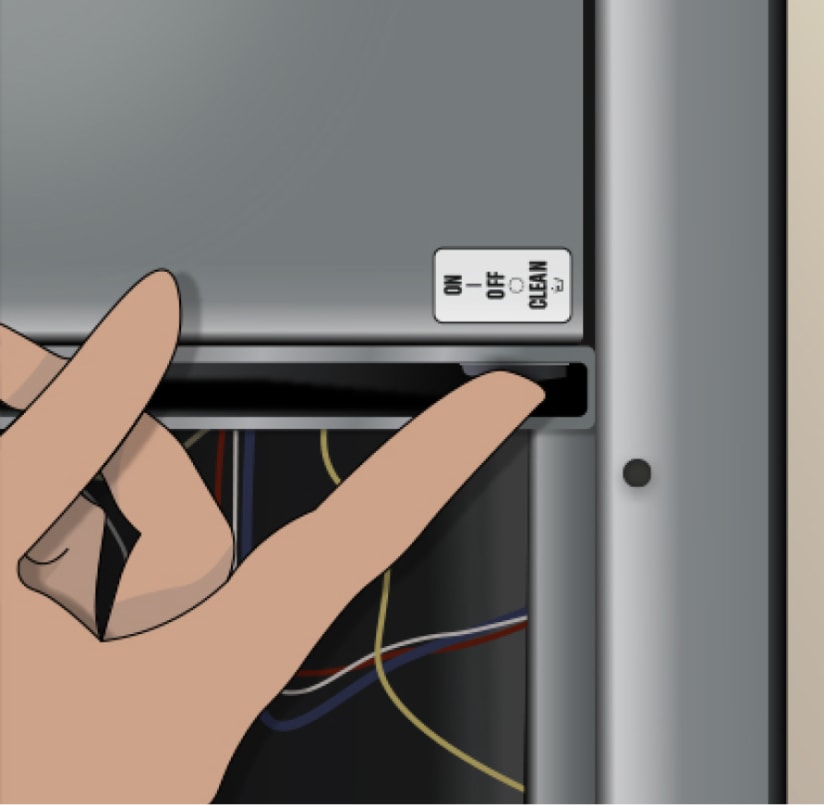
Most Atosa models have a reset button on the control panel or inside the electrical compartment. It may be labeled “Reset” or shown by a red or black button.
- If your machine has a reset button on the outside, press and hold it for 5–10 seconds.
- If it’s inside, use your screwdriver to open the panel. Press and hold the button.
4. Restore Power
Plug in the machine or turn the power switch back to “On. ” You should hear the unit start up. Watch the control panel for indicator lights. The “Power” and “Water” lights should be solid. If “Ice Full” or “Error” lights blink, check for more issues.
5. Wait For Cycle
Let the machine run for one full cycle (usually 15–30 minutes). Listen for normal sounds, such as water flowing and the compressor running. After the cycle, check the ice bin. If new ice is forming, the reset worked.
6. Check For Errors
If the machine still shows error lights, try the reset again. If problems persist, consult the manual or call Atosa customer support.
Example: Resetting Atosa Yr Series
For a popular model like the Atosa YR800-AP-161, the reset button is inside the main control panel. To access it:
- Turn off and unplug the unit.
- Open the control panel with a screwdriver.
- Find the red “Reset” button near the circuit board.
- Press and hold for 10 seconds.
- Close the panel, plug in, and turn on.
This model uses a digital display. After reset, the display should show normal operation codes.
Comparing Atosa Ice Maker Models
Different Atosa models may have slight differences in their reset steps. Here’s a comparison of three common models:
| Model | Reset Button Location | Cycle Time (minutes) | Ice Production (lbs/day) |
|---|---|---|---|
| YR800-AP-161 | Inside control panel | 20 | 800 |
| YR400-AP-161 | On front panel | 25 | 400 |
| YR140-AP-161 | Outside, below display | 30 | 140 |
Knowing your model helps you find the reset button quickly and understand how long you should wait for new ice.
Troubleshooting After Reset
Resetting solves many problems, but sometimes issues remain. If your Atosa ice maker still isn’t working after a reset, try these troubleshooting steps.
Water Supply Issues
If the Water light blinks, check the water inlet valve. Make sure water is flowing and the valve isn’t blocked. Clean or replace filters as needed.
Ice Bin Full Sensor
Sometimes, the sensor that detects a full ice bin gets stuck or dirty. Clean the sensor gently and check if the “Ice Full” light turns off.
Control Board Errors
If the control board keeps showing errors, unplug the machine for 10 minutes. This “hard reset” clears more persistent faults. If errors remain, the board may need replacement.
Compressor Not Starting
If you hear no motor sound, check if the machine is plugged in. Also, check the circuit breaker. If the compressor is faulty, you’ll need a technician.
Example: Error Codes
Many Atosa ice makers show error codes on their digital display. Here are some common codes:
- E1: Water supply problem
- E2: Ice sensor fault
- E3: High temperature
- E4: Compressor issue
Refer to your manual for exact meanings and solutions. Some codes clear after a reset; others need repairs.
Practical Tips For A Successful Reset
Resetting an Atosa ice maker is simple, but these tips can make it easier and safer:
- Record error codes before resetting. If you need to call support, this helps them diagnose.
- Wait after unplugging: Don’t rush. Waiting 2–10 minutes ensures the board fully resets.
- Clean sensors and bin: Dirt and ice buildup can cause false errors.
- Check water filters: A clogged filter can stop the machine from working.
- Keep manual handy: Each model may have different steps.
An insight many beginners miss: If your machine resets often, it may have a hidden issue like a faulty sensor or bad wiring. Frequent resets are not normal.
Maintenance After Reset
A reset is a quick fix, but regular maintenance keeps your Atosa ice maker running smoothly. Here’s what to do:
Weekly Checks
- Clean the ice bin and sensors.
- Check for leaks or odd noises.
- Inspect power and water connections.
Monthly Maintenance
- Replace or clean water filters.
- Run a cleaning cycle with a safe cleaner.
- Check the drain hose for blockages.
Annual Service
- Have a technician inspect the compressor and control board.
- Deep clean all parts.
Regular maintenance prevents problems and reduces the need for resets.
Data: Atosa Ice Maker Reliability
Atosa ice makers are popular because they are reliable. According to industry data, commercial ice machines like Atosa have an average failure rate of 5% per year when properly maintained. Resetting solves about 60% of minor faults. Machines with regular cleaning have 30% fewer resets.
Here’s a comparison of failure rates for commercial ice makers:
| Brand | Annual Failure Rate (%) | Average Resets Needed per Year |
|---|---|---|
| Atosa | 5 | 2 |
| Manitowoc | 6 | 3 |
| Hoshizaki | 4 | 1 |
This data shows Atosa is competitive and reliable, especially when you follow proper reset and maintenance routines.
Common Mistakes To Avoid
Many people make simple mistakes when resetting their ice maker. Avoid these to keep your machine safe:
- Not unplugging before resetting: Always disconnect power for safety.
- Forgetting to clean sensors: Dirty sensors can cause repeated errors.
- Ignoring error codes: Write down codes before resetting.
- Rushing the process: Take your time—quick resets may not clear faults.
- Using wrong tools: Don’t force panels open or use sharp objects on sensors.
A non-obvious tip: If your machine has a built-in cleaning cycle, run it before resetting. This clears blockages and prevents false errors.
Example Scenario: Restaurant Ice Machine Reset
Imagine you run a busy restaurant and your Atosa ice maker stops making ice during peak hours. The error light blinks, and you need ice fast. Here’s how you handle it:
- Unplug the machine and wait 5 minutes.
- Open the bin, remove excess ice, and wipe sensors.
- Locate the reset button inside the control panel.
- Press and hold for 10 seconds.
- Plug in and turn on the unit.
- Wait for the first cycle (20 minutes).
Within half an hour, ice production resumes. This quick response keeps customers happy and business running.
Atosa Ice Maker Reset Vs. Professional Repair
Sometimes, a reset isn’t enough. Here’s how to decide if you need a technician:
| Problem | Reset Solution | Professional Repair Needed |
|---|---|---|
| Error lights or codes | Often fixed by reset | If errors persist |
| No ice produced | Check sensors, reset | After multiple failed resets |
| Strange noises | Reset may help | If noises continue |
| Water leaks | Not solved by reset | Repair required |
| Compressor won’t start | Reset sometimes helps | If still silent after reset |
If your machine needs repair, always use a certified technician. Trying to fix electrical or refrigeration parts yourself can be dangerous.
Where To Find Official Support
If you can’t solve the problem with a reset, contact Atosa directly. They offer manuals, guides, and customer service. You can find resources and support at Atosa USA Service & Support. This site gives official troubleshooting tips and helps you find local technicians.
Frequently Asked Questions
How Often Should I Reset My Atosa Ice Maker?
You should only reset your machine when needed—such as after an error, cleaning, or power outage. Frequent resets are not normal. If you need to reset often, check for hidden issues or call a technician.
Where Is The Reset Button Located On My Atosa Ice Maker?
The reset button is usually found on the control panel, either outside or inside the main electrical compartment. Your user manual shows the exact location for your model. If you cannot find it, contact Atosa support.
What Should I Do If The Machine Still Shows Error Lights After A Reset?
If errors remain after a reset, check the water supply, clean sensors, and inspect the ice bin. Write down any error codes. If problems continue, unplug the unit for 10 minutes for a “hard reset. ” If errors persist, call a professional.
Can I Reset My Atosa Ice Maker During Business Hours?
Yes, but make sure to warn staff and customers. Unplugging the machine stops ice production temporarily. Most resets take 20–30 minutes. Plan the reset during slow periods to minimize disruption.
Is It Safe To Reset An Atosa Ice Maker Myself?
Yes, resetting is safe for most users. Always unplug the machine first and follow instructions. Do not attempt electrical or mechanical repairs unless you are trained. If you are unsure, contact a professional.
Resetting your Atosa ice maker is a practical skill that can keep your business running smoothly. With the right steps and regular maintenance, you’ll reduce downtime and ensure you always have fresh ice. Remember to follow safety precautions, check your manual, and avoid common mistakes.
If you need help, Atosa’s official support is just a click away.

