

Most Pentair Easy Touch problems are simple: check power, wiring, and communication first.
I have worked with pool controls for years and have fixed dozens of Pentair Easy Touch issues. This guide on Pentair Easy Touch troubleshooting gives clear steps, real tips, and safe checks you can do now. Read on to learn how to diagnose blank screens, error messages, flow issues, and communication faults, and to know when to call a pro.

36% off Today’s Exclusive Deals
Limited-time Exclusive Deals. Check current discount on Amazon.
Check Price on Amazon As an Amazon Associate I earn from qualifying purchases.
How Pentair Easy Touch Works
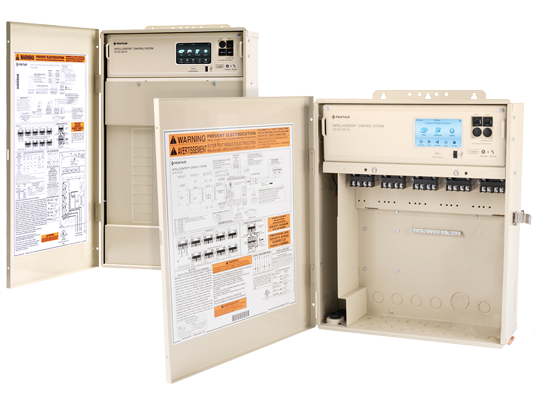
The Pentair Easy Touch is a pool and spa controller. It runs pumps, heaters, lights, and cleaners. It uses sensors, relays, and a keypad to manage systems. Communication lines link the Easy Touch to other devices like salt cells or remote displays. Knowing that layout helps with Pentair Easy Touch troubleshooting.
Common Error Codes and What They Mean
Common messages are usually short. Here are frequent ones and what they generally point to.
- FLO or Low Flow
- Means low water flow to equipment. Check pump, valves, and clean filters.
- NO COMM or Communication Error
- Controller lost contact with an accessory. Check cables and network modules.
- LOCK or Keypad Locked
- Settings are protected. Use the unlock procedure in the manual.
- PUMP FAULT or Motor Error
- A pump failed to start or tripped overload. Inspect the pump and electrical supply.
- TEMP SENSOR or Probe Fault
- Temperature probe reads out of range or open. Test sensor wiring and connections.
People also ask:
What does "NO COMM" mean on Pentair Easy Touch?
NO COMM means the Easy Touch lost data link to an accessory or module. Usually caused by a bad cable, loose connector, or powered-off accessory.
Why does FLO show even when pump runs?
FLO can show when flow sensor is dirty, bypassed by valve positions, or if the sensor wiring is faulty.

Basic Troubleshooting Steps
Start with safe, simple checks. These catch most problems fast.
- Power check
- Confirm branch breakers and the main pool breaker are on.
- Display and keypad
- Inspect the screen and buttons for damage or moisture.
- Wiring and connectors
- Look for loose or corroded terminals and secure them.
- Flow and valves
- Confirm pump is running and valves send water through the filter.
- Accessories
- Make sure salt cells, heaters, and relays have power and show status lights.

Step-by-step: Fixing No Power or Blank Display
Follow this ordered approach when the Easy Touch is blank.
- Turn off the main pool breaker. Wait 30 seconds and turn it back on.
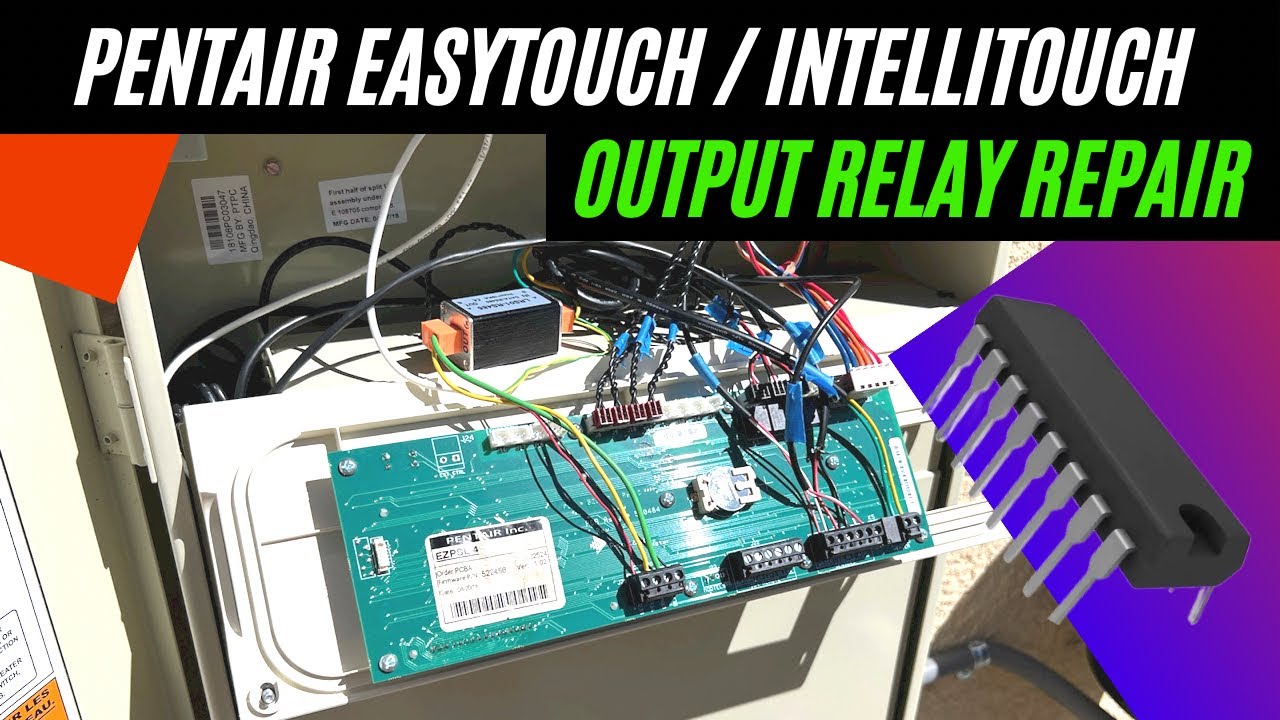
- Check the 24 VAC transformer feeding the controller. Measure with a meter if you can.
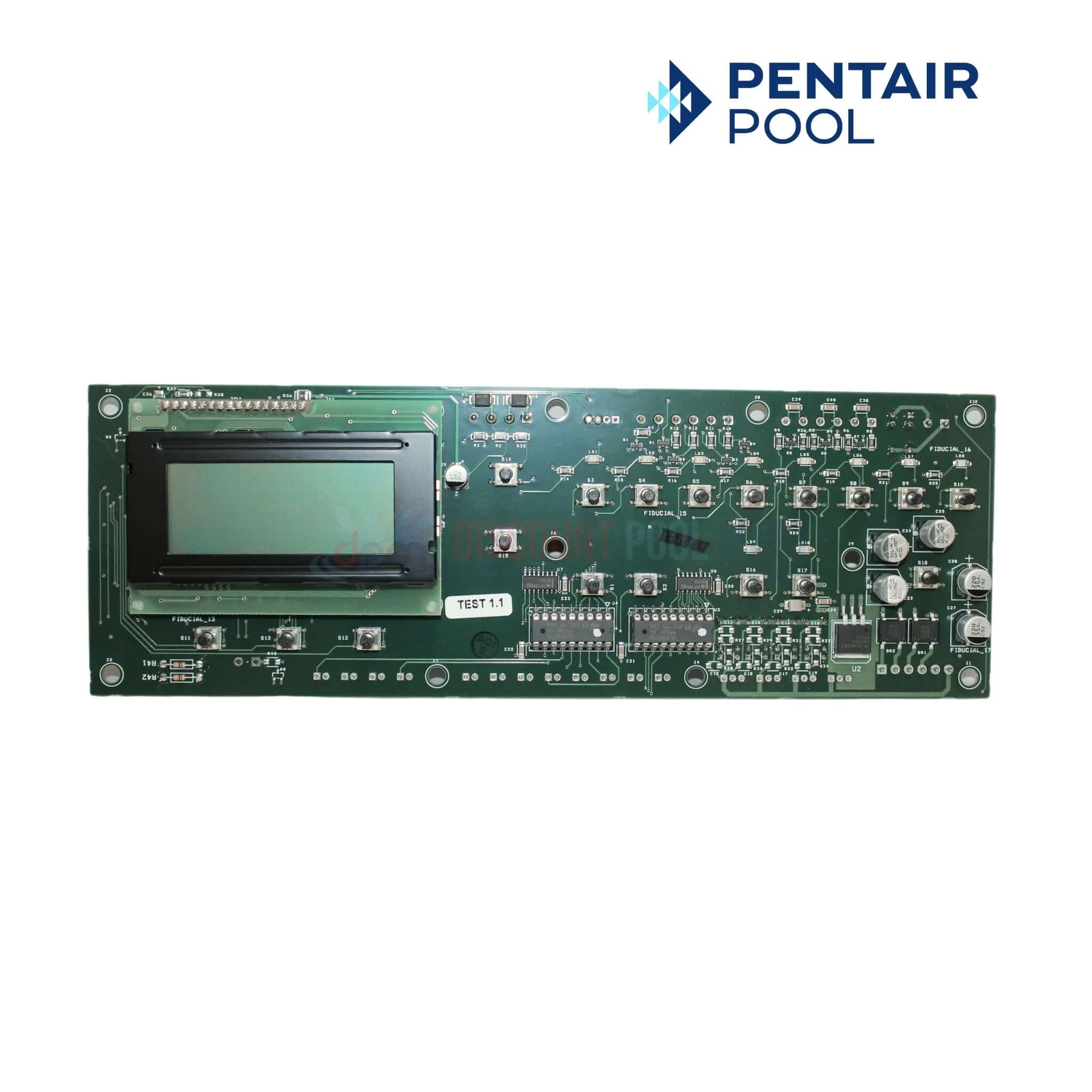
- Inspect the control board for burn marks or swollen capacitors.
- Verify incoming power at the disconnect and then at the controller terminals.
- If power is present but the screen stays blank, consider a faulty controller module and call support.
Step-by-step: Handling Error Messages and Communication Faults
Address code messages methodically. This prevents guessing.
- Record the exact message and note when it began.
- Power-cycle the Easy Touch and the accessory device.
- Inspect RS-485 or proprietary comm cables. Reseat connectors and check for breaks.
- Swap a known-good cable if possible to isolate the wiring.
- If a specific accessory shows NO COMM, power it down and test it alone on the network.
- For FLO or flow faults, run the pump and check flow sensor orientation and cleanliness.
Advanced Diagnostics and Tools
Some fixes need tools and care. Use the right gear and follow safety.
- Tools to have
- Multimeter for voltage and continuity. Small screwdriver set. Wire labels.
- What to test
- 24 VAC transformer output. Continuity of RS-485 lines. Relay coil voltage.
- Safety first
- Always kill power before touching wiring. Lock out the breaker when possible.
- Firmware and logs
- Some systems store event logs. Note timestamps and error combos to help pros.
I once traced a NO COMM issue to a crimped RS-485 wire under a terminal. The meter saved hours of trial and error. Small details like a loose screw can cause big headaches.

Resetting, Firmware, and Software Updates
Reset and updates can clear odd bugs but use them carefully.
- Soft reset
- Power-cycle the system first. Many small faults clear after restart.
- Factory reset
- Only when you have settings backed up. This removes custom schedules.
- Firmware updates
- Keep firmware current for stability. Follow the manufacturer steps and back up settings first.
- Backup tips
- Note pump names, schedules, and set points before any reset.
If you update firmware, do it during low-use hours and avoid power interruptions. A failed update can leave a controller unusable.
Maintenance Tips to Prevent Future Issues
Simple maintenance cuts down on Pentair Easy Touch troubleshooting later.
- Quarterly checks
- Inspect wiring, clean terminals, and verify sensor mounts.
- Filter and pump care
- Clean filters and baskets to avoid flow faults.
- Weather proofing
- Keep the control panel dry and shielded from sun and salt spray.
- Log changes
- Note when you add or change equipment. It helps resolve future NO COMM issues.
Small routine checks prevent emergency calls. Treat the controller like a small brain that needs a clean environment.

When to Call a Professional
Know when DIY ends and pro work begins.
- Unsafe electrical work
- If you must open disconnects or rewire breakers, call a licensed electrician or pool tech.
- Replacing control boards
- Hardware swaps can need calibration and programming.
- Persistent communication faults
- If cabling and power are good but errors persist, get certified tech support.
Calling a pro early can save time and avoid damage. A certified service can test boards, update firmware, and replace modules safely.
Frequently Asked Questions of Pentair Easy Touch Troubleshooting
How do I reset the Pentair Easy Touch?
Power off the system at the breaker for 30 seconds and power it back on. For a full factory reset, follow the manual and back up your settings first.
Why does my Easy Touch show NO COMM after a storm?
Lightning or water can corrode connections or damage communication lines. Check cables for corrosion and ensure accessories have power.
Can I replace the flow sensor myself?
Yes, you can replace a flow sensor if you are comfortable with basic plumbing and wiring. Turn off power and water, then swap the sensor and secure the wiring.
How often should I update firmware?
Update when Pentair releases critical fixes or improvements, typically yearly. Always back up settings and avoid updates during storms or high-use times.
What if the display is scrambled but the system runs?
Scrambled display often means a bad keypad or keypad cable. The system may operate, but replace or reseat the keypad to fix visuals.
How can I prevent communication errors?
Keep cables short and secure, use sealed connections, and log any equipment changes. Regular visual checks stop small issues from becoming big ones.
Final thoughts
Most problems with Pentair Easy Touch troubleshooting come down to power, wiring, and communication. Start with simple checks, use safe steps, and document error messages. If a fix needs rewiring or a board swap, call a licensed pro to avoid risks. Take small maintenance steps now to avoid big headaches later. If this guide helped, try the simple checks today, subscribe for more pool control tips, or leave a question below.

