

If you manage a busy laundry, downtime is costly. When your Unimac washer stops working, it can create big problems. Fast, accurate troubleshooting keeps your business running and saves on expensive service calls. But these commercial machines are complex, and problems can range from simple fixes to issues that need a technician. Understanding how to troubleshoot common Unimac washer problems gives you confidence, reduces frustration, and helps you get back to business faster.
This guide covers typical Unimac washer issues, from machines that won’t start to error codes and leaks. You’ll learn what you can fix yourself, which signs mean you need a professional, and how to avoid common mistakes. You’ll also find practical tables, expert tips, and answers to the most frequent questions users have about Unimac washer troubleshooting.

36% off Today’s Exclusive Deals
Limited-time Exclusive Deals. Check current discount on Amazon.
Check Price on Amazon As an Amazon Associate I earn from qualifying purchases.Understanding Your Unimac Washer
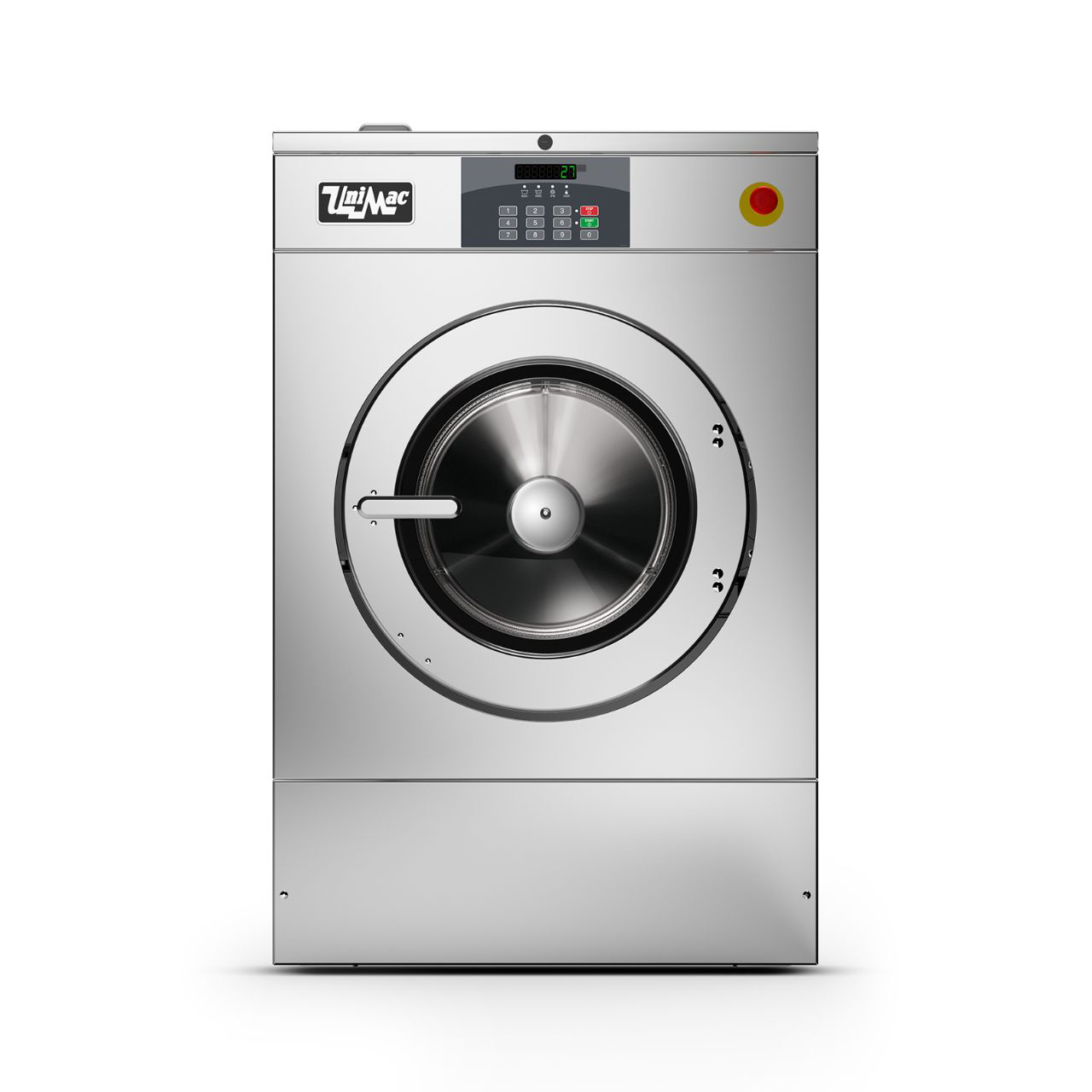
Unimac washers are designed for heavy use in laundromats, hotels, hospitals, and other commercial settings. They’re built for reliability and efficiency, but that also means they have advanced features and safety systems. Knowing the basic parts and how they work helps you troubleshoot problems more logically.
Most Unimac washers have:
- Digital control panels with display codes
- Door lock systems for safety
- Water inlet valves controlling hot and cold water
- Drain pumps removing water after each cycle
- Motors and belts spinning the drum
- Sensors for water level, temperature, and vibration
If you understand what each part does, it’s easier to guess where the problem might be. For example, if water won’t fill but the door locks, the issue is likely with the water inlet, not the door or control board.
Unimac Washer Models
Not all Unimac washers are the same. The most common commercial models include:
- Softmount washers: Flexible mounting, less vibration, often used in locations with weaker floors.
- Hardmount washers: Rigid mounting, higher spin speeds, require stronger floors.
- Coin-operated models: Used in laundromats, have payment systems.
- On-premises laundry (OPL) models: For hotels, hospitals, large facilities.
While most troubleshooting steps are similar, check your machine’s manual for model-specific information.
Common Unimac Washer Problems And How To Troubleshoot
Let’s break down the most frequent issues Unimac washer users face, with practical steps for each. For some fixes, you may need a screwdriver, voltmeter, or the Unimac service manual.
1. Washer Won’t Start
When the washer won’t start, check these basics first:
- Power supply: Make sure the machine is plugged in and the circuit breaker is on.
- Door lock: The washer won’t run if the door isn’t fully closed or the lock is faulty. Listen for the click when closing.
- Control panel errors: Look for error codes on the display. If the screen is blank, the control board or fuse may be faulty.
Troubleshooting Steps
- Reset the washer by unplugging it for 1 minute, then plugging it back in.
- Check for a blown fuse or tripped breaker in the electrical panel.
- Inspect the door latch for damage or debris.
- If there’s power but no response, the main control board may need professional service.
Non-obvious tip: Sometimes, vibration can loosen the power cord or plug. Always check the connection at the wall and the machine.
2. Washer Not Filling With Water
If the machine powers on but doesn’t fill, the problem is usually with the water supply.
- Check water faucets: Both hot and cold taps should be fully open.
- Inspect hoses: Kinks, clogs, or leaks in hoses block water flow.
- Clean inlet screens: Sediment from water lines can clog filters at the hose connection.
Troubleshooting Steps
- Turn off the water, disconnect hoses, and check for blockages.
- Clean or replace inlet screens if dirty.
- Test the water inlet valve with a voltmeter. If it doesn’t open when powered, replace it.
Non-obvious tip: In some models, a faulty door lock can prevent filling, even if the door appears closed.
3. Washer Not Draining
A washer that won’t drain leaves clothes wet and stops the next cycle.
- Check the drain hose: It should not be kinked or blocked.
- Inspect the pump: Coins, buttons, or debris can block the pump.
- Listen for pump sounds: If you hear humming but no water moves, the pump may be jammed.
Troubleshooting Steps
- Remove the drain hose and check for obstructions.
- Open the pump access panel (usually at the front base) and clear any debris.
- If the pump is silent, test for power or replace the pump.
Non-obvious tip: Overuse of detergent can create suds that confuse sensors and stop draining. Use commercial-grade detergent only.
4. Washer Is Leaking
Leaks can damage floors and create slip hazards.
- Check door seals: Torn or dirty gaskets let water escape.
- Inspect hoses and clamps: Loose or cracked hoses leak during fill or drain.
- Check detergent drawer: Overfilling or buildup can cause leaks at the front.
Troubleshooting Steps
- Wipe and inspect the door gasket for tears or trapped objects.
- Tighten or replace hose clamps.
- Clean the detergent drawer and make sure you’re not overloading it.
5. Washer Not Spinning
If the washer won’t spin, clothes stay soaked.
- Check load balance: Uneven loads can stop the spin cycle.
- Inspect belts and motor: Broken or loose belts prevent spinning.
- Control board and door lock: Some machines won’t spin if the door lock or control board is faulty.
Troubleshooting Steps
- Redistribute clothes and try running the spin cycle again.
- Remove the back panel and check the drive belt for wear.
- Listen for motor noises—no sound may mean an electrical issue.
Non-obvious tip: Some Unimac washers automatically pause if vibration is too high. Make sure the machine is level and on a solid floor.
6. Error Codes On The Display
Unimac washers use error codes to show specific problems. Common codes include:
- E01: Door lock issue
- E02: Water fill error
- E03: Drain problem
- E04: Motor or speed problem
Find your model’s error code list in the manual. Most codes point to a part or system to check.
What To Do
- Note the code and restart the washer.
- If the code returns, use the manual for specific steps or contact a technician.
7. Washer Making Unusual Noises
Strange noises are often early signs of trouble.
- Grinding: Usually a problem with the drum bearings or foreign objects.
- Banging: Load is unbalanced or the shock absorbers are worn.
- Clicking: Objects caught in the drum or pump.
Troubleshooting Steps
- Stop the washer and remove any foreign objects.
- Check for loose bolts or worn parts.
- If the drum feels loose, call a technician—bearing repairs are complex.
8. Washer Smells Bad
Odors come from mold, mildew, or detergent buildup.
Preventing And Fixing Odors
- Run regular hot water or cleaning cycles.
- Leave the door open between loads to dry the drum.
- Clean the detergent drawer and door seal weekly.
Expert tip: Use a washer cleaner tablet monthly for best results.

Unimac Washer Troubleshooting Table
This table gives a quick view of common problems, possible causes, and solutions.
| Problem | Likely Cause | Quick Solution |
|---|---|---|
| Washer won’t start | No power, door not locked, control board issue | Check power, door, reset machine |
| Not filling water | Water supply off, hose clogged, faulty inlet valve | Open taps, clean hoses, test valve |
| Not draining | Blocked hose, pump jammed, suds overload | Clean hose/pump, reduce detergent |
| Leaking | Damaged seal, loose hoses, detergent overfill | Check gasket, tighten clamps, clean drawer |
| No spin | Unbalanced load, broken belt, motor fault | Redistribute load, check belt, inspect motor |
Advanced Troubleshooting: When To Call A Technician
Sometimes, simple troubleshooting isn’t enough. Commercial washers use high-voltage parts and complex electronics. Know when to stop and call a professional.
Signs You Need Expert Help
- Repeated error codes that don’t clear after resetting
- Burning smells or visible sparks
- Water on electronic components
- Drum won’t move even after belt and motor checks
- Electrical shorts or tripped breakers after each use
Trying to repair these issues yourself can be dangerous and may void your warranty.
How To Find A Qualified Technician
- Use only certified Unimac service providers.
- Ask for references or check reviews.
- Always request a written estimate before repairs.
Insider tip: Keep a maintenance log of all repairs and service calls. It helps track recurring problems and may be required for warranty claims.
Preventing Common Unimac Washer Problems
Regular maintenance reduces breakdowns and extends the life of your washer.
Maintenance Checklist
- Clean door gasket and detergent drawer weekly.
- Run a hot water or cleaning cycle monthly.
- Inspect hoses and connections every 3 months.
- Check and tighten bolts every 6 months.
- Level the washer after each move.
Best Practices For Commercial Laundry Operations
- Use the right detergent—too much or the wrong type causes suds and sensor errors.
- Avoid overloading the drum. Unimac recommends filling only to 80% of drum capacity for best results.
- Train staff on basic troubleshooting and machine care.
Data: Impact Of Regular Maintenance
Research shows that regular maintenance reduces commercial washer breakdowns by up to 40% over five years. Facilities that follow manufacturer guidelines save thousands on repairs and downtime.
Comparing Unimac Washer Models And Troubleshooting Needs
Different Unimac models have different strengths, control panels, and parts. Here’s a simple comparison of two popular types.
| Feature | Softmount | Hardmount |
|---|---|---|
| Vibration | Low | High |
| Spin Speed | Medium | High |
| Floor Requirements | Standard | Reinforced |
| Troubleshooting Difficulty | Medium | High |
If you’re unsure which model you have, check the serial plate on the back or side of the machine.

Troubleshooting Safety Tips
Working with commercial washers means dealing with water, electricity, and heavy parts. Always follow these safety rules:
- Unplug the washer before opening panels or removing parts.
- Wear gloves to avoid sharp edges and hot surfaces.
- Never bypass safety switches or sensors.
- Use only manufacturer-approved replacement parts.
If you’re ever in doubt, stop and call a qualified technician.
Understanding Unimac Washer Error Codes
Error codes help you quickly find the source of a problem. Here’s a summary of the most common ones and what they mean.
| Error Code | Meaning | What to Check |
|---|---|---|
| E01 | Door lock error | Door latch, lock wiring |
| E02 | Water fill issue | Water supply, inlet valve, hoses |
| E03 | Drain problem | Drain hose, pump, filter |
| E04 | Motor speed error | Drive belt, motor, control board |
| E05 | Overfill detected | Water level sensor, inlet valve |
Always refer to your specific model’s manual for a complete list.
Common Mistakes To Avoid When Troubleshooting
Many users make simple mistakes that can waste time or even damage the machine:
- Ignoring the manual: Each model has unique features. Always check the official guide.
- Forcing parts: If a panel or part won’t move, don’t use extra force. There may be hidden screws or locks.
- Skipping safety checks: Never troubleshoot with the washer plugged in.
- Overusing detergent: Extra soap does not clean better and can harm sensors and pumps.
Expert insight: If you can’t solve the problem in 30 minutes, it’s better to call for help than risk further damage.
Where To Find Reliable Parts And Support
Only use genuine Unimac parts for repairs. Third-party parts may not fit or can void your warranty.
- Order from authorized distributors or the manufacturer.
- Keep a list of local service providers and parts suppliers.
- For technical support, visit the official Unimac support page.
Frequently Asked Questions
What Should I Do If My Unimac Washer Keeps Showing The Same Error Code?
If the same error code appears after resetting the machine, check your user manual for troubleshooting steps. Clear any blockages and ensure all connections are secure. If the error returns, contact a certified Unimac technician.
How Often Should I Clean The Door Gasket And Detergent Drawer?
Clean the door gasket and detergent drawer at least once a week to prevent mold and leaks. In busy facilities, daily cleaning is best.
Can I Use Regular Household Detergent In My Unimac Washer?
No. Use only commercial-grade detergent designed for high-efficiency washers. Household detergents can cause excess suds, errors, and damage to the pump system.
Why Does My Washer Stop During The Spin Cycle?
Common reasons for a stopped spin cycle include unbalanced loads, too much detergent, or a faulty door lock. Try redistributing the clothes and rerunning the cycle. If the problem continues, check for error codes or call for service.
How Long Should A Unimac Commercial Washer Last?
With regular maintenance and proper use, a Unimac washer can last 10–15 years or more. Heavy use or poor maintenance can shorten its lifespan.
—
When your Unimac washer has problems, quick action and the right knowledge make all the difference. Regular checks, proper cleaning, and smart troubleshooting keep your laundry running efficiently. If a problem is too complex or dangerous, don’t hesitate to call a professional. With these troubleshooting steps, you’ll be ready for most common issues—and avoid costly downtime.

