

Wascomat washers are known for their durability and efficiency in commercial laundry settings. But even the best machines face problems over time. If your Wascomat washer is acting up, don’t worry. Many issues are easy to diagnose and fix, even if you’re not a technician.
Learning to troubleshoot these machines can save you money and reduce downtime. This guide walks you through common problems, practical solutions, and some expert tips you won’t find in basic manuals.

36% off Today’s Exclusive Deals
Limited-time Exclusive Deals. Check current discount on Amazon.
Check Price on Amazon As an Amazon Associate I earn from qualifying purchases.Understanding Wascomat Washer Models
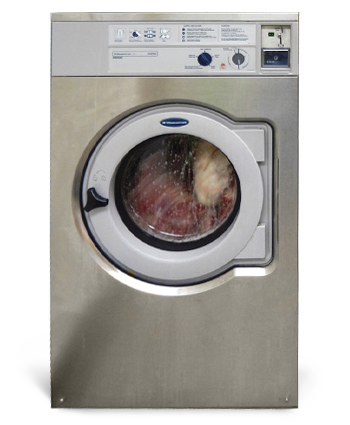
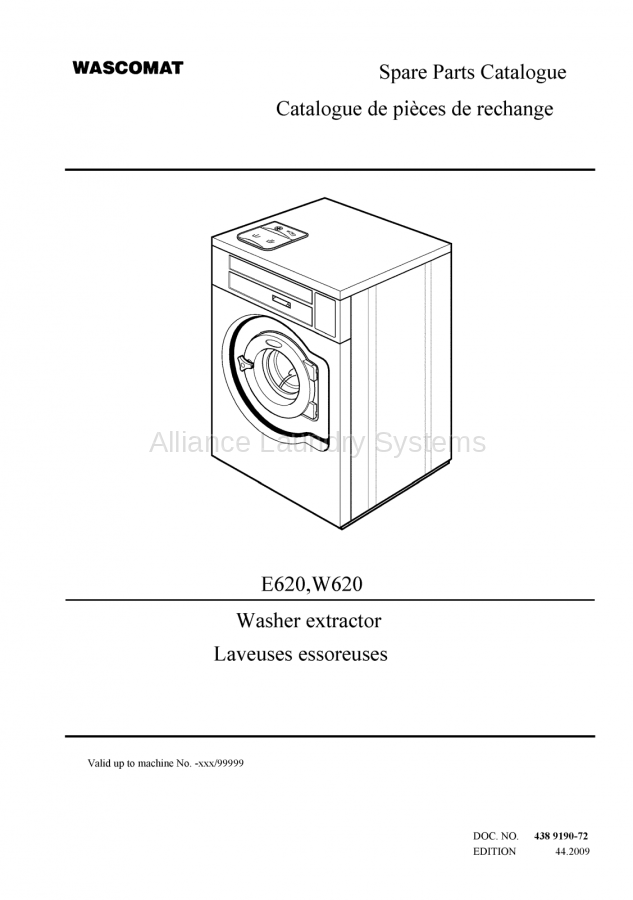
Before you start troubleshooting, it’s important to know which Wascomat washer model you’re dealing with. Wascomat makes different series, such as the EX, Crossover, and older models. Each has its own features and error codes. Checking your user manual or the model plate (usually inside the door or on the back) helps you find the right information for your machine.
Wascomat washers are popular in laundromats, hotels, and apartment buildings. Some models are built for heavy loads and fast cycles, while others focus on water efficiency. Knowing your model helps you understand which problems are most likely and which solutions will work best.
Common Wascomat Washer Problems
Many issues occur regularly in Wascomat washers. Here are the most frequent problems:
- Washer won’t start
- Not draining water
- Door won’t unlock
- Leaking water
- Not spinning properly
- Strange noises
- Error codes on display
- Detergent not dispensing
- Overfilling or underfilling
- Bad smells
Each problem needs its own approach. Let’s look at how to fix these issues step-by-step.
Troubleshooting Steps For Each Problem
Washer Won’t Start
If your Wascomat washer isn’t starting, check these points first:
- Power supply: Make sure the washer is plugged in and the outlet works. Try plugging another device into the same outlet.
- Door latch: The door must be closed tightly. If the latch is broken or not clicking, the washer won’t start.
- Control panel: If buttons are unresponsive, reset the machine by unplugging it for 30 seconds and plugging it back in.
- Error codes: Some models show codes if there’s a problem. Look up the code in your manual.
Pro tip: Sometimes, the washer won’t start because of a simple user mistake, like pressing the wrong button or not selecting a cycle. Double-check your settings.
Not Draining Water
If you find water left in the drum after a cycle:
- Drain filter: Most Wascomat washers have a filter near the bottom. Open the panel and clean out any lint or debris.
- Drain pump: Listen for a humming sound. If the pump is silent, it could be blocked or broken.
- Drain hose: Check the hose for bends or clogs. Run water through it to make sure it’s clear.
Non-obvious insight: Many users forget to check the filter regularly. Clogged filters cause most drainage problems.
Door Won’t Unlock
A locked door can be frustrating. Try these steps:
- Wait: Some models keep the door locked until the drum cools down (for safety). Wait 5–10 minutes.
- Power cycle: Turn off the power, wait 30 seconds, then turn it back on.
- Manual release: Look for a small release lever near the door latch. It’s usually hidden behind a panel.
Expert tip: If the door still won’t open, don’t force it. This can break the latch and cost more to fix.
Leaking Water
Water leaks are often easy to spot but hard to fix. Start here:
- Check seals: Look around the door and drum for cracks or worn rubber.
- Hoses: Inspect all hoses for tight connections and signs of wear.
- Detergent drawer: Sometimes, too much detergent causes overflow.
Example: A hotel laundry manager found a leak was caused by a worn door seal. Replacing the seal took just 15 minutes.
Not Spinning Properly
If your clothes come out wet, the spin cycle may be the problem:
- Load balance: Wascomat washers need balanced loads. Too many or too few items cause uneven spinning.
- Motor issues: Listen for grinding sounds. If you hear them, the motor may need attention.
- Belt: For older models, check the belt under the machine.
Practical insight: Adding a few towels to a small load often improves spinning.
Strange Noises
Odd sounds mean something’s wrong inside:
- Coins or debris: Check the drum for loose items.
- Bearings: A loud rumbling usually means worn bearings.
- Pump: A whirring or humming noise can mean a blocked pump.
Data: About 30% of commercial Wascomat repairs are due to objects left in pockets.
Error Codes On Display
Wascomat washers use error codes to help you diagnose problems. Here’s a quick comparison of common codes:
| Error Code | Meaning | Action |
|---|---|---|
| E21 | Drain problem | Check filter, hose, pump |
| E12 | Door lock fault | Check latch, power cycle |
| E35 | Water level issue | Check inlet valve, hose |
| E42 | Motor issue | Check belt, motor |
Non-obvious insight: Sometimes, clearing an error code is as simple as unplugging the washer for a minute.
Detergent Not Dispensing
If you see dry detergent after the wash:
- Drawer clogged: Remove and clean the drawer regularly.
- Water pressure: Low pressure can prevent detergent from flushing.
- Wrong detergent: Use only recommended types.
Example: Many laundromat owners switch to liquid detergent to avoid clogs.
Overfilling Or Underfilling
Incorrect water levels can ruin a wash:
- Sensor issues: Washers use sensors to detect water levels. If the sensor is dirty or faulty, water won’t fill correctly.
- Inlet valve: Check for blockages or slow water flow.
- Cycle selection: Some cycles use less water by design.
Bad Smells
If your washer smells, it’s usually caused by mold or detergent buildup:
- Run a hot cycle: Use vinegar or a washer cleaning tablet.
- Clean seals and drum: Wipe down all surfaces after use.
- Leave door open: Let the drum air out between cycles.
Non-obvious insight: Smells often return if the drain filter isn’t cleaned monthly.
Diagnosing Electrical Vs Mechanical Issues
Wascomat washers have both electrical and mechanical parts. Knowing which is the problem speeds up repairs.
Electrical Problems
- No power: Check circuit breaker and power cord.
- Display issues: Flickering or blank screens usually mean a loose wire or faulty board.
- Sensors: Water level, door, and temperature sensors can fail.
Mechanical Problems
- Motor: If the drum doesn’t turn, the motor may be worn.
- Pump: Water not draining often means a broken pump.
- Belts and bearings: Loud noises or poor spinning point to these parts.
Here’s a table comparing electrical and mechanical symptoms:
| Problem Type | Common Symptoms | Typical Fix |
|---|---|---|
| Electrical | No power, display issues, sensor errors | Check wiring, replace sensors |
| Mechanical | No spinning, water leaks, loud noises | Replace parts, tighten connections |
Expert tip: Always unplug the washer before checking internal parts, especially electrical ones.
How To Reset Wascomat Washers
Many problems can be fixed by a simple reset. Here’s how to do it:
- Unplug the washer from the wall.
- Wait 30–60 seconds for internal memory to clear.
- Plug it back in.
- Try starting a new cycle.
Some models have a reset button near the control panel. If you don’t see one, use the unplug method. Resetting clears most error codes and fixes software glitches.
Pro insight: Resetting won’t fix broken parts or persistent leaks. It’s best for software errors or minor glitches.
When To Call A Professional
While many issues are easy to fix, some need an expert. Call a technician if:
- You smell burning or see smoke.
- The washer trips your circuit breaker.
- Water leaks behind the machine (not just the front).
- You see repeated error codes even after resetting.
- Mechanical parts (like the motor or bearings) need replacement.
Stat: About 40% of commercial washer repairs require professional help, especially for electrical faults.
Preventive Maintenance Tips
Avoid future problems with regular maintenance. Here are some practical steps:
- Clean the filter monthly: This keeps drainage smooth and prevents odors.
- Inspect hoses yearly: Look for cracks or leaks.
- Wipe seals and drum: After each use, to prevent mold.
- Check door latch: Make sure it closes tightly.
- Run a cleaning cycle: Once a month, using washer tablets or vinegar.
- Balance loads: Don’t overload or underload the machine.
Non-obvious insight: Many commercial users forget to check the door seal, but it’s a common spot for leaks.
Comparing Wascomat To Other Commercial Washers
If you’re considering a replacement or just curious, here’s a comparison of Wascomat washers and other leading brands:
| Brand | Average Repair Cost | Typical Lifespan | Ease of Troubleshooting |
|---|---|---|---|
| Wascomat | $280 | 12 years | Moderate |
| Speed Queen | $320 | 15 years | Easy |
| Huebsch | $295 | 10 years | Moderate |
| Maytag | $340 | 13 years | Challenging |
Key takeaway: Wascomat washers have a good balance of lifespan and repair costs, but troubleshooting can be tricky for beginners.
Common Mistakes In Wascomat Washer Troubleshooting
Even experienced users can make errors. Watch out for these:
- Skipping the manual: Always check the manual for your model. Error codes and fixes can differ.
- Forgetting to unplug: Never work on the washer while it’s plugged in.
- Ignoring small leaks: Small leaks often turn into big problems.
- Overusing detergent: Too much detergent leads to buildup and clogs.
- Not balancing loads: This causes spinning and noise issues.
Pro tip: Keep a log of problems and fixes. This helps you spot patterns and makes future troubleshooting faster.
Useful Resources For Wascomat Washer Owners
Having reliable information is essential. The official Wascomat website offers manuals, parts lists, and troubleshooting guides. For more detailed support, visit Wascomat Official Site. You’ll find model-specific information and contact details for professional help.
Frequently Asked Questions
How Often Should I Clean The Drain Filter In My Wascomat Washer?
It’s best to clean the drain filter every month. If your washer is used heavily (like in a laundromat), clean it every two weeks. This prevents clogs and drainage issues.
What Do I Do If My Wascomat Washer Shows An Error Code?
First, look up the code in your manual. Most codes point to easy fixes like cleaning the filter or checking the door latch. If the code won’t clear, reset the washer. Call a technician if the error keeps coming back.
Why Does My Wascomat Washer Smell Bad Even After Cleaning?
Bad smells often come from hidden mold or detergent buildup. Make sure to clean the drum, seals, and filter. Run a hot cycle with vinegar or washer tablets. If the smell persists, check for water stuck in the machine.
Can I Use Any Detergent In My Wascomat Washer?
It’s important to use recommended detergents. Avoid powdered detergents if your machine has frequent clogs. Liquid detergents usually work better and dissolve faster.
When Should I Replace My Wascomat Washer Instead Of Repairing It?
Consider replacement if repairs cost more than half the price of a new machine or if your washer is over 12 years old. Frequent electrical issues or repeated leaks are signs it’s time for a new one.
Solving Wascomat washer problems doesn’t need to be stressful. With the right steps and a bit of knowledge, you can fix most issues yourself and keep your machine running smoothly for years. Remember, regular maintenance and careful troubleshooting prevent bigger problems in the future.
If you ever feel unsure, don’t hesitate to reach out to a professional or check official resources for help.

