

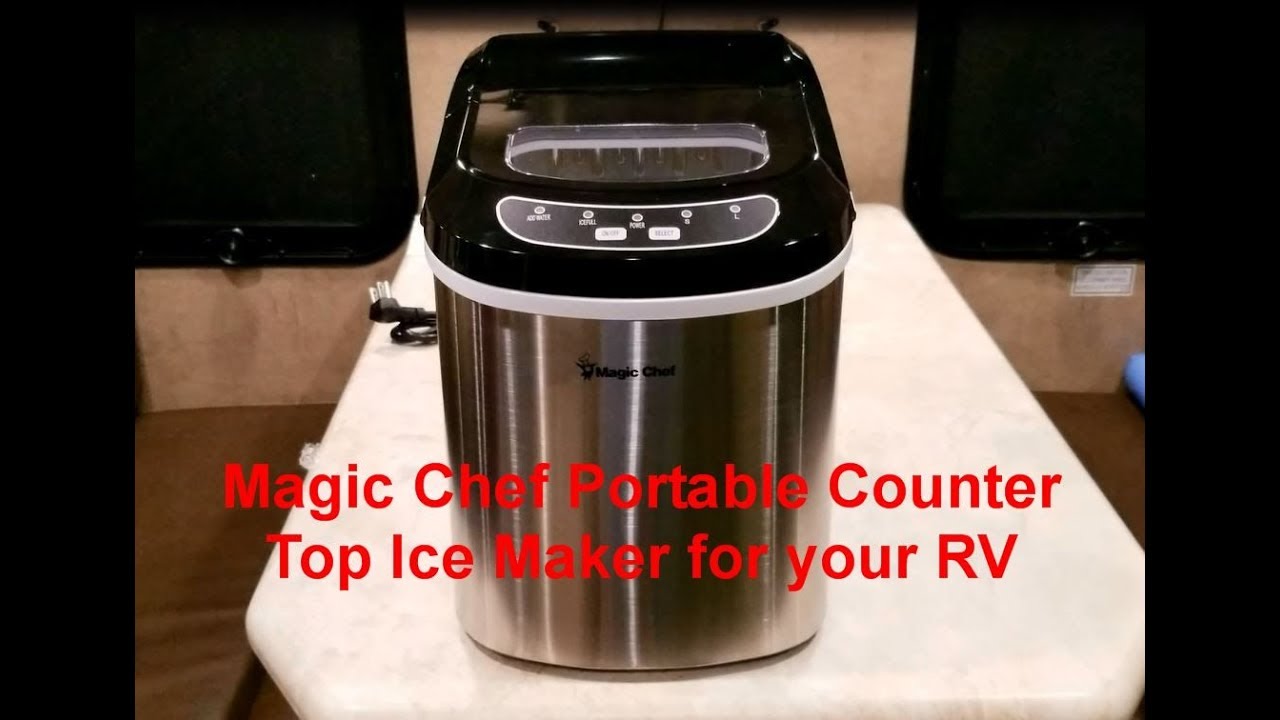
A Magic Chef ice maker brings the convenience of fresh ice right into your kitchen or office, but when things go wrong, frustration can quickly replace that convenience. Understanding how to troubleshoot your ice maker can save you both time and money.
Many problems have simple fixes you can do at home with basic tools and a little guidance. Whether your machine won’t start, makes odd noises, or produces misshapen ice, this guide will walk you through the most common issues and solutions.

36% off Today’s Exclusive Deals
Limited-time Exclusive Deals. Check current discount on Amazon.
Check Price on Amazon As an Amazon Associate I earn from qualifying purchases.You’ll also learn how to avoid mistakes that can make things worse, and when it’s time to call in a professional.
Common Problems With Magic Chef Ice Makers
Magic Chef ice makers are known for their reliability, but even the best appliances run into trouble. Here are the issues users report most often:
- Ice maker not turning on
- No ice production
- Ice cubes are too small or too large
- Odd noises during operation
- Water leaks
- Ice smells or tastes bad
- Indicator lights blinking or staying on
- Ice basket not filling
- Machine stops mid-cycle
Recognizing the specific problem is the first step. In many cases, a simple check or adjustment is all you need.
Initial Checks Before Troubleshooting
Before diving into more technical solutions, start with these basic checks:
- Power connection: Ensure the machine is plugged in securely and the outlet is working. Try plugging another device into the same outlet.
- Water supply: For models with a water line, confirm the supply is open and there are no kinks in the hose. For portable models, make sure the reservoir is filled up to the correct line.
- Room temperature: Ice makers work best in environments between 50°F and 100°F. Extreme temperatures can affect performance.
- Placement: The machine should be level on a flat, stable surface with at least 4 inches of space on all sides for ventilation.
These simple steps often solve common problems and are worth checking before more involved troubleshooting.
Troubleshooting: Magic Chef Ice Maker Not Making Ice
If your ice maker runs but doesn’t produce ice, try these steps:
- Check the water reservoir: Make sure there’s enough water. Low water will stop ice production.
- Inspect the water filter: If your model has a filter, a clogged one can block water flow. Clean or replace the filter as needed.
- Examine the ice basket: If the basket is full, the machine will pause. Remove some ice to resume the cycle.
- Look for ice jams: Sometimes, cubes stick together and block the ejector arm. Gently break up clumped ice with a plastic utensil.
- Reset the machine: Unplug for 10 minutes, then plug back in. This can clear minor electronic glitches.
If these steps don’t help, the issue may be internal, such as a faulty water pump or sensor.
Troubleshooting: Machine Not Turning On
A non-responsive unit is a common frustration. Here’s what to do:
- Verify the power cord: Check for visible damage. Replace if frayed or cut.
- Test the outlet: Use another device to ensure power is available.
- Inspect the control panel: Look for stuck buttons or a locked display. Press and hold the power button for 5 seconds to reset.
- Check the fuse: Some models have an internal fuse. If comfortable, unplug and open the panel to inspect. Replace with the correct rating if blown.
If your unit still won’t turn on, professional service may be needed, as the control board or internal wiring might be faulty.
Ice Quality Problems: Size, Shape, Taste, And Smell
Ice Cubes Are Too Small Or Too Large
Size problems often come from:
- Incorrect water level: Too little water makes small cubes; too much makes large or misshapen cubes. Adjust the fill line in the reservoir.
- Scale buildup: Minerals can block the water flow. Run a cleaning cycle with a vinegar solution, then rinse well.
Ice Smells Or Tastes Bad
Bad-tasting ice is more than unpleasant. Causes and solutions include:
- Dirty water reservoir: Clean the reservoir monthly with warm soapy water.
- Old water: Always use fresh, filtered water. Stale water absorbs odors.
- Mold or mildew: Wipe all surfaces, especially hidden corners, with a diluted bleach solution (one tablespoon per gallon of water), then rinse thoroughly.
- Nearby odors: Keep the ice maker away from trash bins or strong-smelling foods.
Odd-shaped Or Cloudy Ice
Cloudy ice is often caused by:
- Air in water: Use cold, filtered water to minimize air bubbles.
- High mineral content: Hard water causes cloudiness. Consider a filter or use distilled water.
Noise Issues: Identifying And Fixing Sounds
Magic Chef ice makers are usually quiet, but sometimes you’ll hear:
- Clicking: Normal during ice ejection. If loud or frequent, check for obstructions.
- Grinding or buzzing: May indicate a stuck motor or jammed parts. Unplug and inspect the ice tray and ejector arm.
- Gurgling: Usually water moving through the system, but loud gurgling can mean a loose hose or leak.
If the noise is new or very loud, turn off the unit and check for visible problems before restarting.

Water Leaks: Causes And Solutions
Leaks are rare but can be serious. Here’s what to check:
- Reservoir overfilled: Only fill to the marked line.
- Drain plug loose: Many models have a small drain at the bottom. Make sure it’s tightened securely.
- Cracked reservoir or water line: Inspect for visible cracks or leaks. Replace damaged parts.
- Poor placement: If the machine is tilted, water can spill.
If the leak persists after these checks, contact Magic Chef support for replacement parts or service.
Indicator Lights: What They Mean And What To Do
Magic Chef ice makers use indicator lights to communicate:
- Add Water: Reservoir is empty. Fill with fresh water.
- Ice Full: The basket is full or the sensor is blocked. Remove ice and clean sensors.
- Cleaning: The machine needs a cleaning cycle. Follow instructions in the manual.
If lights blink or stay on for no reason, unplug for 10 minutes, then restart. Persistent problems may indicate faulty sensors.
Cleaning And Maintenance For Best Performance
Regular cleaning is key to long-term reliability. Here’s a simple routine:
- Weekly: Empty and wipe the ice basket and water reservoir.
- Monthly: Run a cleaning cycle with a mixture of equal parts vinegar and water. Rinse thoroughly.
- Every 3 months: Check for scale or mineral deposits. Use a descaling solution if needed.
- Annually: Inspect hoses and seals for wear.
Never use harsh chemicals, as they can damage internal parts.
Magic Chef Models: Features Comparison
Different Magic Chef ice maker models offer varying features and capacities. Here’s a comparison of three popular units:
| Model | Ice Production (per 24h) | Ice Size Options | Reservoir Capacity | Special Features |
|---|---|---|---|---|
| MCIM22/HNIM27 | 27 lbs | Small/Large | 2.2 L | Removable basket |
| MCIM15 | 15 lbs | One size | 1.5 L | Compact design |
| MCIM30 | 30 lbs | Small/Medium/Large | 2.8 L | Self-cleaning |
When troubleshooting, always check the manual for your specific model, as features and error codes can vary.
When To Call For Professional Help
Some issues need an expert. Contact support if:
- Electrical smell or smoke: Unplug immediately and do not use.
- Repeated fuse or breaker trips: Indicates a wiring problem.
- Water pump or compressor failure: These require special tools and knowledge.
- Persistent leaks or strange noises: If you can’t find the cause, it could be an internal problem.
Attempting advanced repairs without experience may void your warranty or cause further damage.
Practical Tips To Prevent Common Problems
- Use filtered water: Reduces scale, improves taste, and lengthens machine life.
- Don’t ignore cleaning reminders: Regular maintenance prevents most issues.
- Allow cooling time: If you move the unit, let it sit for an hour before use.
- Keep the exterior clean: Dust and debris can block vents, causing overheating.
Many beginners forget to clean the ice sensor—a small part near the basket that can get dirty and confuse the unit’s controls. Also, never force the ice basket in or out. Misaligned parts can cause jams and sensor errors.
Cost Of Repair Vs. Replacement
Knowing whether to repair or replace your Magic Chef ice maker depends on the problem. Here’s a general breakdown:
| Issue | DIY Fix Cost | Professional Repair Cost | Typical Replacement Cost |
|---|---|---|---|
| Dirty sensors | $0–$10 (cleaning supplies) | $50–$75 | — |
| Water pump failure | $20–$50 (if skilled) | $100–$150 | $90–$180 |
| Compressor failure | — | $200–$300 | $90–$180 |
| Control board issue | $30–$60 (parts only) | $80–$150 | $90–$180 |
If repair costs approach the price of a new unit, replacement is usually the smarter choice, especially for models out of warranty.
Finding Manuals And Support
Having your user manual is crucial for troubleshooting. You can download manuals from the official Magic Chef support page. Keep your serial number handy for faster help when contacting support.
Frequently Asked Questions
Why Does My Magic Chef Ice Maker Keep Saying “add Water” Even When Full?
A dirty or misaligned water sensor often causes this. Clean the sensor with a soft cloth and make sure the machine is level. If the problem continues, the sensor may need replacing.
How Often Should I Clean My Magic Chef Ice Maker?
For best results, clean the reservoir and basket weekly, and run a full cleaning cycle with vinegar or a descaler every month. If your water is hard, consider more frequent cleaning.
What Causes Ice Cubes To Stick Together In The Basket?
This usually happens when ice sits too long and starts to melt slightly, then refreezes. Remove ice regularly and avoid overfilling the basket. Using the freshest ice ensures better quality and prevents clumping.
Can I Use Tap Water In My Magic Chef Ice Maker?
While you can use tap water, filtered or distilled water is better. Tap water often contains minerals that cause scaling, cloudy ice, and eventually machine problems.
My Machine Makes Ice But Doesn’t Drop It Into The Basket. What’s Wrong?
The ejector arm may be jammed, or the ice basket could be misaligned. Check for stuck ice or debris, and make sure the basket sits correctly in its slot.
A little care and smart troubleshooting will keep your Magic Chef ice maker running smoothly for years. By understanding the most common problems and solutions, you can avoid downtime, wasted money, and the hassle of unexpected repairs. Stay proactive with cleaning and maintenance, and your machine will keep delivering crisp, clean ice—just when you need it.

