

Most Amana dryer issues can be fixed with basic checks, simple repairs, or routine maintenance.
I have worked on household appliances for years and helped dozens of homeowners with Amana Dryer Troubleshooting. This guide packs clear steps, safety tips, symptom-based fixes, and practical advice so you can diagnose and repair common Amana dryer problems fast and safely. Read on to get confident troubleshooting steps, real-world tips, and when to call a pro.

36% off Today’s Exclusive Deals
Limited-time Exclusive Deals. Check current discount on Amazon.
Check Price on Amazon As an Amazon Associate I earn from qualifying purchases.
Common Amana Dryer Problems and Causes
Amana dryer troubleshooting starts with knowing common problems. Many issues come from worn parts, clogged vents, or power and gas supply problems. Typical symptoms include no heat, no tumbling, long drying times, loud noise, burning smells, and error codes. Spotting the likely cause early saves time and often money.

Safety First: Before You Start Amana Dryer Troubleshooting
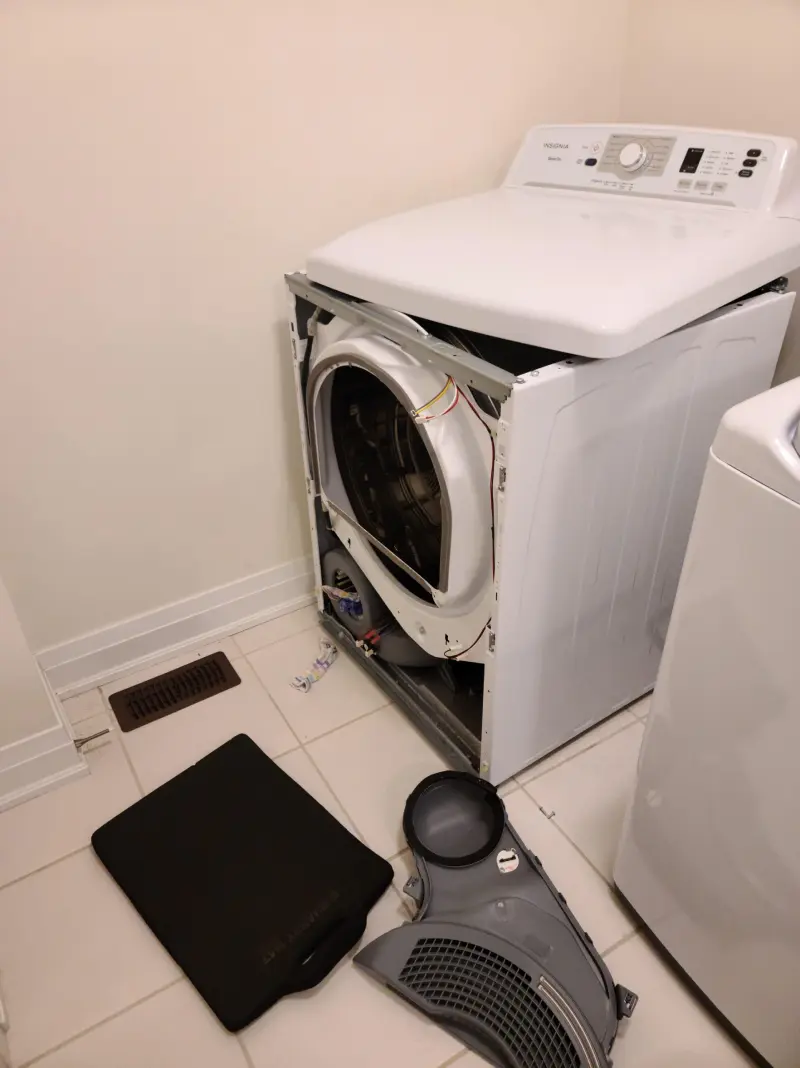
Always cut power before you work on an electric dryer. Unplug the dryer or switch off the circuit breaker for electric models. For gas dryers, turn off the gas supply and unplug the unit. Wear gloves and eye protection, and keep pets and kids away while you test or repair.
Symptom-Based Amana Dryer Troubleshooting
Below are step-by-step checks for the most common symptoms. Work from simple checks to more involved fixes. Each step is safe, clear, and easy to follow.
Not Heating
- Check the power supply and the circuit breaker. Electric dryers need 240V; a tripped breaker can cut one leg and prevent heating.
- Inspect the thermal fuse. A blown thermal fuse stops heat. It is non-resettable and needs replacement.
- Test the heating element or gas igniter. For electric dryers, the element can break. For gas models, the igniter or gas valve may fail.
- Clean the lint trap and exhaust vent. Blocked vents reduce airflow and make it seem like the dryer won’t heat.
Not Tumbling or Drum Won’t Turn
- Check the door switch. If the dryer thinks the door is open, the drum won’t turn.
- Inspect the belt. A worn or broken belt is a common cause and is easy to replace.
- Examine the motor and idler pulley. A seized motor or bad pulley will stop tumbling and often causes noise.
Takes Too Long to Dry
- Clean lint screen and vent. Restricted airflow is the top cause of long dry times.
- Check the moisture sensor bars. Dirt or residue on sensors can prevent proper cycle termination.
- Confirm load size and spin speed. Overloading or wet clothes from a weak washer increase drying time.
Loud Noises or Rattling
- Look for foreign objects in the drum or lint trap.
- Check drum support rollers and bearings. Worn rollers make grinding or thumping sounds.
- Inspect the blower wheel. A loose or broken wheel can rattle and reduce airflow.
Burning Smell or Overheating
- Stop the dryer immediately if you smell burning. Unplug the unit and inspect for lint build-up.
- Check the motor and wiring for signs of burning. Replace damaged parts before use.
- Ensure vents and lint traps are clean. Poor airflow causes heat to build and components to overheat.

Understanding Amana Dryer Error Codes
Modern Amana dryers may show codes to help with troubleshooting. Codes vary by model, but common examples include errors for door lock faults, thermistor problems, or motor issues. If your dryer displays a code:
- Note the code and model number.
- Check the owner’s manual or service sheet for the code meaning.
- Use the code to guide your checks, such as testing sensors, thermostats, or the control board.
If you cannot find code info in the manual, a quick model lookup or a service tech can interpret it and recommend parts tested with a multimeter.

Parts, Tools, and When to Replace Components
You can handle many Amana dryer repairs with simple tools. Here are common parts and when to replace them.
Tools to keep handy
- Multimeter to test continuity and voltage.
- Nut drivers and screwdrivers sized for dryer panels.
- Needle-nose pliers and work gloves.
Common parts to replace
- Thermal fuse: Replace when it shows no continuity after a no-heat event.
- Drive belt: Replace if frayed, glazed, or broken.
- Rollers and idler pulley: Replace when noisy or worn.
- Heating element or igniter: Replace if broken or nonfunctional.
- Door switch and moisture sensors: Replace if they fail continuity tests.
When to call a pro
- You smell gas or suspect a gas leak.
- Control board or wiring repairs are required.
- The motor or major structural parts need replacement.
- You lack the tools or comfort to test electrical components.

Maintenance Tips to Avoid Amana Dryer Problems
Routine care prevents most breakdowns. I recommend these simple habits to extend dryer life and reduce the need for Amana dryer troubleshooting.
- Clean the lint screen before every load to maintain airflow.
- Vacuum the lint trap housing and vent annually to remove hidden buildup.
- Inspect exterior vent caps and clean outdoor vent openings twice a year.
- Avoid overloading and use proper drying cycles for different fabrics.
- Check the vent hose for kinks and replace flexible foil ducts with semi-rigid venting for better airflow.
These small steps cut energy bills and lower the chance of fire or part failure.

My Personal Experience with Amana Dryer Troubleshooting
I once helped a neighbor whose Amana dryer did not heat. A quick check showed the lint screen was mostly clean, but the vent was packed full of lint. After cleaning the vent and replacing a blown thermal fuse, the dryer worked like new. The big lesson: always check airflow first.
Another time, a dryer made a loud thump every turn. I replaced the drum rollers and idler pulley in under an hour. Simple parts, clear gains. Those hands-on fixes taught me to check small moving parts before assuming a motor is bad.
Frequently Asked Questions of Amana Dryer Troubleshooting
How do I reset my Amana dryer?
Unplug the dryer or turn off its circuit breaker for 1 minute, then restore power. This often clears electronic glitches and resets the control board.
What causes an Amana dryer to not heat but tumble?
A blown thermal fuse, broken heating element, or tripped breaker can cause no heat while the drum turns. Check the thermal fuse and power to the heating circuit first.
How often should I clean the dryer vent?
Clean the main vent at least once a year, and the lint screen before every load. More frequent cleaning is needed for heavier loads or large households.
Can I replace the thermal fuse myself?
Yes. Replacing a thermal fuse is usually straightforward and requires a few basic tools. Always disconnect power before starting and test the new fuse for continuity.
When should I call a technician for Amana dryer troubleshooting?
Call a pro if you suspect a gas leak, need control board repairs, or feel unsafe working with wiring. Also call a technician when parts tests point to a complex motor or gas valve issue.
Conclusion
Amana dryer troubleshooting is mostly about good checks, safe habits, and clear repairs. Start with power and airflow checks, move to simple parts like fuses and belts, and keep vents clean to avoid most problems. If a repair looks beyond your skills, call a qualified technician to stay safe.
Take action today: inspect your lint trap and vent, test the simple parts listed here, and leave a comment or subscribe for more appliance tips.

