

Most common causes are low salt, dirty cell, low flow, and faulty electronics.
I’ve serviced salt-chlorine systems for years and have hands-on experience troubleshooting the Pentair Intellichlor Ic40. This article shows clear, step-by-step Pentair Intellichlor Ic40 Troubleshooting, so you can diagnose errors, fix common faults, and keep your pool water safe with confidence.

36% off Today’s Exclusive Deals
Limited-time Exclusive Deals. Check current discount on Amazon.
Check Price on Amazon As an Amazon Associate I earn from qualifying purchases.
Overview: What the Pentair Intellichlor Ic40 Does and Why Troubleshooting Matters
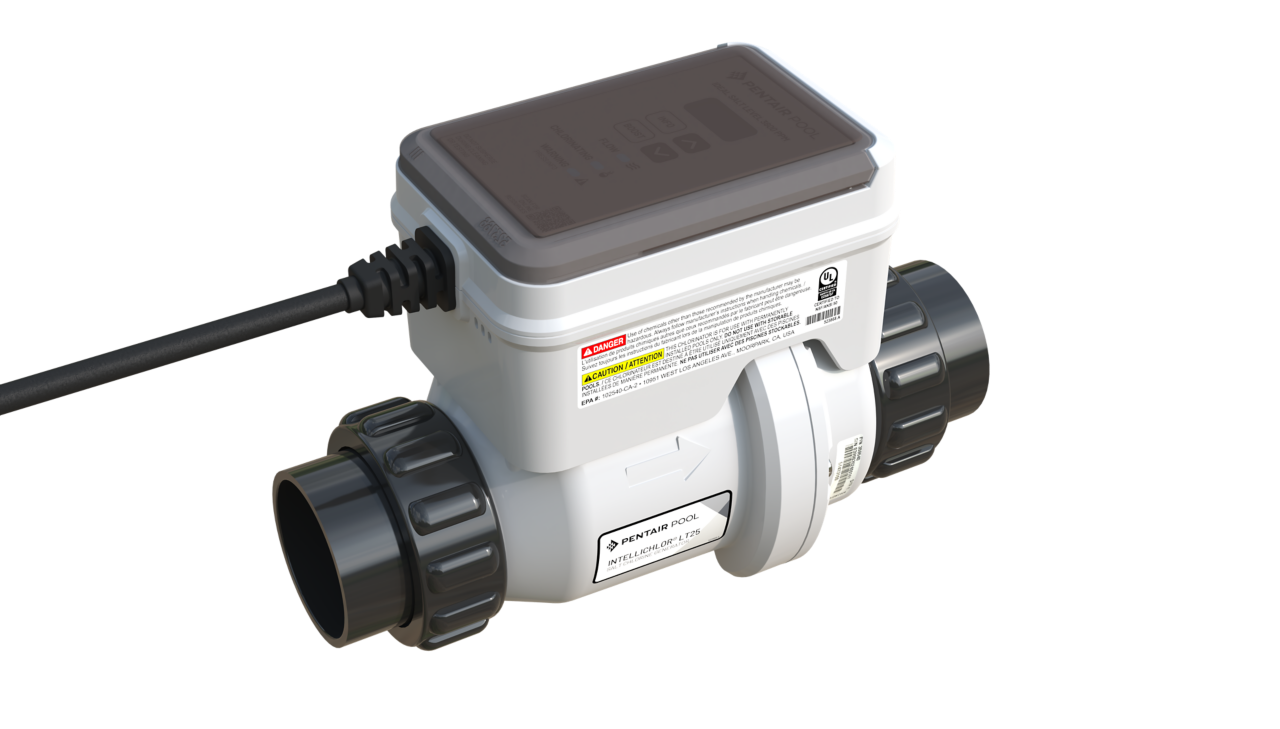
The Pentair Intellichlor Ic40 is a salt-chlorine generator for pools. It converts salt into chlorine automatically. When it works, pool care is easy. When it fails, you can get algae, cloudy water, or low sanitizer levels.
Good Pentair Intellichlor Ic40 Troubleshooting saves time and avoids costly service calls. You will learn how to spot symptoms, run tests, and repair or replace parts. This saves money and keeps swim season on schedule.
Common Issues and Root Causes
Knowing common problems speeds Pentair Intellichlor Ic40 Troubleshooting. Here are frequent issues and their likely causes.
- Low chlorine production
- Low salt level in the pool
- Dirty or scaled cell plates
- Poor water flow or pump issues
- Error codes or blinking LEDs
- Sensor or electronics fault
- Control box failure
- Loose wiring or ground issues
- Cell not producing or short life
- Harsh chemistry or heavy scaling
- Incorrect mounting or air in lines
- Intermittent operation
- Inconsistent power supply
- Timer or control settings wrong
Each issue can be tested quickly. Start with simple checks. Work up to replacements only when needed.

Step-by-Step Pentair Intellichlor Ic40 Troubleshooting Guide
Follow these ordered steps to find the problem fast.
- Visual and safety check
- Turn off power at the breaker.
- Inspect the control box and cell for burns, corrosion, or loose plugs.
- Smell for burned wiring.
- Check salt level
- Use a reliable salt test strip or meter.
- Target salt per Pentair specs, usually around the mid 3000s ppm. Low salt is the most common cause of low output.
- Inspect the cell
- Remove the cell and look for white or brown scale.
- Clean scale with manufacturer-safe acid solution if moderate.
- Replace cell if plates look pitted or broken.
- Verify flow and pump operation
- Ensure pump and filter are running correctly.
- Check for closed valves or clogged filter.
- Confirm the flow switch is installed and functioning.
- Test power and wiring
- Confirm the control box gets 120/240V as required.
- Tighten terminal screws and connectors.
- Replace damaged cables.
- Run a reset and calibration
- Power-cycle the unit.
- Follow the Intellichlor IC40 reset procedure in the manual.
- Replace parts as needed
- Replace the cell first if cleaning fails.
- Replace control box if electronics fault persists.
Keep a log. Track what you tested and results. This helps if you call tech support or a pro.
Interpreting Error Codes and LED Signals
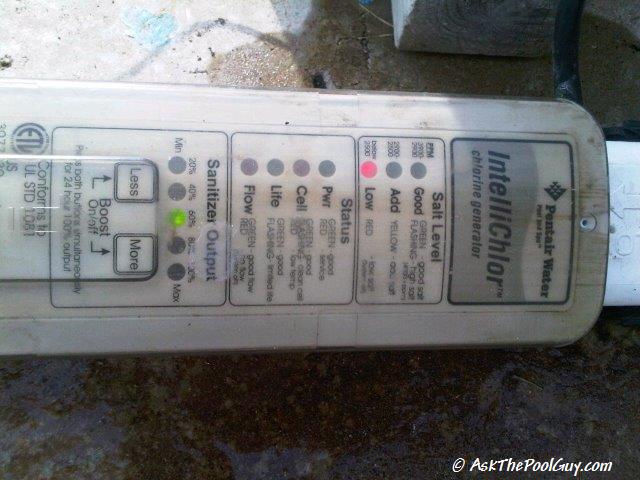
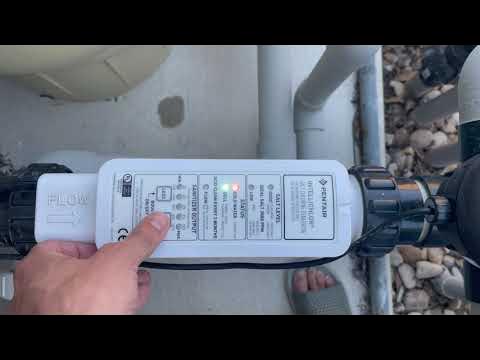
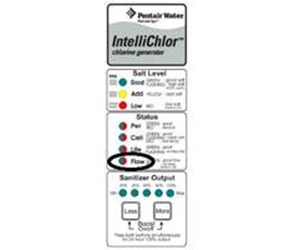
Knowing what the unit tells you makes Pentair Intellichlor Ic40 Troubleshooting faster.
- Low Salt or Check Salt
- Means salt below recommended range or a bad salt sensor.
- Confirm salt with a test and inspect sensor wiring.
- Cell Fail or Replace Cell
- Cell plates are worn or electronics inside the cell failed.
- Cleaning will not fix plate pitting; replace the cell.
- No Flow or Flow Fault
- Flow switch not seeing water. Check pump, valves, and flow switch wiring.
- High Conductivity or High Salt
- Salt too high or scaling in cell causing odd readings.
- Partial water replacement may be needed.
- Communication or Control Errors
- Control box or internal electronics issue.
- Check power, ground, and control connections; consider professional repair.
When an error repeats after basic fixes, document code and frequency. Persistent errors usually point to part replacement or professional testing.
Maintenance, Preventive Tips, and Life Extension
Routine care reduces the need for Pentair Intellichlor Ic40 Troubleshooting.
- Regular salt tests
- Test weekly during heavy use and monthly otherwise.
- Keep salt within recommended range.
- Clean the cell on a schedule
- Check every 3 months in hard water.
- Use safe cell-cleaning solutions and follow instructions.
- Good water balance
- Maintain pH, alkalinity, and calcium hardness.
- Imbalanced water speeds plate wear or scaling.
- Ensure steady flow
- Backwash or clean filters regularly.
- Watch pump performance and replace worn seals.
- Winterize properly
- Remove and store cell if required by climate.
- Protect the control box from moisture and freezing.
A little maintenance prevents big fixes. I’ve extended cell life by years with regular checks.
Replacement Parts, Tools, and Typical Costs
Knowing parts, tools, and rough costs helps planning.
- Common replacement parts
- Replacement cell module
- Flow switch
- Control board or power supply
- O-rings and mounting hardware
- Basic tools you’ll need
- Multimeter for voltage and continuity
- Wrenches and screwdrivers
- Salt meter or test strips
- Typical costs (approximate)
- Replacement cell: mid to high range cost depending on model
- Control board repair: moderate to high
- Flow switch: low to moderate
Always buy OEM or compatible parts. Cheap clones can fail faster and risk warranty.
When to Call a Professional and Warranty Notes
Call a pro when fixes are beyond your comfort level.
- Call when
- You see burned components or smell burning.
- You lack the tools to test electrical circuits safely.
- Errors persist after basic checks and cell replacement.
- Warranty and service
- Check the unit’s warranty period before replacing major parts.
- Some repairs may be covered; document tests and parts replaced.
If your troubleshooting hits a wall, a trained technician will save time. They can run advanced electrical diagnostics and source the right parts.

Personal Experience: What I’ve Learned Troubleshooting Intellichlor IC40
I’ve fixed many Intellichlor IC40 units over the years. Here are honest lessons I learned.
- Test salt first. Many calls were solved by adding salt.
- Clean before you replace. Gentle descaling saved a few cells.
- Document every step. It helps both homeowners and pros.
- Avoid over-cleaning with harsh acids. That destroys plates faster.
- Keep spare O-rings and the owner manual handy.
A calm methodical approach works best. Rushing can damage parts and cost more.
Frequently Asked Questions of Pentair Intellichlor Ic40 Troubleshooting
What is the first thing to check when the Intellichlor IC40 is not making chlorine?
Check the salt level and water balance first. Low salt or out-of-range pH is the most common cause and is easy to fix.
How often should I clean the cell on the Intellichlor IC40?
Inspect the cell every 3 months and clean when you see scale. Hard water and heavy use need more frequent cleanings.
Can I replace the cell myself on the Intellichlor IC40?
Yes, replacing the cell is usually a homeowner task if you follow safety steps and turn off power. If wiring or the control box is involved, consider a pro.
What does a “Check Salt” error mean on the Intellichlor IC40?
It means the unit detects low salt or an incorrect sensor reading. Verify salt with a meter and inspect the salt sensor wiring.
How long should an Intellichlor IC40 cell last?
With good water balance and maintenance, cells often last several years. Harsh chemistry or neglect shortens life significantly.
When should I replace the control box on the Intellichlor IC40?
Replace the control box if you have repeated electronics or communication errors after ruling out wiring and power issues. Persistent burned components also indicate replacement.
Conclusion
You now have a clear map for Pentair Intellichlor Ic40 Troubleshooting. Start with salt and flow checks, move to cleaning, and replace the cell only when necessary. Track tests and results, and call a pro for electrical or repeated faults. Try these steps, keep notes, and share your experience or questions below to help others.

