

Most issues come from power, sensor alignment, clogged aerators, or faulty solenoids.
I have spent years troubleshooting sensor faucets in homes, clinics, and office buildings, and I know American Standard Automatic Faucet Troubleshooting inside and out. This guide walks you through clear diagnostics, step-by-step fixes, maintenance tips, and real-world examples so you can quickly restore reliable operation. Read on to learn practical fixes, avoid common mistakes, and get the most from your automatic faucet system.

Why automatic faucets fail: common causes and quick checks
Automatic faucets rely on a handful of simple systems. When one part fails, the whole faucet can act up. American Standard Automatic Faucet Troubleshooting focuses on power, sensors, valves, and water flow parts.
Common root causes:
- Power problems — dead batteries or a failed adapter can stop the faucet.
- Sensor issues — misalignment, dirt, or bright reflections confuse infrared sensors.
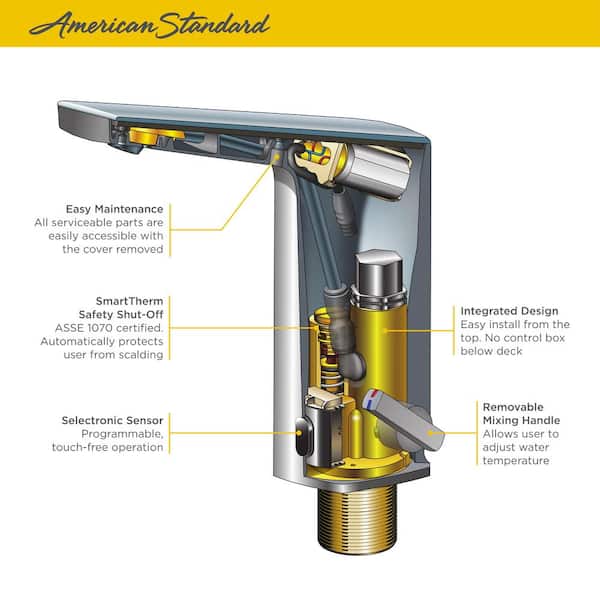
- Solenoid valve faults — a stuck or leaking solenoid stops proper flow.
- Blockage and low flow — clogged aerators, in-line filters, or supply lines reduce water.
- Wiring and control box problems — loose connections and corrosion cause intermittent issues.
Quick checks to start:
- Look for flashing or solid lights on the control box.
- Inspect batteries or the transformer.
- Clean the sensor lens with a soft cloth.
- Remove and check the aerator for mineral build-up.
American Standard Automatic Faucet Troubleshooting starts with these basic checks and narrows to the exact fix. My hands-on experience shows these top causes account for most repairs.

Tools and parts you’ll need for DIY troubleshooting
Having the right tools saves time and keeps repairs safe. For American Standard Automatic Faucet Troubleshooting, keep this kit ready.
Essential tools:
- Phillips and flat screwdrivers for access panels.
- Small adjustable wrench and pliers for fittings.
- Multimeter to test batteries and adapter voltage.
- Soft cloth, cotton swabs, and rubbing alcohol for sensor cleaning.
- Needle or small brush to clean aerator and filters.
Common replacement parts:
- Fresh AA or D cell batteries or compatible battery pack.
- 6V or 9V transformer (check model specs).
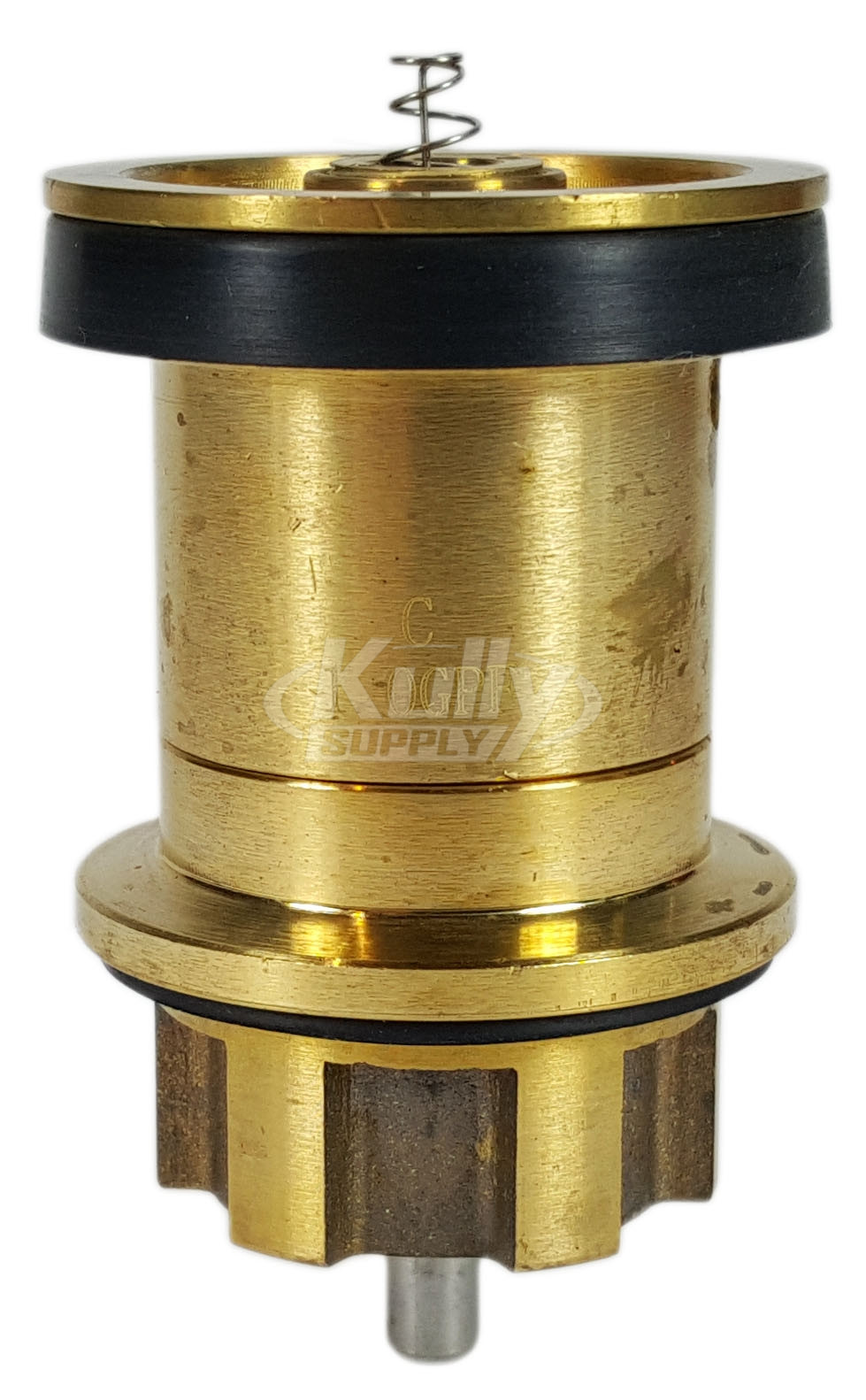
- Solenoid valve assembly compatible with your model.
- Aerator and rubber gaskets.
- In-line filter screens and sensor unit if needed.
In my service work, a multimeter and spare batteries bring many faucets back to life in minutes. Stocking basic parts helps with fast fixes.
Step-by-step troubleshooting guide for American Standard Automatic Faucet Troubleshooting
Follow this order to diagnose efficiently. Each step rules out common failures before moving to deeper repairs.
- Visual and power check
- Ensure water supply valves under the sink are open.
- Check batteries or the plug-in transformer. Replace batteries if older than one year.
- Look for corrosion or damp near the control box.
- Sensor inspection
- Wipe the sensor lens with a soft cloth and alcohol.
- Remove reflective objects or shiny surfaces near the sensor.
- Temporarily cover and uncover the sensor to see if it responds.
- Solenoid and valve test
- Turn off the water supply.
- Disconnect the solenoid and test for continuity with a multimeter.
- If the solenoid hums but does not open, it may be stuck or failed.
- Aerator and filter cleaning
- Unscrew the aerator and rinse or soak in vinegar for mineral deposits.
- Check and clean any inline screens in the supply lines.
- Wiring and control box
- Inspect wiring for loose connectors or corrosion.
- Test transformer output at the control box.
- Replace control box only after other causes are ruled out.
PAA-style question: How do I reset my faucet?
- Unplug or remove batteries, wait 30 seconds, then restore power. Many models auto-calibrate after power-up.
PAA-style question: Why is my faucet sensor slow to respond?
- Slow response often means weak batteries, a dirty sensor, or a control box calibration issue.
These steps cover most American Standard Automatic Faucet Troubleshooting needs. I use this sequence to avoid unnecessary part swaps and to find the real problem fast.

Common fixes by symptom
Organizing fixes by what you see saves time. Below are symptoms with likely causes and fixes.
No water at all
- Likely causes: dead batteries, power adapter failure, closed supply valve, or blown fuse.
- Fixes: Replace batteries, check transformer output, open supply valves, inspect control box fuses.
Sensor won’t detect hands
- Likely causes: dirty sensor lens, misalignment, bright lighting or reflective surfaces, failed sensor.
- Fixes: Clean lens, remove reflections, adjust sensor angle, test sensor voltage.
Faucet won’t stop running
- Likely causes: stuck solenoid, debris in valve seat, or faulty control box.
- Fixes: Turn off water, remove and inspect solenoid, clean valve seat, replace solenoid if needed.
Weak flow or sputtering
- Likely causes: clogged aerator, flow restrictor, or supply line obstruction.
- Fixes: Remove and soak aerator in vinegar, check in-line screens, flush supply lines.
Intermittent operation
- Likely causes: loose wiring, low batteries, or intermittent control box failure.
- Fixes: Tighten connectors, replace batteries, test with a known-good transformer.
From my experience, most running or detection problems are either power-related, sensor lens dirt, or a stuck solenoid. Replacing parts before diagnosing increases cost and downtime.
Maintenance tips to prevent problems
Routine care keeps automatic faucets working smoothly and reduces repair calls. These tips apply to American Standard Automatic Faucet Troubleshooting as preventive steps.
Monthly checks
- Wipe sensor and chrome surfaces to remove soap and film.
- Check batteries and transformer lights.
- Verify water flow and look for leaks.
Quarterly tasks
- Remove and clean aerator and inline screens.
- Inspect supply lines for wear or corrosion.
- Test faucet response and look for delays.
Annual service
- Replace batteries even if they seem okay.
- Inspect the solenoid and control box internally for corrosion.
- Keep a log of issues and repairs to spot trends.
A little maintenance prevents many common failures. In facilities I manage, scheduled checks cut emergency repairs by more than half.

When to call a professional and warranty considerations
Some issues need trained service or warranty support. Call a pro if:
- You detect electrical faults beyond basic battery or transformer checks.
- The control box needs internal repair or replacement.
- You find persistent leaks at the fittings or valve body that you cannot fix.
Warranty tips
- Check your model’s warranty terms before replacing major parts.
- Keep purchase receipts and model numbers handy.
- Many manufacturers will cover control boxes or solenoids for a defined period.
I once worked on a commercial restroom where a replaced control box was covered under warranty. Calling the manufacturer first saved the property owner significant cost. Know your warranty and use it when valid.
Frequently Asked Questions of American Standard Automatic Faucet Troubleshooting
How do I know if the sensor is bad or the control box is bad?
If the sensor shows no LED activity and the control box has proper power, the sensor may be bad. If the sensor lights but the faucet won’t operate, the control box or solenoid is likely the issue.
Can I replace batteries without turning off the water?
Yes. Most models allow battery replacement without shutting water, but test after replacing batteries to ensure normal operation and no leakage.
How often should I clean the aerator?
Clean the aerator every 3 to 6 months in areas with hard water. More frequent cleaning prevents low flow and mineral buildup.
Will vinegar harm my faucet finish or parts?
Soaking metal aerators in white vinegar for short periods is safe and effective for mineral removal. Avoid prolonged contact with polished finishes; use a cloth when cleaning visible surfaces.
My faucet runs intermittently after a power surge. What should I do?
Check batteries and transformer voltage, then inspect the control box for damage. If the control box was exposed to a surge, replace it or contact support for warranty help.
Is calibration required after battery replacement?
Many models auto-calibrate after power restoration. If the faucet behaves oddly, allow 30 seconds for recalibration or consult the manual for a manual reset.
Can hard water damage the solenoid?
Yes. Mineral deposits can stick solenoid valves and prevent sealing. Regular cleaning and inline filters reduce this risk.
Conclusion
American Standard Automatic Faucet Troubleshooting is about simple checks, clear steps, and smart maintenance. Start with power and sensor cleaning, then move to valves and filters if problems persist. My hands-on work shows that following an ordered process saves time and money.
Take action today: run the quick checks, replace batteries if needed, and schedule routine cleaning. If the issue remains, document what you tried and contact a professional or warranty support. Leave a comment with your faucet model and symptom if you want tailored help.
