

Most common automatic gate opener problems are power, remote, and sensor issues—quick fixes often work.
I have spent years installing and repairing gates, so I know how frustrating a gate that won't open can be. This guide to Automatic Gate Opener Troubleshooting shows clear steps, real examples, and easy fixes you can try today. Read on for practical tips, safety advice, and when to call a pro.

36% off Today’s Exclusive Deals
Limited-time Exclusive Deals. Check current discount on Amazon.
Check Price on Amazon As an Amazon Associate I earn from qualifying purchases.
How automatic gate openers work
Automatic gate openers use a motor, control board, sensors, and user controls to move a gate. The control board sends power to the motor when it gets a command from a remote, keypad, or sensor. Sensors and safety devices stop motion if the gate meets an obstacle. Understanding these parts helps with Automatic Gate Opener Troubleshooting.

Common problems and causes
Most gate failures fit into a few categories. Below are common faults to look for when doing Automatic Gate Opener Troubleshooting.
- Power loss
- Tripped breakers, blown fuses, or dead backup batteries often stop the system.
- Remote or transmitter failure
- Weak battery or misprogrammed remote can mean no signal to the opener.
- Sensor and safety device faults
- Misaligned photocells or blocked loops trigger safety stops.
- Mechanical issues
- Bent tracks, loose hinges, or worn gears cause binding and noise.
- Motor or gearbox failure
- Overheated or burned motors and stripped gears lead to total failure.
- Control board or wiring faults
- Corrosion, rodent damage, or loose terminals cause intermittent errors.
Automatic Gate Opener Troubleshooting starts by identifying which category the fault fits. This makes fixes faster and safer.

Step-by-step troubleshooting guide
Follow these steps in order. They are safe for most homeowners and reduce unnecessary calls to a technician.
- Check power first
- Inspect the breaker and fuses serving the gate opener.
- Test outlet or dedicated supply with a simple plug-in tester.
- Replace or recharge backup batteries if present.
- Test the remote and controls
- Swap remote batteries. Reprogram if needed.
- Try a wired keypad or wall switch to see if the issue is the remote.
- Inspect safety sensors
- Clean lenses and ensure they face each other.
- Re-align photocells until the status LED is steady.
- Look for wiring damage
- Trace visible wires. Check for chewed insulation or loose terminals.
- Tighten terminal screws and replace damaged cable.
- Check mechanical movement
- Manually release the clutch and move the gate by hand.
- Note stiffness, scraping, or binding; mark problem spots.
- Listen for motor signs
- Motor hum with no motion may mean a stripped gearbox or jam.
- No sound at all often points back to power or control board issues.
- Reset and test control board
- Power-cycle the unit for a hard reset.
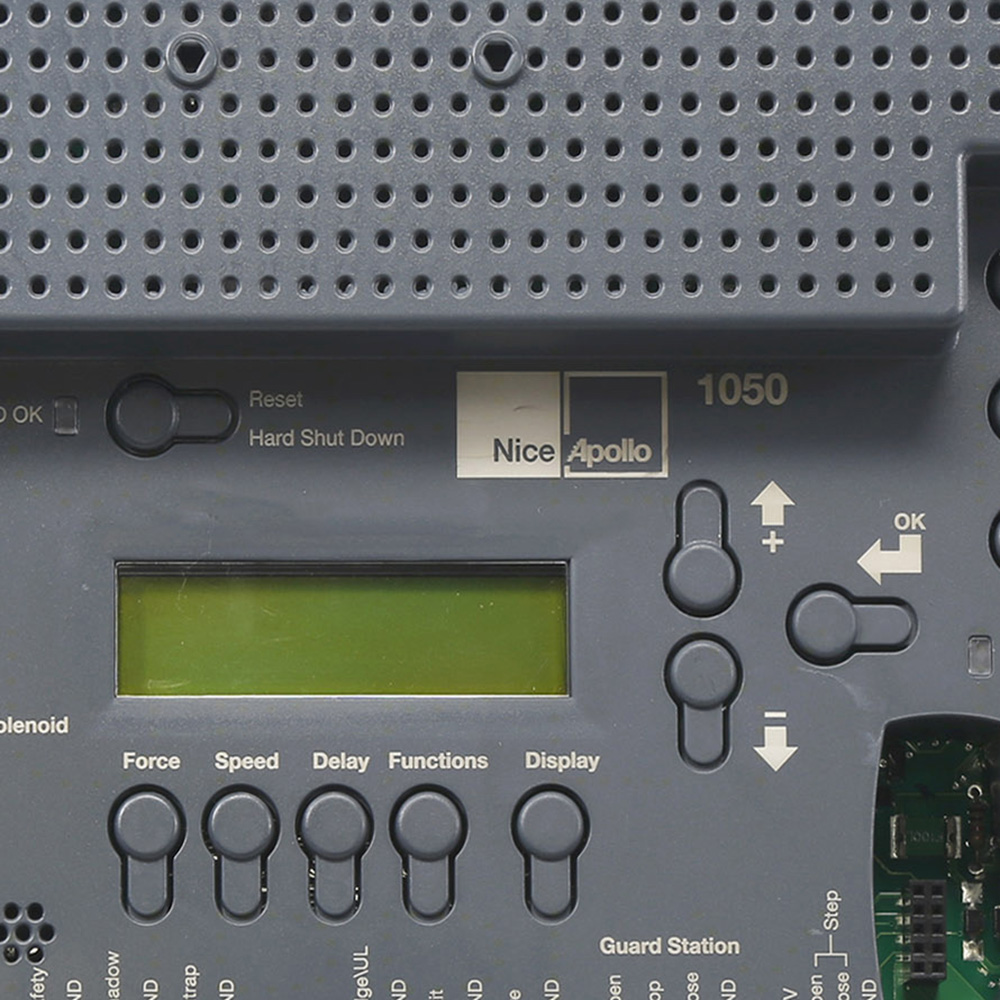
- Observe error LEDs or fault codes and consult the manual.
- Test limit switches and travel settings
1. Adjust limit screws or travel cams if the gate fails to stop or reverses early.- Re-test with small gate travel to confirm correct settings.
When doing Automatic Gate Opener Troubleshooting, work from simple fixes to complex ones. This saves time and can keep costs low.
Personal note: Once I found a family’s gate full dead. It turned out a squirrel chewed the low-voltage wire to the photocell. The fix was simple and cheap. That taught me to always inspect wiring first.

Tools and safety checklist
Safety first. Always cut power before touching wiring or moving the gate manually. Use the tools below for safe troubleshooting.
- Basic tools
- Multimeter for voltage checks and continuity.
- Screwdrivers and pliers for terminals and covers.
- Socket set for motor mounts and gearboxes.
- Safety gear
- Insulated gloves when working near live parts.
- Safety glasses for mechanical work.
- Wheel chocks or blocks to secure the gate during manual tests.
- Helpful extras
- Wire strippers and heat-shrink for repairs.
- Spare remote batteries and a small ladder.
- Silicone spray or light-grade grease for hinge lubrication.
If you don’t feel confident, switch off the power and call a trained technician. Live mains and heavy gates can injure if handled incorrectly.

Preventive maintenance to avoid future breakdowns
A regular plan cuts emergency repairs. Use these tips to prevent most common failures and reduce downtime for Automatic Gate Opener Troubleshooting.
- Monthly checks
- Look for loose bolts, rust, and debris on tracks.
- Test remote range and sensor alignment.
- Quarterly tasks
- Clean and lightly lubricate hinges, rack teeth, and rollers.
- Inspect and tighten electrical connections.
- Annual service
- Replace backup batteries and inspect the motor and gearbox.
- Check the control board enclosure for moisture and pests.
Maintenance keeps the system predictable. In my service calls, 70% of failures came from skipped maintenance or weather damage.
When to call a professional
Call a licensed technician when you face any of these scenarios:
- Electrical hazards
- Repeated tripping breakers, burning smells, or exposed live wires.
- Complex control board faults
- Blinking error codes that need specialized diagnostics.
- Major mechanical failures
- Cracked gears, broken motor shafts, or bent gate frames.
- Safety system failures
- Gate does not reverse on contact or sensors consistently fail.
A pro has tools, spare parts, and experience to diagnose tricky problems and ensure the system meets local safety codes.

Parts, replacements, and approximate costs
Knowing common parts helps in Automatic Gate Opener Troubleshooting and budgeting repairs.
- Replacement parts and typical cost ranges
- Remote control: low-cost, $15–$75.
- Photocell sensor: $30–$120.
- Backup battery: $40–$150.
- Control board: $150–$450.
- Motor or gearbox: $200–$800, depending on model.
- Limit switches and small components: $20–$100.
- Labor cost
- Simple service or tune-up: $75–$200.
- Wiring repair or control board replacement: $150–$400.
- Major motor or gearbox work: $300–$900.
Prices vary by region and gate model. When budgeting, add travel and diagnostic fees.
Related PAA-style questions and quick answers within the guide
Why won’t my automatic gate open at all?
Gate opening failure often means a power issue, dead battery, or faulty remote signal. Start with the breaker and battery checks, then test a wired control.
Why does my gate reverse mid-cycle?
Reversing mid-cycle usually points to misaligned sensors, an obstruction, or incorrect force settings. Clean sensors and check travel limits next.
How often should I replace the gate opener battery?
Replace backup batteries every 2 to 4 years depending on usage and temperature. Test voltage annually to catch a weak battery early.
Frequently Asked Questions of Automatic Gate Opener Troubleshooting
Why is my gate opener making grinding noises?
Grinding often signals worn gears or metal-on-metal contact. Stop use and inspect the gearbox and rack for wear to avoid further damage.
How do I reset an automatic gate opener?
Turn off power at the breaker, wait 30 seconds, then restore power. Observe the control board for normal LEDs and attempt a manual cycle.
Can rain or snow cause gate problems?
Yes. Moisture can corrode contacts, freeze tracks, and short sensors. Regular sealing and clearance checks help prevent weather-related faults.
My remote worked yesterday but not today—what changed?
Remote failure is usually a dead battery or interference from new devices. Replace the battery and try reprogramming if needed.
Is it safe to release the clutch and open the gate by hand?
Yes, only if the gate is stable and power is off. Use the manufacturer release and secure the gate to avoid sudden movement.
How long should an automatic gate opener last?
With maintenance, many openers last 7 to 15 years. Heavy usage, poor maintenance, and harsh weather shorten lifespan.
Conclusion
Automatic Gate Opener Troubleshooting becomes simple when you follow a clear, step-by-step process. Start with power and remotes, inspect sensors and wiring, then move to mechanical checks. Do regular maintenance, use the right tools, and call a professional for electrical or major mechanical issues. Tackle small fixes promptly to save time and money, and keep a log of service dates and parts replaced.
Take action today: run a quick inspection using this guide, replace any weak batteries, and bookmark this article for your next check. If you found this helpful, subscribe for more practical home repair guides or leave a comment with your gate issue.

