

Quickly fix alarms, cameras, and sensors with clear Security System Troubleshooting steps.
I have spent years designing, installing, and repairing home and business systems. This guide on Security System Troubleshooting draws on that experience. You will get clear steps, common causes, and real tips to diagnose and fix problems fast. Read on to learn practical methods to keep your system reliable.

36% off Today’s Exclusive Deals
Limited-time Exclusive Deals. Check current discount on Amazon.
Check Price on Amazon As an Amazon Associate I earn from qualifying purchases.
Common problems and quick diagnosis
Most issues are simple to spot with basic checks. Security System Troubleshooting starts with identifying the symptom. Is the alarm false-triggering, or is a camera offline? Pinpointing the symptom narrows the causes fast.
Common signs to watch for:
- Alarm panels showing errors or beeping.
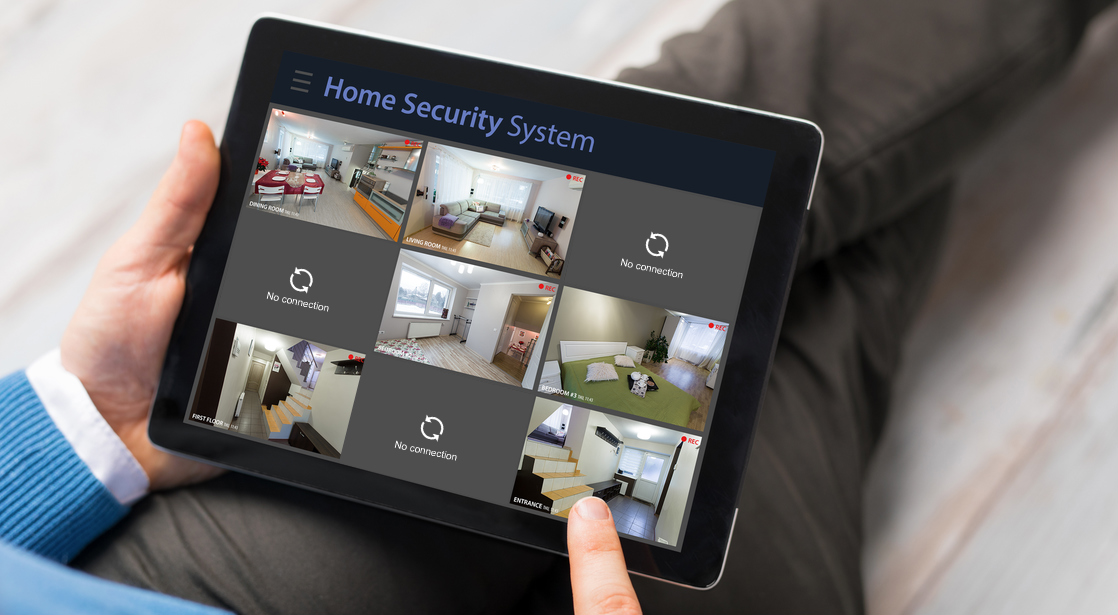
- Cameras offline or showing poor video quality.
- Motion sensors that trigger randomly.
- Sensors that do not report to the hub.
A quick checklist for first diagnosis:
- Confirm power and battery levels.
- Check network status and router lights.
- Inspect cables and physical connections.
- Review recent system or firmware updates.
Security System Troubleshooting often reveals that power or network issues are the root cause. Start with the simplest items first. My field experience shows most calls are solved within 20 minutes by checking power and network.
Step-by-step troubleshooting guide
Follow a clear order. A methodical approach saves time and prevents mistakes. Use this step-by-step path for effective Security System Troubleshooting.
- Verify power and batteries
- Check that the main panel has power.
- Replace backup batteries if older than two years.
- Ensure cameras and sensors have charged batteries.
- Confirm network connectivity
- Test the internet on another device.
- Reboot the router and modem.
- Ensure the security hub is on the same network.
- Inspect device status and logs
- Open the system app or control panel.
- Read error codes and timestamps.
- Note recurring entries for patterns.
- Test individual sensors and cameras
- Walk past motion sensors to trigger them.
- Power-cycle cameras to refresh connections.
- Swap a known-good sensor to isolate faults.
- Reapply settings or firmware cautiously
- Check firmware version against vendor notes.
- Only update when you can monitor during the update.
- Keep backups of configuration before major changes.
This sequence helps reduce guesswork. Structured Security System Troubleshooting prevents missed steps and repeated visits.

Tools and equipment you need
Good tools make troubleshooting faster. Carry these basics for on-site or home fixes related to Security System Troubleshooting.
Essential tools:
- Multimeter for power checks.
- Spare batteries and power adapters.
- Ethernet cable and Wi-Fi analyzer app.
- Screwdriver set and zip ties.
- Portable battery pack for cameras.
Software tools:
- Mobile app for the security system.
- Network scanner for device discovery.
- Log reader or event history viewer.
I keep a small kit in my van. It cuts repair time and helps me confirm fixes on the spot.
Network and power issues in depth
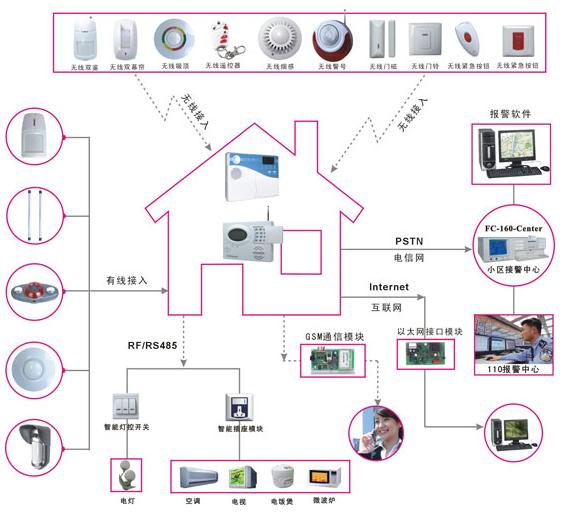
Most Security System Troubleshooting focuses on power and networking. Devices fail when they lose reliable power or a steady connection.
Power-related causes:
- Dead backup battery in the control panel.
- Faulty power supply or loose plug.
- Incorrect voltage from replacement adapters.
Network-related causes:
- Wi-Fi interference from new devices.
- Router DHCP limits or IP conflicts.
- ISP outages that drop remote access.
How to test:
- Use a multimeter on power terminals.
- Connect a camera to a local Ethernet switch.
- Run a ping test to the security hub.
Fixes are usually simple. Replace bad adapters, move devices closer to the router, or assign static IPs for key devices.

Sensor and camera troubleshooting
Sensors and cameras are the most visible parts. They also trigger the most user reports. Good Security System Troubleshooting focuses on cleaning, placement, and testing.
Common sensor problems:
- Dirty lenses or blocked motion detectors.
- Loose mounting causing false triggers.
- Low battery or corrosion on terminals.
Camera issues to check:
- Lens fogging or moisture inside the housing.
- Insufficient night illumination.
- Codec or resolution mismatch in the recorder.
Practical checks:
- Clean lenses with a soft cloth.
- Check physical alignment and field of view.
- Test motion range and sensitivity in live view.
A real example from my work: a business had a camera offline nightly. It was set to sleep during a power-saving schedule. Changing the schedule fixed the issue. Small settings often cause big headaches.

Security System Troubleshooting for modern smart systems
Smart systems add convenience and complexity. They blend cloud services, apps, and local devices. This mix changes how you troubleshoot.
Points to consider:
- Cloud outages affect remote alerts.
- App permissions can block notifications.
- Third-party integrations can conflict.
Smart troubleshooting tips:
- Check vendor status pages for outages.
- Re-login to the app and clear app cache.
- Remove and reauthorize third-party services one at a time.
When I upgraded systems, I learned to test each integration separately. This saved days of back-and-forth with support.

When to call a professional
Not all problems are DIY. Know when to escalate. Good Security System Troubleshooting includes clear boundaries.
Call a pro for:
- Complex wiring or mains-level work.
- Repeated faults after basic fixes.
- Evidence of tampering or physical damage.
- System-wide failures tied to central hardware.
Prepare for the technician:
- Note error codes and times.
- List steps you've already tried.
- Provide system model numbers and firmware versions.
Being prepared speeds the repair and reduces extra service charges.
Maintenance tips to prevent issues
Regular maintenance reduces emergency calls. Scheduled care is a big part of Security System Troubleshooting prevention.
Monthly checks:
- Verify event logs and alerts.
- Test sensors and panic buttons.
- Confirm camera recordings and storage.
Quarterly tasks:
- Replace batteries in sensors and remotes.
- Inspect wiring and mounting hardware.
- Update firmware during a monitored window.
Annual review:
- Review system configuration and users.
- Reassess sensor placement and coverage.
- Consider hardware upgrades for end-of-life devices.
A routine saved one client from a failed alarm during a break-in. Prevention matters more than fast fixes.
People also ask
Q: What is the first thing to check when an alarm goes off unexpectedly?
A: Check power and battery levels, then inspect recent system logs to find the triggering device.
Q: How often should I replace security system batteries?
A: Replace batteries every 1 to 2 years, or sooner if the system shows low-battery alerts.
Q: Can firmware updates cause system problems?
A: Yes, updates can introduce bugs or reset settings; always backup configurations and monitor during updates.
Frequently Asked Questions of Security System Troubleshooting
How do I reset my alarm panel safely?
Power down the panel following the vendor guide, disconnect backup battery, wait one minute, then reconnect and power up. This preserves settings in most modern panels.
Why is my camera showing a black screen at night?
A black screen usually means poor IR illumination or an obstructed lens. Clean the lens, check night mode settings, and confirm IR LEDs are functioning.
What causes false motion alerts and how can I stop them?
False alerts often come from pets, sunlight, or moving foliage. Reduce sensitivity, reposition sensors, or enable pet-immune settings if available.
How do I test if a sensor is communicating with the hub?
Trigger the sensor and watch for a corresponding entry in the event log or app. If no entry appears, test the sensor near the hub to rule out range issues.
Is it safe to update firmware on my security devices myself?
Yes, if you follow the vendor steps and perform updates during a supervised window. Always backup configs and avoid updates during critical hours.
Conclusion
Security System Troubleshooting is a mix of method, tools, and checks. Start with power and network, test devices one by one, and keep a simple kit on hand. Small habits like monthly tests and timely battery changes cut most problems. Try these steps, document your findings, and act early when you see patterns. If you need more help, comment below, subscribe for updates, or contact a certified technician to schedule an inspection.

