

If your Ecosmart tankless water heater suddenly stops working, it can disrupt your day. Hot water is essential for showers, cleaning, and daily comfort. When the heater displays an error code or you notice cold water, frustration quickly grows. But many common Ecosmart tankless water heater problems can be solved at home—if you know what to look for and how to troubleshoot safely.
This guide will help you understand how your Ecosmart unit works, spot common symptoms, and fix frequent issues. With clear steps, real examples, and practical tips, you’ll be able to get your hot water running again or know when it’s time to call a professional.

36% off Today’s Exclusive Deals
Limited-time Exclusive Deals. Check current discount on Amazon.
Check Price on Amazon As an Amazon Associate I earn from qualifying purchases.Whether you’re a homeowner, landlord, or curious DIYer, understanding Ecosmart tankless water heater troubleshooting can save you time, money, and stress.
How Ecosmart Tankless Water Heaters Work
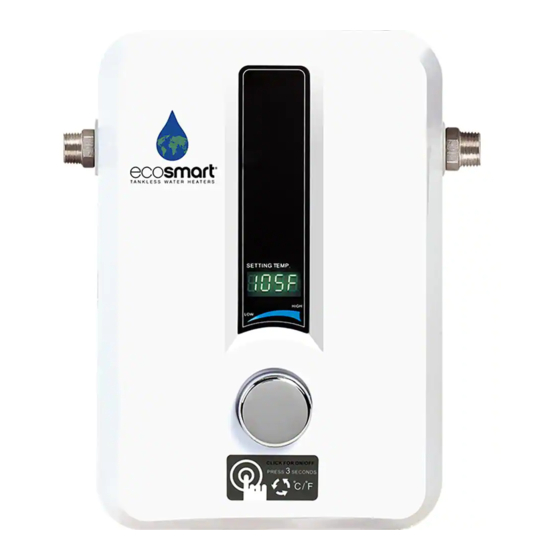
Ecosmart tankless water heaters use electric heating elements to warm water as it flows through the unit. Unlike traditional tank systems, there’s no large hot water reservoir. Instead, when you turn on a tap, cold water enters the heater and passes over the heating elements. A sensor checks the water temperature and flow rate, then the heater adjusts power to deliver hot water at your set temperature.
Key components include:
- Heating elements: Warm the water instantly
- Flow sensor: Detects when water is moving through the unit
- Temperature sensor: Measures water temperature for control
- Digital display: Shows temperature and error codes
- Control board: The “brain” that manages all functions
Understanding this basic flow helps you identify why problems happen. For example, if water isn’t getting hot, it could be a sensor, heating element, or even low water flow.
Common Ecosmart Error Codes And What They Mean
Ecosmart tankless water heaters display error codes to help you locate issues. These codes appear on the digital screen and point to the cause. Here are the most frequent codes, what they mean, and what you can do.
| Error Code | Possible Cause | Quick Fix |
|---|---|---|
| E1 | Incoming water temperature too low | Check water supply and filter |
| E2 | Output temperature sensor error | Reset or replace sensor |
| E3 | Thermal cut-off (overheating) | Inspect for blockages, clean inlet |
| E4 | Water flow sensor error | Check for debris, replace if faulty |
| E5 | Improper grounding or electrical issue | Check wiring and breaker |
| E6 | Inlet thermistor error | Inspect and replace sensor |
| E7 | High temperature at outlet | Reduce set temperature, clean unit |
Most issues can be solved by cleaning filters, checking water flow, or resetting the unit. For sensor or wiring errors, you may need replacement parts or an electrician.
No Hot Water: Step-by-step Troubleshooting
If your Ecosmart heater isn’t producing hot water, take these steps to find the cause:
1. Check Power Supply
Make sure the unit is plugged in and the circuit breaker is not tripped. Ecosmart heaters need a dedicated breaker—never share it with other appliances.
2. Inspect The Digital Display
If the display is blank, there may be no power. If you see an error code, refer to the previous table.
3. Check Water Flow
Low flow can stop the heater from turning on. Open the faucet fully and check if other fixtures have low water pressure. Remove and clean the water inlet filter—debris can restrict flow.
4. Verify Temperature Setting
Confirm the set temperature is above 100°F (37°C). Too low, and the heater may not activate.
5. Reset The Unit
Many problems are fixed by turning off power for 10 seconds, then switching back on.
6. Inspect Heating Elements
If you’re comfortable with basic tools, turn off power and check for loose wires or burnt smells near the elements. Most Ecosmart models have easy access panels.
7. Call Support If Needed
If these steps don’t solve the problem, contact Ecosmart’s customer support. Provide them with the error code and model number for faster help.
Non-obvious tip: Sometimes, a small leak inside the unit can trip a safety sensor, stopping hot water. Check for moisture or corrosion near connections.
Water Is Too Hot, Too Cold, Or Fluctuates
Temperature swings are frustrating and can be unsafe. The cause is often water flow, settings, or mineral buildup.
Common Causes And Fixes
- Inconsistent Water Flow
Tankless heaters need a minimum flow rate (usually 0. 3–0. 5 gallons/minute). Low flow triggers shutoff. Make sure all faucets and showerheads are not “low-flow” models that reduce water too much.
- Dirty or Clogged Filter
Sediment from pipes can block the inlet filter. Turn off water, remove the filter, and rinse it under running water.
- Set Temperature Too High or Low
Adjust the set temperature by a few degrees and test again.
- Mineral Buildup
Hard water causes scale inside the heater, reducing heat transfer. Descale the unit every 6–12 months (see “Maintenance Tips”).
- Multiple Fixtures in Use
If several showers or appliances are running, the unit may not keep up. Try using hot water at one location to see if the problem disappears.
Insight: A sudden change in water temperature often happens right after cleaning or plumbing work, when debris can enter the heater. Always flush the system after repairs.
Ecosmart Heater Leaks: What To Do
Leaks inside or around your tankless water heater signal a serious problem. Act quickly to avoid damage.
Where Leaks Happen
- Inlet or Outlet Fittings: Most leaks come from loose or cracked fittings. Tighten connections with a wrench, but don’t over-tighten.
- Heating Element Gasket: If a gasket fails, water seeps from the bottom. Replace the gasket (parts are available from Ecosmart).
- Internal Cracks: Hard water or freezing can crack internal parts. These require professional repair.
Immediate Actions
1. Turn Off Power And Water
Always power down before working on the unit to avoid shock.
2. Dry The Area
Use towels to soak up water and check for ongoing drips.
3. Check All Connections
Inspect every visible fitting. Even a tiny drip can turn into a big leak.
4. Contact Support For Internal Leaks
If you can’t find the source, call a licensed plumber or Ecosmart support.
Non-obvious insight: If you see rust in leaked water, the leak may be inside the heating chamber, not just at a fitting.
Ecosmart Not Turning On: Display Is Blank
A blank display usually means a power supply issue or a failed internal component.
Troubleshooting Steps
- Check Power Outlet and Breaker
Plug another device (like a lamp) into the same outlet to see if it works. If not, reset the breaker.
- Inspect Power Cord and Connections
Look for burnt marks, melted plugs, or loose wires.
- Test Voltage
If you have a multimeter, check for 220–240V at the power terminals. If voltage is correct, the problem is likely inside the heater.
- Control Board Failure
If everything else checks out, the control board may be dead. Replacement boards are available but may require professional installation.
Tip: Frequent power surges in your home can damage the heater’s electronics. Consider a surge protector for sensitive appliances.
Maintenance Tips To Prevent Future Problems
Regular maintenance will extend the life of your Ecosmart heater and reduce breakdowns.
Essential Tasks
1. Clean The Inlet Filter
Every 3–6 months, turn off water, remove the filter, and rinse it. This prevents blockages.
2. Descale The Heating Elements
Hard water causes mineral buildup. Flush the unit with white vinegar or a descaling solution every 6–12 months. Use a small pump to circulate the solution.
3. Inspect Electrical Connections
Once a year, turn off power and check for loose wires or signs of overheating.
4. Test The Temperature Setting
Set water to 120°F (49°C) for safety and efficiency.
5. Check For Leaks
Inspect all connections and the bottom of the unit regularly.
Table: Maintenance Schedule Example
| Task | Frequency | Why It Matters |
|---|---|---|
| Clean inlet filter | Every 3–6 months | Prevents blockages and low flow |
| Descale heating elements | Every 6–12 months | Improves efficiency, prevents overheating |
| Inspect wiring | Yearly | Avoids electrical hazards |
| Check for leaks | Every 3 months | Stops water damage early |
Practical tip: Mark your calendar or set reminders on your phone for each maintenance task.
When To Call A Professional
While many issues are DIY-friendly, some problems require expert help:
- Persistent Error Codes after basic troubleshooting
- Internal Leaks you can’t reach or repair
- Burning Smells or melted wires
- No Power after checking outlets and breakers
- Unit Still Under Warranty—never open sealed parts yourself
Licensed plumbers or electricians can safely repair complex problems and keep your warranty valid.
Comparing Ecosmart Troubleshooting To Other Brands
Ecosmart units are similar to other electric tankless heaters, but some details are unique.
| Feature | Ecosmart | Rheem | Stiebel Eltron |
|---|---|---|---|
| Error Codes | Yes, easy to read | Yes, but more complex | Yes, with advanced diagnostics |
| Digital Display | All models | Most models | All models |
| DIY Maintenance | Easy filter cleaning | Filter harder to access | Simple access panels |
| Replacement Parts | Widely available | Brand-specific, sometimes slow | Order direct from manufacturer |
Non-obvious insight: Ecosmart units tend to have easier access to filters and heating elements, making DIY troubleshooting simpler than some brands.
Quick Troubleshooting Checklist
Keep this summary handy for fast problem-solving:
- Is the power on (breaker, outlet)?
- Are there any error codes?
- Is the water flow strong?
- Is the inlet filter clean?
- Is the set temperature correct?
- Are there leaks or noises?
- If all else fails, reset the unit.
If these checks don’t solve it, note the error code and contact Ecosmart support.
Safety Tips When Troubleshooting
- Always turn off power at the breaker before opening the unit.
- Use insulated tools for electrical connections.
- Never run the heater with the cover removed.
- If you smell burning or see smoke, shut off power immediately and call a professional.
Where To Find Parts And Support
Genuine Ecosmart replacement parts are available online and through licensed dealers. Only use official parts to avoid voiding your warranty. The Ecosmart website has manuals, how-to videos, and a support phone line for troubleshooting help.
For more detailed information about tankless water heaters and their maintenance, you can check the U.S. Department of Energy’s guide.

Frequently Asked Questions
Why Does My Ecosmart Heater Show An E4 Error Code?
An E4 code means the water flow sensor is not working correctly. This could be due to debris blocking the sensor or the sensor failing. Try cleaning the inlet filter and running the faucet. If the code stays, the sensor may need replacement.
How Often Should I Descale My Ecosmart Tankless Heater?
If you have hard water, descale every 6 months. In areas with soft water, once a year is usually enough. Descaling removes mineral buildup and keeps the heater efficient.
Can I Install An Ecosmart Tankless Heater Myself?
Basic installation is possible for skilled DIYers, but you must follow all local electrical and plumbing codes. For most people, hiring a licensed professional is safer and protects your warranty.
What Should I Do If My Unit Is Leaking From The Bottom?
First, turn off power and water. Check for loose fittings or a failed gasket. If the leak is inside the heating chamber or you see rust, call a professional for repair or replacement.
Does The Ecosmart Warranty Cover Diy Repairs?
The warranty may not cover damage from unauthorized repairs. Always check your warranty terms before opening the unit. For most issues, contact Ecosmart support first.
Getting your Ecosmart tankless water heater running again is often easier than you think. With the right troubleshooting steps, a little patience, and regular maintenance, you can enjoy reliable hot water for years to come. If problems persist, don’t hesitate to call in a professional—your comfort and safety are worth it.

