

Most gate opener issues stem from power failure, faulty sensors, or worn mechanical parts.
I have repaired and diagnosed hundreds of electric gate systems for homes and small businesses. This Electric Gate Opener Troubleshooting guide explains causes, tests, and fixes in plain language. You will get clear steps, safety tips, and my real-world notes so you can solve common failures fast.

36% off Today’s Exclusive Deals
Limited-time Exclusive Deals. Check current discount on Amazon.
Check Price on Amazon As an Amazon Associate I earn from qualifying purchases.
Common problems and quick checks for Electric Gate Opener Troubleshooting
Electric Gate Opener Troubleshooting usually starts with a quick visual and power check. Look for obvious issues first. A dead motor, a stuck gate, or an opener that hums are common signs.
Common symptoms and quick checks
- Gate does not move at all. Check power at the outlet and circuit breaker.
- Gate moves slowly or jerks. Inspect lubrication, gears, and voltage supply.
- Gate reverses or stops mid-cycle. Check safety sensors and limit switches.
- Remote works inconsistently. Test battery, antenna, and frequency interference.
- Warning lights or error codes. Refer to your opener manual for specific codes.
How to start fast
- Turn power on and off at the breaker to reset the system.
- Inspect for visible damage or loose wiring near the motor.
- Walk the gate manually to feel for binding or stiff spots.
Step-by-step Electric Gate Opener Troubleshooting guide
Use a methodical approach when doing Electric Gate Opener Troubleshooting. Work from simple to complex. Keep notes so you do not repeat steps.
Step 1 — Safety first
- Turn off power before touching wiring or gears.
- Use wheel chocks or a helper to prevent gate movement.
- Wear gloves and eye protection.
Step 2 — Verify power and controls
- Confirm the opener has power at the outlet and breaker.
- Test any external key switches or timers.
- Use a multimeter to check voltage at the motor terminals. Expect rated voltage within 10%.
Step 3 — Inspect remotes and transmitters
- Replace remote batteries and reprogram if needed.
- Test remote near the receiver to rule out distance or antenna issues.
- Use the receiver's manual button to operate the gate. If it works, the remote or antenna is likely at fault.
Step 4 — Check safety devices
- Clean and align photoelectric sensors. Dirt or misalignment commonly block the beam.
- Test edge sensors and safety loops for continuity.
- Bypass safety devices only for testing and restore them immediately.
Step 5 — Mechanical checks
- Look for loose bolts on hinges and rollers.
- Inspect gear racks, chains, belts, and sprockets for wear.
- Lubricate moving parts with manufacturer-approved lubricants.
Step 6 — Motor and drive troubleshooting
- Listen for unusual noises from the motor. Grinding suggests gearbox wear.
- Test motor current to see if it draws excessive amps.
- Inspect brushes, commutator, and capacitors on AC/DC motors.
Step 7 — Limit switches and settings
- Adjust limit switches so the gate opens and closes fully.
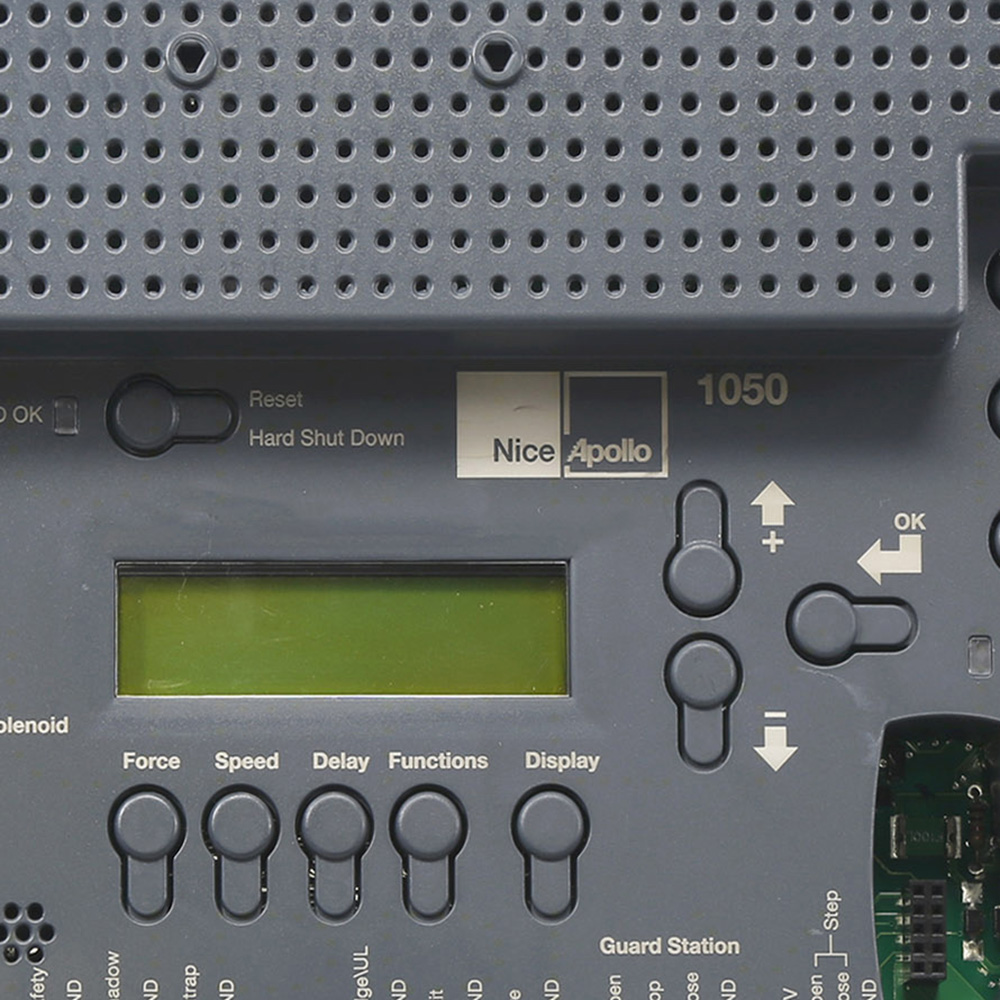
- Check speed and force settings. Reduce force if the gate pushes back.
- Reset to factory settings if configuration is corrupted.

Electrical and power issues in Electric Gate Opener Troubleshooting
Power problems are the top cause of failures in Electric Gate Opener Troubleshooting. Voltage drops, backfeed, and bad batteries all matter.
Common electrical causes
- Tripped breakers or blown fuses.
- Loose or corroded wiring connectors.
- Low battery in backup systems.
- Voltage drop from undersized wiring over long runs.
How to test power safely
- Use a multimeter to measure voltage at the motor and control board.
- Measure voltage under load to spot drops when the gate starts.
- Inspect battery health with a load tester if a backup battery is present.
Battery backed systems
- Replace lead-acid batteries every 3–5 years.
- Keep battery terminals clean and tight.
- Use sealed AGM batteries for low maintenance.
Personal note: I once replaced an opener that seemed dead. The breaker looked fine. A poor connection at the terminal caused a 6V drop under load. Tightening the lug fixed it instantly.
Mechanical and alignment issues during Electric Gate Opener Troubleshooting
Mechanical wear often mimics electrical problems. A binding hinge makes the motor strain and trip safety cutouts.
Look for these signs
- Gate drags in one spot while manual test is done.
- Excessive play in rollers or hinges.
- Missing or broken teeth on rack-and-pinion systems.
Fixes and preventive steps
- Realign gate runners and adjust hinges.
- Replace worn rollers and bearings.
- Re-meshing racks and gears can restore smooth travel.
- Keep moving parts lubricated but not over-lubricated.
Real example: A steel sliding gate stalled at the same spot nightly. Dirt built up in the track. Cleaning and a small rail shim fixed the alignment and motor load dropped by half.

Remote control and sensor problems for Electric Gate Opener Troubleshooting
Remote and sensor failures are frequent and often simple to fix. Sensors are a safety feature and also prevent starts.
Remote troubleshooting
- Change batteries and re-sync the remote.
- Reprogram remotes after power loss or control board replacement.
- Move other electronics away to avoid RF interference.
Sensor troubleshooting
- Wipe lens surfaces with a soft cloth.
- Realign transmitter and receiver sensors to face each other squarely.
- Test by covering the emitter and checking that the gate stops or reverses.
Tips for gate openness sensors
- Make sure sensors are installed at the correct height.
- Keep plants and decorations away from sensor paths.

Preventive maintenance and best practices for Electric Gate Opener Troubleshooting
Regular maintenance reduces the need for troubleshooting. A short checklist keeps the system reliable.
Monthly checklist
- Visual inspection of wiring and moving parts.
- Check tightness of fasteners.
- Test safety devices and remote function.
Quarterly checklist
- Lubricate hinges, bearings, and gear teeth.
- Test battery and clean terminals.
- Run the gate through full cycles and note unusual sounds.
Annual tasks
- Service the gearbox and motor per manufacturer instructions.
- Replace worn parts like belts, rollers, and brushes.
- Update control board firmware if applicable.
From experience: Clients who kept a simple service calendar avoided 80% of urgent callouts. Small checks prevent big failures.
Tools, parts, and safety gear for Electric Gate Opener Troubleshooting
Having the right tools speeds Electric Gate Opener Troubleshooting. Safety gear keeps you safe.
Essential tools
- Multimeter for voltage and continuity checks.
- Basic hand tools: screwdrivers, pliers, adjustable wrench.
- Socket set for motor mounts and gearboxes.
- Insulated gloves for electrical work.
Spare parts worth keeping
- Remote batteries and a spare remote.
- Fuses and a small selection of connectors.
- A replacement limit switch and safety sensor kit.
- A spare battery for backup systems.
Safety reminders
- Disconnect power before major work.
- Don’t bypass safety sensors except temporarily for testing.
- Call a licensed electrician if you are unsure about mains wiring.
Common mistakes and lessons from real troubleshooting jobs
Avoiding common mistakes saves time and money. These are lessons I learned in field work.
Mistake 1 — Skipping basic checks
- People often replace costly parts without checking fuses or remotes.
Mistake 2 — Over-tightening parts
- Over-tight hinges cause binding and motor strain.
Mistake 3 — Ignoring manufacturer limits
- Using wrong lubricants or parts voids warranties and shortens life.
Lesson: Start simple and document each step. If a fix works, note it. If it fails, you can reverse changes without making the problem worse.
PAA-style quick questions about Electric Gate Opener Troubleshooting
What should I check first if my gate does not respond?
- Check power at the breaker and the opener's power light. Replace remote batteries and try the manual control button.
Why does my gate stop and reverse?
- Misaligned safety sensors or an obstruction in the path often cause reversals. Clean sensors and clear the gate path.
Can cold weather affect my gate opener?
- Yes. Cold can thicken lubricants, stiffen seals, and reduce battery output. Use low-temperature lubricants and check battery health.
Frequently Asked Questions of Electric Gate Opener Troubleshooting
Why won't my electric gate open using the remote?
Try the manual control button on the control box first. Replace the remote battery and reprogram the remote if needed.
My gate hums but does not move. What is wrong?
A humming motor with no movement often means a broken gearbox, stripped gear, or seized bearings. Disconnect power and inspect gears.
How do I test safety sensors?
Cover the emitter sensor to block the beam. The gate should stop or reverse when the beam is interrupted. Replace sensors if they fail the test.
How often should I service my gate opener?
Perform basic checks monthly and a full service annually. Replace batteries every 3–5 years for battery-backed systems.
Is it safe to bypass safety devices while testing?
Only bypass safety devices briefly for testing. Never leave them disabled during normal use. Bypassing increases risk of injury or damage.
What causes intermittent remote operation?
Interference, low battery, or a weak antenna can cause intermittent response. Test the remote close to the receiver and check the antenna connection.
When should I call a professional for Electric Gate Opener Troubleshooting?
Call a professional for mains wiring, major gearbox work, or if the opener draws excessive current. Also call if safety devices fail or the gate is heavy and unstable.
Conclusion
Electric Gate Opener Troubleshooting works best when you follow clear steps. Start with power and safety checks, move to remotes and sensors, then inspect mechanical parts. Keep simple tools and spare parts on hand. Regular checks prevent most failures and extend system life. Try the troubleshooting steps you can do safely, and contact a professional for electrical or complex mechanical repairs. If this guide helped, bookmark it, share your experience below, or subscribe for more practical maintenance tips.

