

Common Hayward AquaRite issues stem from power, sensor, or salt cell problems.
I have worked on pools and salt systems for years, and this Hayward Aquarite troubleshooting guide pulls together proven fixes, clear checks, and real-world tips. Read on to learn how the Hayward Aquarite works, how to read error lights, simple repairs you can do, and when to call a pro. This guide is practical, tested, and written to get your salt system running smoothly again.

36% off Today’s Exclusive Deals
Limited-time Exclusive Deals. Check current discount on Amazon.
Check Price on Amazon As an Amazon Associate I earn from qualifying purchases.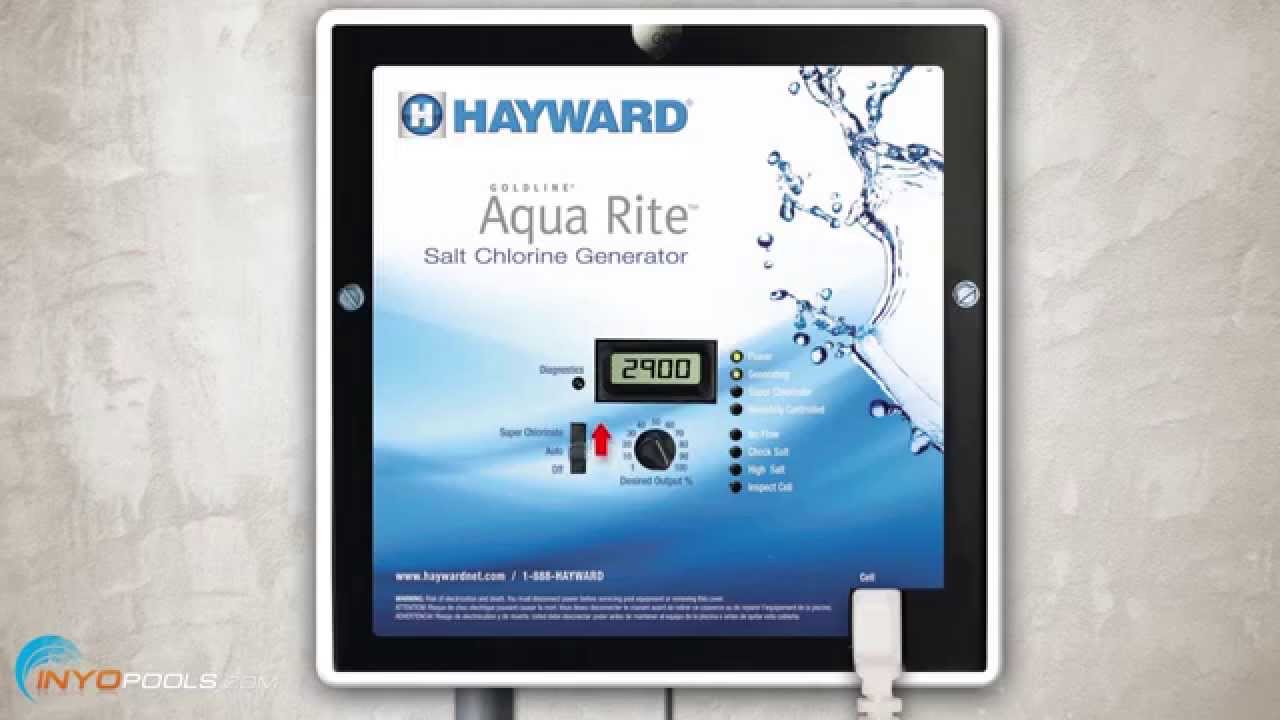
How the Hayward AquaRite Works and Why It Fails
The Hayward Aquarite is a salt chlorinator. It turns salt in your pool water into chlorine. This keeps water clean without frequent chlorine dosing. The main parts are the cell, power center (control box), flow sensor, and sensor wires.
Common failure points are simple. Power issues, corroded wiring, dirty cells, and bad water balance cause most faults. I have seen units fail after storms, poor winter care, or skipped cleaning. Knowing the parts helps you fix them fast.

Common Problems and Quick Fixes
This Hayward Aquarite troubleshooting guide covers the most frequent issues and fixes you can try yourself.
- No power or display blank
- Check breakers and GFCI. Reset if tripped. Inspect power cord.
- LEDs flashing or showing error codes
- Note the pattern. Reset by turning power off for 30 seconds, then on.
- Low or high salt messages
- Test salt with a reliable test kit. Add pool salt or dilute water as needed.
- Low chlorine output
- Clean the cell and check runtime settings. Verify water flow.
- Cell not producing
- Inspect cell for scale. Replace cell if plates are damaged.
- Short cell life
- Check water hardness and pH. Hard water and high pH shorten cell life.
I once fixed a unit that showed low salt but tests read normal. The wiring to the salt sensor was loose. Tightening the connection solved it. This guide emphasizes checks like that to save time and money.

Understanding Error Codes and LED Patterns
Hayward Aquarite troubleshooting starts with reading lights and messages. Each pattern points to a cause.
- Heartbeat or run LED only
- System is powering and running normally.
- No LEDs or blank display
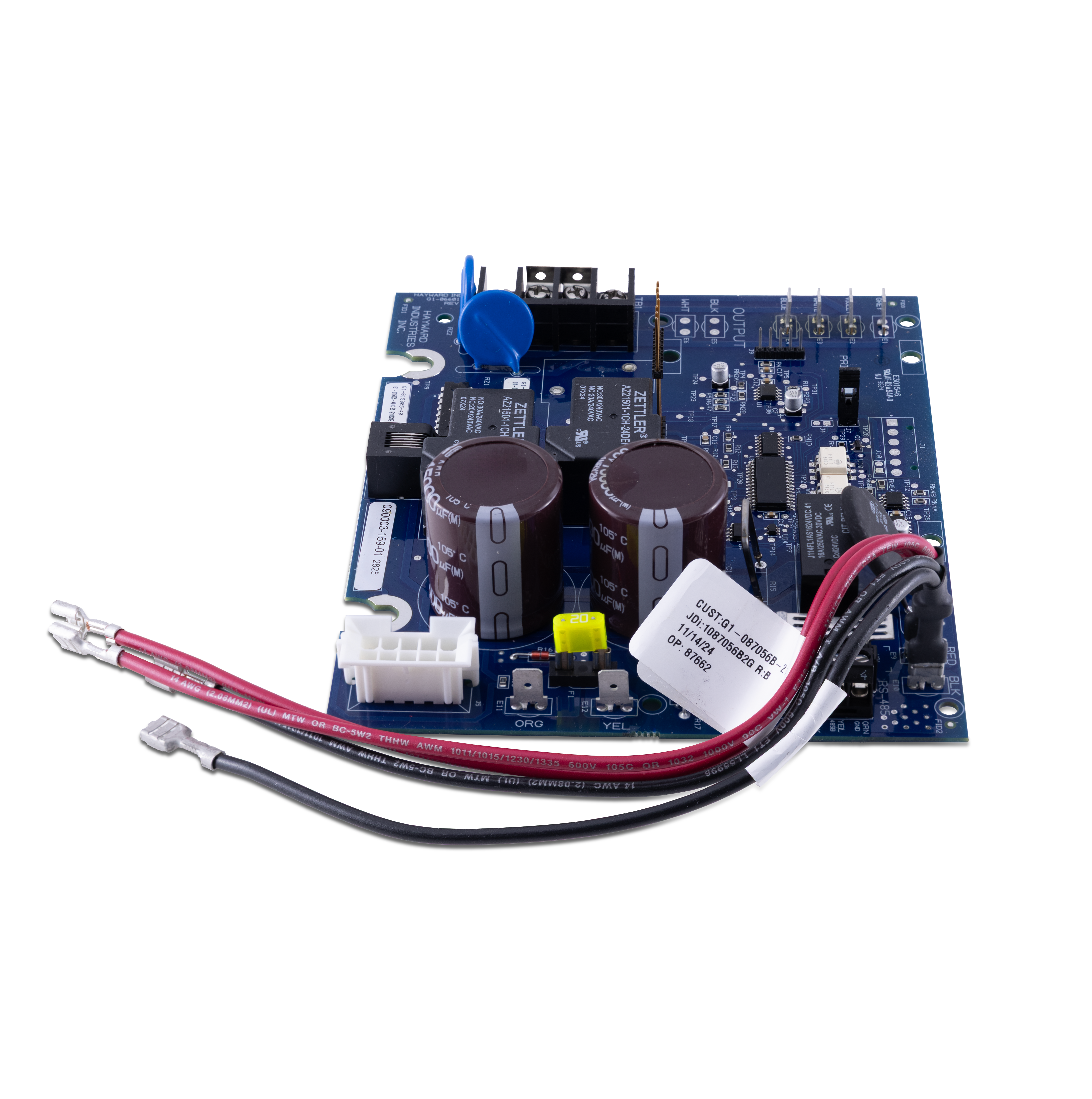
- Check power, breaker, and control board fuse.
- Red error LED with numeric codes
- Common codes mean low salt, check flow, or cell failure. Write down any numbers or blinking counts.
- Rapid flashing
- Often a float or sensor fault. Inspect flow switch and wiring.
- Salt reading inconsistent
- Clean sensor area and test with a handheld salt meter.
If you see repeated or confusing codes after resets, document the sequence. This helps technicians diagnose faster. My rule: if a reset and basic checks fail, stop and call a pro.
Step-by-Step Troubleshooting Checklist
Follow this checklist from quick checks to deeper diagnostics. Use short steps and test after each one.
- Confirm power
- Check the breaker and GFCI.
- Verify control box shows a display.
- Reset unit
- Turn power off for 30 seconds and back on.
- Check flow
- Ensure pump runs and filter is clean.
- Inspect the flow switch for debris.
- Test salt level
- Use a quality salt test or meter.
- Aim for the range on your control (usually 3000–4500 ppm).
- Clean the cell
- Remove cell per manual.
- Soak in a mild acid solution if scale is present.
- Inspect wiring and connections
- Look for corrosion on terminals.
- Tighten loose wires and replace damaged ones.
- Check water chemistry
- pH 7.2–7.6 and TA within range help cell life.
- High calcium or high pH causes scale.
- Replace cell if needed
- Look for warped plates or heavy corrosion.
- A failing cell reduces chlorine output.
I use this checklist when I visit pools. Ninety percent of fixes are in steps 1–6. Only a few need a new cell or control board.
Maintenance Tips to Prevent Issues
Good maintenance reduces visits and costs. Do these tasks regularly.
- Clean the cell every 3–6 months
- Scale builds up and cuts output. Follow manufacturer directions.
- Keep water balanced
- Test weekly for pH, alkalinity, and calcium hardness.
- Run the system per season
- Adjust runtime with pool temperature and use.
- Protect from weather and animals
- Keep the control box dry and secured.
- Inspect wiring and terminals annually
- Corrosion shortens component life.
A tip from experience: mark the cell install date. Most cells last 3–5 years. Tracking age avoids surprise failures. Preventive care is faster and cheaper than emergency repairs.
When to Call a Pro
Some problems need a trained technician. Call one when:
- You see electrical burning smells or melted parts.
- Error codes persist after resets and checks.
- Cell plates are physically damaged.
- The control board shows internal faults.
- You are unsure about acid cleaning or replacing parts.
A pro can test voltages, replace modules, and ensure safe repairs. Expect reasonable service fees. If your unit is under warranty, check coverage first.
Frequently Asked Questions of Hayward Aquarite Troubleshooting Guide
What does a blank display mean on my AquaRite?
A blank display usually means no power or a tripped breaker. Check the GFCI, breakers, and power cord for damage.
How often should I clean the Aquarite cell?
Clean the cell every 3 to 6 months or when you see scale. Heavy scale requires more frequent cleaning to maintain output.
Can low chlorine be caused by something other than the cell?
Yes. Low chlorine can come from bad flow, incorrect runtime, poor water balance, or high bather load. Check those before replacing the cell.
Is it safe to clean the cell myself?
Yes, if you follow the manual and use proper safety gear. Avoid mixing chemicals and follow neutralizing steps.
How long do AquaRite cells typically last?
Most cells last 3 to 5 years with good water balance and care. Hard water and poor maintenance shorten that life.
How do I reset error codes on my Hayward AquaRite?
Turn off power to the unit for 30 seconds, then power it back on. If codes return, follow the troubleshooting checklist to isolate the cause.
Conclusion
This Hayward Aquarite troubleshooting guide gives clear steps to diagnose and fix common issues. Start with power and flow checks, clean and test the cell, and keep water balanced. Small checks often save time and money.
Take action today: run the checklist, note error patterns, and do routine cleaning. If a fault persists, call a qualified technician. Share your experience or questions below and subscribe for more pool care tips.

