

Trane thermostat troubleshooting often starts with power, wiring, and simple resets.
I’ve worked with HVAC systems and thermostats for years, and this guide delivers practical, tested Trane thermostat troubleshooting steps you can use today. You’ll learn how to diagnose power and wiring problems, clear error codes, handle smart-connectivity issues, and decide when to call a pro. Read on for clear steps, real-life tips from my field experience, and safety pointers to fix your Trane thermostat with confidence.

36% off Today’s Exclusive Deals
Limited-time Exclusive Deals. Check current discount on Amazon.
Check Price on Amazon As an Amazon Associate I earn from qualifying purchases.
Common Symptoms and First Checks
Trane thermostat troubleshooting begins by recognizing common symptoms. Typical signs include a blank screen, incorrect temperature readings, HVAC not responding, or frequent short cycles. Start simple. Check the display, confirm HVAC power, and see if recent settings or scheduled changes might cause the issue.
Basic first checks you should do right away:
- Ensure thermostat display is on and backlight works. A blank screen often means no power.
- Verify system mode is correct (Heat / Cool / Auto).
- Confirm the schedule or hold settings are not overriding expected behavior.
- Listen for HVAC response when changing the temperature on the thermostat.
- Check circuit breakers and furnace or air handler switches.
These quick checks solve many simple issues and are the first step in Trane thermostat troubleshooting. If problems persist, follow the step-by-step guide below.
Step-by-Step Troubleshooting Guide
Follow this ordered approach for reliable Trane thermostat troubleshooting. Work methodically and stop if you’re unsure about handling wiring or mains power.
- Restart the thermostat
- Power-cycle the thermostat by removing batteries or using the reset option. Wait 30 seconds before restoring power.
- Check batteries
- Replace batteries with fresh, high-quality AA or AAA cells if your model uses them. Low batteries can cause erratic behavior.
- Inspect wiring and terminal connections
- Turn off power at the breaker.
- Remove the thermostat cover.
- Confirm each wire is in the correct labeled terminal (R, RC, RH, W, Y, G, C).
- Look for loose wires, frayed ends, or corrosion.
- Verify 24V power and common wire (C)
- Use a multimeter to check for 24 VAC between R and C. No voltage means no control power, a key part of Trane thermostat troubleshooting.
- If no C wire is present and your thermostat needs one, consider adding a common wire or using a power extender kit.
- Check HVAC equipment power and switches
- Confirm the furnace/air handler switch is ON.
- Inspect the changeover relay in the outdoor unit for visible damage or stuck relays.
- Reset to factory settings
- Use the thermostat menu to perform a factory reset. This clears corrupted settings but you will need to reprogram schedules.
- Test heating and cooling stages
- Manually force a heat or cool call from the thermostat and watch the sequence. This reveals whether the thermostat is sending the right signals.
- Review error codes and logs
- Note any error codes or alerts on display. Record them for further diagnosis or when calling support.
People Also Ask (PAA) style quick questions
How do I reset my Trane thermostat?
Most Trane thermostats have a reset option in Settings > Reset. A power-cycle by removing batteries also works for simple resets.
Why is my Trane thermostat not turning the AC on?
Often due to a lost 24V control signal, incorrect mode, tripped breaker, or a failed outdoor contactor. Check power and wiring first.
Can I replace batteries without losing settings?
Many Trane models retain settings during a battery swap, but note schedules may reset on older models. Write down schedules before replacing batteries.
This stepwise approach is core to effective Trane thermostat troubleshooting. If you feel uncomfortable with wiring or using a multimeter, stop and contact a trained technician.
Power, Wiring, and Battery Issues
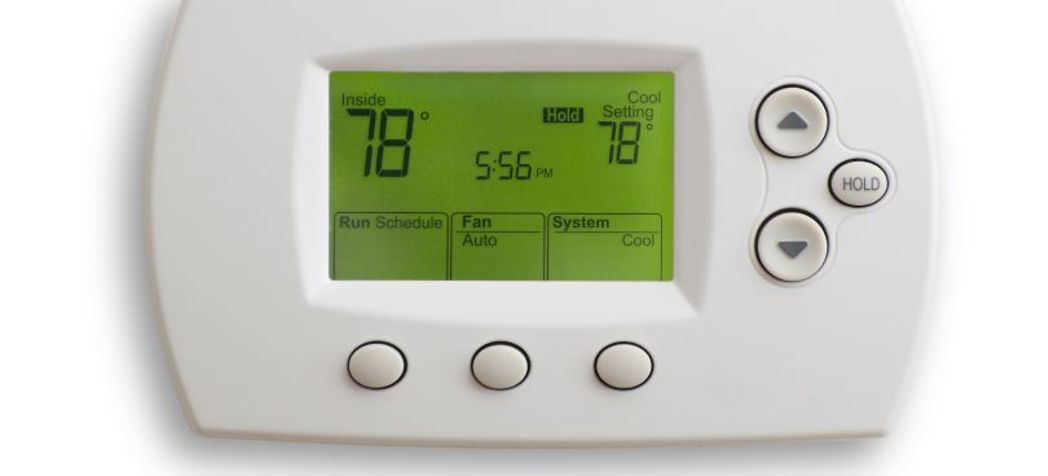
Power problems are a leading cause for Trane thermostat troubleshooting. Addressing power early saves time.
Common power and wiring checks:
- Breaker and switch: Confirm HVAC breaker and furnace switch are ON.
- 24V supply: Measure voltage between R and C; it should be ~24 VAC.
- Common wire absence: If you have a Wi-Fi model, the absence of a C wire often causes reboots or Wi-Fi drops.
- Loose terminals: Tighten terminal screws and ensure wires seat fully.
- Corrosion and rodent damage: Look for chewed wires or green corrosion on wire ends.
Real-life tip from my fieldwork: I once diagnosed a thermostat that rebooted every hour. The issue was a loose G wire that lost contact when HVAC vibration started. Securing the terminal fixed the problem.
If the 24V supply is missing, the fault could be at the transformer, fuse on the control board, or a tripped high-limit switch. These need careful inspection by someone comfortable with HVAC systems.

Connectivity and Smart Thermostat Issues
Smart Trane thermostats add convenience but also new failure points. Troubleshooting connectivity is part of Trane thermostat troubleshooting today.
Common smart-connectivity problems and fixes:
- Wi-Fi drops: Restart router, ensure 2.4 GHz vs 5 GHz compatibility, and keep thermostat within range.
- App cannot find thermostat: Check account logins and ensure thermostat is in pairing mode.
- Firmware updates fail: Confirm stable internet and avoid interrupting power during updates.
- Cloud services down: Sometimes outages affect remote control; test local control on the thermostat.
Personal note: I helped a homeowner who had range issues. Moving the router and adding a small Wi-Fi extender resolved the intermittent remote-control failures.
If you have repeated pairing failures, try factory reset and re-add the thermostat. If model requires a C wire and it’s missing, remote features may be unstable.
Error Codes and What They Mean
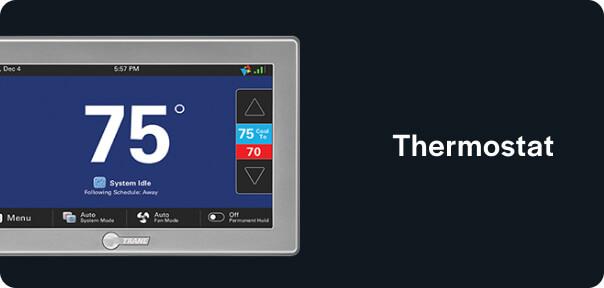
Trane thermostats and HVAC systems show codes that speed up Trane thermostat troubleshooting. Knowing the common codes helps you act.
Typical messages and what to check:
- Blank or "—" on display: Likely no power or dead batteries.
- "E1", "E2" style alerts: Often sensor or communication errors; check wiring and sensors.
- "Check System": Could indicate outdoor unit issues or safety limits tripped.
- Wi-Fi error: Router or credentials issue.
When you see codes, write them down and look for patterns. If the code references the outdoor unit, inspect fuses and contactors. For sensor errors, check the temperature sensor lead and connections.

Maintenance Tips to Prevent Future Problems
Routine maintenance reduces Trane thermostat troubleshooting needs. Small habits prevent big headaches.
Preventive steps:
- Replace batteries annually or when low battery alerts appear.
- Keep thermostat clean and dust-free; dust can block buttons or sensors.
- Inspect wiring twice a year when changing filters.
- Update thermostat firmware when available, using stable Wi-Fi.
- Keep HVAC equipment serviced seasonally to avoid control issues.
From experience: A quick seasonal check saved a homeowner from a winter heating failure. A loose terminal tightened during routine maintenance prevented intermittent loss of heat.
When to Call a Professional
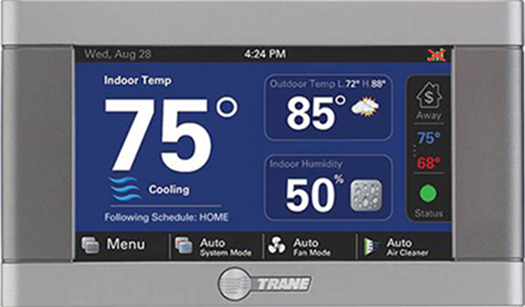
Some problems need a licensed HVAC technician. Call a pro if:
- You detect burned wires, melting insulation, or strong electrical odors.
- The control transformer or furnace control board needs replacement.
- The thermostat passes checks but HVAC still fails to respond.
- You are uncomfortable working with mains voltage or refrigerant systems.
If you call, provide the technician with the model number, error codes, steps you tried, and any photos of wiring. This saves diagnostic time and helps accurate repair.
Frequently Asked Questions of Trane Thermostat Troubleshooting
How do I know if my Trane thermostat has power?
Check the display and test voltage between R and C for ~24 VAC. Also verify batteries and HVAC breaker.
Why does my Trane thermostat show the wrong temperature?
Wrong readings can come from improper thermostat placement near heat sources or sensor failure. Reposition the thermostat and compare with a separate thermometer.
Can I fix wiring issues myself?
Simple wire reseating is safe after turning off power, but any work involving control boards or transformers is best left to a pro. Safety first.
What if my Trane thermostat loses Wi-Fi often?
Check router distance, network bands, and firmware. Use a Wi-Fi extender or ensure your thermostat has a stable 2.4 GHz connection.
Will a factory reset erase my schedules?
Yes, a factory reset generally clears schedules and settings. Record your settings before resetting to restore them later.
How long do Trane thermostat batteries last?
Batteries typically last 1 to 2 years depending on model and usage. Replace sooner if you see low-battery alerts.
Is a common wire required for smart Trane thermostats?
Many smart models need a C wire for stable power. If absent, install a C wire or use a compatible power adapter kit.
Conclusion
Trane thermostat troubleshooting is systematic work. Start with power, wiring, and simple resets. Work step-by-step through diagnostics, check error codes, and keep firmware and batteries current. Small maintenance habits prevent many issues, and a pro should handle electrical or control-board repairs. Try the steps above and share what you tried if you need more help—your notes and photos speed up any follow-up support. If this guide helped, subscribe for more HVAC tips or leave a comment with your thermostat model and issue.

