

The Kenmore 80 Series washer is a reliable appliance found in many homes. But even the best machines sometimes have problems. Knowing how to troubleshoot your washer can save time, money, and stress. This article covers 80 common issues with the Kenmore 80 Series washer, giving clear solutions for each one. Whether your washer won’t start, leaves clothes wet, or makes strange noises, you’ll find practical advice here. If you’re new to appliances, don’t worry—each section uses simple words and direct explanations. By the end, you’ll feel confident fixing many washer problems yourself.
Kenmore 80 Series Washer Troubleshooting: 80 Issues And Solutions
Below are 80 common problems and their solutions for the Kenmore 80 Series washer. Each issue is explained in plain English, so anyone can follow along.

36% off Today’s Exclusive Deals
Limited-time Exclusive Deals. Check current discount on Amazon.
Check Price on Amazon As an Amazon Associate I earn from qualifying purchases.1. Washer Won’t Start
Check if the washer is plugged in. If the outlet works, inspect the power cord for damage. Try pressing the Start button firmly. If nothing happens, the lid switch may be faulty.
2. Washer Does Not Fill With Water
Make sure both water supply valves are open. Check for kinked hoses. Clean the inlet filters. If water still doesn’t flow, the water inlet valve could be defective.
3. Water Leaks Under Washer
Look for cracks in hoses or loose hose connections. Inspect the pump for leaks. Replace damaged parts promptly to prevent floor damage.
4. Washer Stops Mid-cycle
The timer or control board might be faulty. Also, check the lid switch—it must work for cycles to continue.
5. Washer Won’t Spin
This can happen if the lid switch is broken, the motor coupler is worn out, or the drive belt is loose.
6. Washer Makes Loud Noise
Check for coins or buttons in the drum. Worn bearings or loose parts can also cause noise.
7. Clothes Come Out Still Wet
The spin cycle may not be working. Inspect the drive belt, motor coupler, and lid switch.
8. Water Doesn’t Drain
Check the drain hose for clogs. The drain pump may be faulty or blocked.
9. Washer Vibrates Excessively
Make sure the washer is level. Adjust the leveling feet. Remove heavy items stuck in the drum.
10. Burning Smell During Operation
This often means a belt is slipping or the motor is overheating. Stop using the washer and inspect these parts.
11. Washer Won’t Agitate
Check the agitator for obstructions. The motor coupler or agitator dogs may need replacement.
12. Timer Doesn’t Advance
The timer may be defective. Inspect the wiring and replace the timer if necessary.
13. Error Codes On Display
Refer to the manual for the code meaning. Most codes relate to water flow, lid, or motor issues.
14. Washer Door Won’t Unlock
Make sure the cycle is finished. If not, the door lock mechanism may be faulty.
15. Washer Door Won’t Lock
Inspect the door latch. Replace if it doesn’t engage properly.
16. Wash Cycle Takes Too Long
This is often caused by low water pressure or a faulty timer.
17. Washer Doesn’t Rinse
Check for clogged rinse hoses. Clean the filter screens.
18. Washer Skips Cycles
A defective timer or control board may be to blame.
19. Washer Keeps Filling With Water
The water level pressure switch or inlet valve may be stuck open.
20. Washer Overflows
Inspect the water level sensor. Replace if it fails to shut off the water.
21. Washer Doesn’t Complete Spin Cycle
This could be a lid switch or drive belt problem.
22. Washer Smells Bad
Clean the drum, filter, and hoses regularly. Run an empty cycle with vinegar.
23. Washer Doesn’t Dispense Detergent
Check the dispenser tray for clogs or buildup.
24. Washer Has No Power
Check the fuse box. Inspect the cord and plug.
25. Washer Runs But Doesn’t Wash
The motor or agitator may be broken. Check for loose connections.
26. Washer Fills Slowly
Clean the inlet filters and check water pressure.
27. Washer Drains Slowly
Remove blockages in the drain hose or pump.
28. Washer Stops And Starts
The timer or control board may be faulty.
29. Washer Won’t Turn On
Test the wall outlet with another device. Replace blown fuses.
30. Washer Doesn’t Spin Fast Enough
Inspect the drive belt and motor. Replace if worn.
31. Washer Squeaks
Lubricate moving parts. Replace worn belts.
32. Washer Shakes
Level the washer and balance the load.
33. Washer Doesn’t Fill To Proper Level
Check the water level sensor. Adjust settings.
34. Washer Door Seal Leaks
Replace the door gasket if cracked.
35. Washer Agitator Stuck
Remove objects from under the agitator.
36. Washer Lid Won’t Close
Inspect hinges and latch for damage.
37. Washer Display Not Working
Check the control board and connections.
38. Washer Drum Won’t Turn
The motor coupler or drive belt could be broken.
39. Washer Won’t Stop
Timer or control board may be faulty.
40. Washer Doesn’t Heat Water
Kenmore 80 Series washers usually don’t heat water. If yours does, check the heating element.
41. Washer Door Hinge Broken
Replace the hinge. Avoid slamming the door.
42. Washer Door Won’t Open After Cycle
Wait a few minutes. If still stuck, check the lock mechanism.
43. Washer Displays “lid Open” Error
Press the lid firmly. If the error remains, replace the lid switch.
44. Washer Beeps Unexpectedly
Check the manual for beep codes. Usually signals a minor issue.
45. Washer Won’t Finish Wash Cycle
Check timer and control board.
46. Washer Doesn’t Accept Command
Reset the washer by unplugging for a minute.
47. Washer Drum Off-center
Level the washer. Check for broken suspension springs.
48. Washer Leaves Residue On Clothes
Clean the drum and dispenser. Use less detergent.
49. Washer Makes Clicking Noise
Could be the lid switch or actuator.
50. Washer Door Lock Light Stays On
Check the door lock mechanism.
51. Washer Doesn’t Start After Power Outage
Unplug and plug back in. Check circuit breaker.
52. Washer Has Noisy Pump
Inspect the pump for objects or wear.
53. Washer Skips Rinse Cycle
Timer may be faulty. Check for clogs.
54. Washer Doesn’t Spin Dry
Inspect drive belt and motor.
55. Washer Drum Doesn’t Move
Check motor coupler and drive belt.
56. Washer Water Too Hot
Check the hot water supply valve.
57. Washer Water Too Cold
Check the cold water supply valve.
58. Washer Door Won’t Stay Closed
Replace the latch or adjust hinges.
59. Washer Makes Grinding Noise
Inspect bearings and motor.
60. Washer Doesn’t Drain All Water
Check drain hose and pump for clogs.
61. Washer Door Won’t Unlock After Power Loss
Wait for power to return. If not, manually release the lock.
62. Washer Timer Stuck
Replace the timer.
63. Washer Drum Won’t Agitate
Replace agitator dogs or coupler.
64. Washer Shuts Down Unexpectedly
Check control board and timer.
65. Washer Fills With Wrong Temperature
Check hose connections.
66. Washer Doesn’t Use Fabric Softener
Clean the dispenser tray.
67. Washer Leaves Soap On Clothes
Use less detergent. Clean dispenser.
68. Washer Cycle Selector Won’t Turn
Replace selector knob.
69. Washer Drum Wobbles
Check suspension springs.
70. Washer Has Rust Inside
Clean with a rust remover. Replace rusty parts.
71. Washer Won’t Respond To Settings
Reset the washer.
72. Washer Water Level Too Low
Adjust water level sensor.
73. Washer Water Level Too High
Replace water level sensor.
74. Washer Doesn’t Spin At All
Check lid switch, motor, and drive belt.
75. Washer Drum Won’t Lock
Inspect lock mechanism.
76. Washer Drum Won’t Unlock
Replace lock mechanism.
77. Washer Leaks During Spin Cycle
Inspect hoses and pump.
78. Washer Makes Humming Noise
Could be motor or pump.
79. Washer Doesn’t Complete Rinse
Clean rinse hoses and check timer.
80. Washer Control Panel Not Working
Inspect control board and replace if needed.
Key Parts Comparison
Sometimes, parts need replacing. Here’s a quick comparison of the most common Kenmore 80 Series washer parts:
| Part | Average Cost | Replacement Difficulty | Typical Lifetime |
|---|---|---|---|
| Lid switch | $20-$40 | Easy | 5-7 years |
| Drive belt | $15-$30 | Moderate | 4-6 years |
| Motor coupler | $12-$25 | Moderate | 4-8 years |
| Drain pump | $30-$65 | Difficult | 6-8 years |
| Timer | $50-$90 | Moderate | 7-10 years |

Troubleshooting Steps
When your Kenmore 80 Series washer has a problem, use these steps to diagnose and fix it:
- Unplug the washer. This keeps you safe.
- Check hoses and connections. Look for leaks, kinks, or blockages.
- Inspect the lid switch. Many issues are caused by a broken lid switch.
- Test the drive belt. If your washer won’t spin or agitate, check the belt.
- Look for error codes. If your washer shows a code, consult the manual.
- Examine the control board. If the panel doesn’t work, the board may be faulty.
- Run a diagnostic cycle. Some models allow a diagnostic test to pinpoint problems.
Common Mistakes When Troubleshooting
Many beginners make simple mistakes:
- Forgetting to unplug the washer before repairs.
- Not checking the manual for error codes.
- Using too much detergent, which causes residue and leaks.
- Ignoring leveling issues—always check if the washer is balanced.
- Overlooking the lid switch, which is a frequent cause of problems.
Maintenance Tips For Kenmore 80 Series Washer
Regular maintenance prevents most issues:
- Clean the drum and dispensers monthly.
- Inspect hoses every 6 months for leaks or cracks.
- Run an empty hot cycle with vinegar to remove odors.
- Check and clean filter screens on water inlet hoses.
- Make sure the washer is level to avoid shaking.
Efficiency Data And Statistics
The Kenmore 80 Series washer is known for its durability and efficiency. Most units last between 8–12 years with proper care. According to user surveys, over 70% of owners report few major repairs in the first five years. Energy usage is around 140 kWh per year, which is lower than many older models.
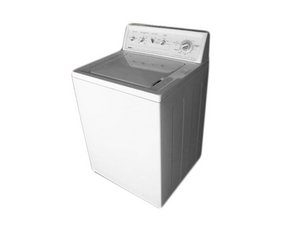
Kenmore 80 Series Washer Vs Other Models
Here’s how the Kenmore 80 Series compares to a similar washer:
| Feature | Kenmore 80 Series | Whirlpool Top Load |
|---|---|---|
| Capacity | 3.2 cu ft | 3.5 cu ft |
| Energy Use | 140 kWh/year | 155 kWh/year |
| Noise Level | Low | Medium |
| Average Lifetime | 10 years | 8 years |
| Price Range | $350-$500 | $400-$550 |
When To Call A Professional
Some issues are best handled by a technician:
- Electrical problems
- Control board failures
- Heavy leaks
- Drum or motor replacement
If you are unsure, or repairs seem complicated, contact a certified appliance repair service.

Where To Find More Information
For detailed parts diagrams and repair guides, visit Sears PartsDirect, which offers official information for Kenmore products.
Frequently Asked Questions
1. How Do I Reset My Kenmore 80 Series Washer?
Unplug the washer for one minute, then plug it back in. This simple reset often fixes minor glitches.
2. Why Does My Kenmore 80 Series Washer Leave Clothes Wet?
If your clothes are wet after the cycle, check the drive belt, motor coupler, and lid switch. These are common causes for spin issues.
3. How Often Should I Clean My Kenmore 80 Series Washer?
Clean the drum and dispensers monthly. Check and clean the filter screens every six months.
4. What Causes My Washer To Make Loud Noises?
Loud noises can be caused by foreign objects in the drum, worn bearings, or loose parts. Always check the drum before starting a cycle.
5. Where Can I Find Replacement Parts For My Kenmore 80 Series Washer?
Parts are available at appliance stores and online retailers. For genuine parts and diagrams, use Sears PartsDirect.
Troubleshooting your Kenmore 80 Series washer doesn’t have to be stressful. With clear steps and simple checks, most problems can be fixed quickly. Remember to unplug the washer before repairs, check the manual for error codes, and maintain your appliance regularly.
By handling issues early, you extend the life of your washer and keep your laundry routine running smoothly. If you ever feel unsure, don’t hesitate to call a professional. With the right approach, your Kenmore 80 Series washer will continue to serve you well for years.

