

Most LG mini split codes are simple alerts pointing to filters, sensors, or connectivity issues.
I have worked on HVAC systems for years and have read dozens of LG service manuals. This guide covers LG Mini Split Troubleshooting Codes in a clear, step-by-step way. You will learn what common codes mean, how to capture them, safe DIY checks, and when to call a pro. I write from hands-on experience and industry knowledge to help you fix small faults fast and avoid costly repairs.

36% off Today’s Exclusive Deals
Limited-time Exclusive Deals. Check current discount on Amazon.
Check Price on Amazon As an Amazon Associate I earn from qualifying purchases.

What Are LG Mini Split Troubleshooting Codes?
LG Mini Split Troubleshooting Codes are short error messages shown on the indoor unit, remote display, or app. They tell you where the system sees a problem, such as a sensor fault, communication error, or safety trip. Codes can be letters, numbers, or a mix like U4, E1, or CL. Knowing how to read and react to these codes saves time and prevents further damage.
These codes are standardized across many LG models, but exact meanings can vary by series. Always consult your model’s service manual for the final definition. Still, many core codes repeat across systems, so learning them gives big returns in troubleshooting speed.
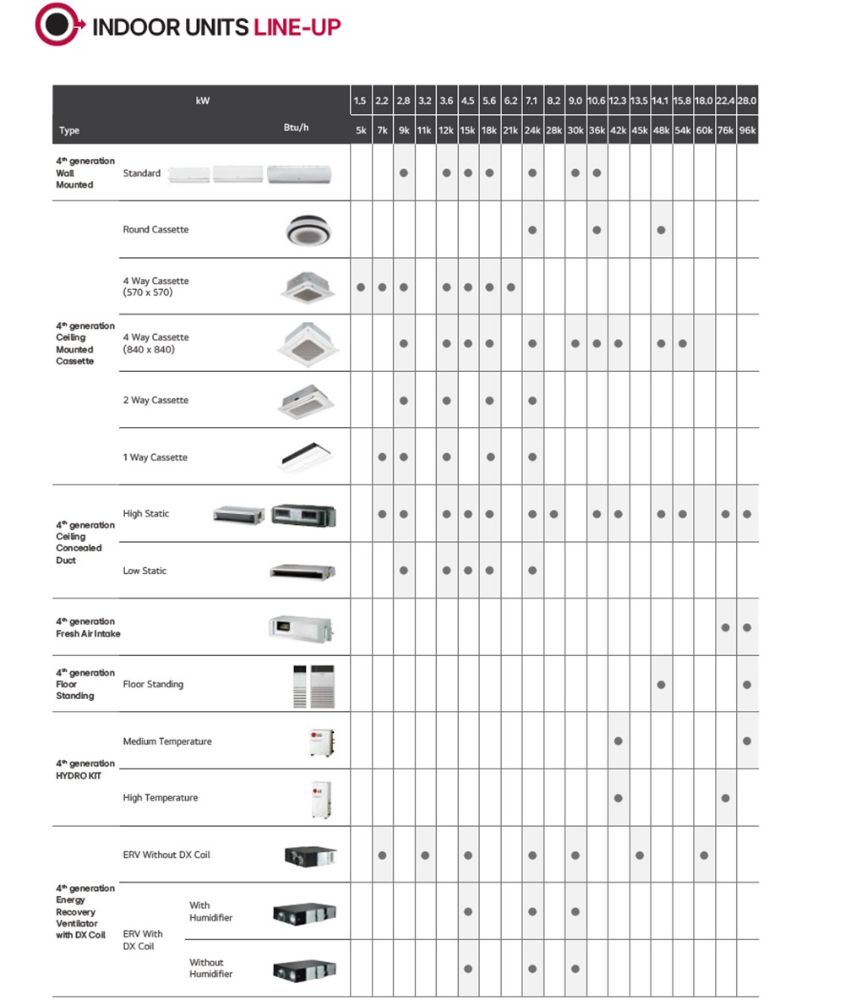
Common LG Mini Split Troubleshooting Codes and What They Mean
Below are common LG Mini Split Troubleshooting Codes, likely causes, basic checks, and when to call a technician.
-
E1 or E01: Indoor temperature sensor fault
- Possible causes: sensor wiring, loose connector, failed sensor.
- DIY checks: power off, inspect sensor wiring and connectors, reseat plugs.
- Call pro if the sensor must be replaced or wiring is buried.
-
E2 or E02: Outdoor unit sensor fault or communication error
- Possible causes: outdoor sensor failure, poor connection, PCB issue.
- DIY checks: check the outdoor unit wiring and terminals; restart both units.
- Call pro for PCB or sealed-system diagnostics.
-
dE: Defrost error or abnormal defrost cycle
- Possible causes: stuck defrost valve, sensor failure, refrigerant issue.
- DIY checks: check outdoor coil for ice build-up; allow full defrost cycle then monitor.
- Call pro if ice returns quickly or if refrigerant loss is suspected.
-
CL: Child lock or control lock engaged
- Possible causes: remote lock feature turned on.
- DIY checks: follow remote or indoor unit steps to clear lock.
- Call pro only if controls remain unresponsive.
-
PF: Power failure detected
- Possible causes: recent outage, unstable power.
- DIY checks: reset unit by turning off power for 30 seconds then on.
- Call pro if PF persists or voltage issues are present.
-
U4, U5, U6: Communication errors between indoor and outdoor PCBs
- Possible causes: wiring damage, connector corrosion, failed board.
- DIY checks: power off, inspect communication cable and connectors.
- Call pro for board-level repair or replacement.
-
H1, H2: High discharge or high pressure trip
- Possible causes: blocked condenser, low airflow, overcharge, refrigerant issues.
- DIY checks: clean outdoor coil, ensure good airflow, check for blocked vents.
- Call pro for pressure checks and refrigerant work.
-
H3 or L3: Compressor protection or low pressure trip
- Possible causes: refrigerant loss, suction restriction, faulty compressor.
- DIY checks: look for oil spots or frost patterns; listen for unusual compressor sounds.
- Call pro for sealed system service and compressor evaluation.
-
FE: Fan error (indoor or outdoor)
- Possible causes: motor failure, obstruction, wiring fault.
- DIY checks: ensure fan blades spin freely after power off; inspect for debris.
- Call pro for motor replacement or controller diagnosis.
-
Ld: Locked rotor or compressor starting failure
- Possible causes: start relay, capacitor, or compressor issue.
- DIY checks: check start capacitor visually for bulge; listen for click without compressor start.
- Call pro; compressor work requires tools and license.
Each LG Mini Split Troubleshooting Codes entry above is a starting point. Model-specific definitions may vary. If you are unsure, stop and call a licensed technician.
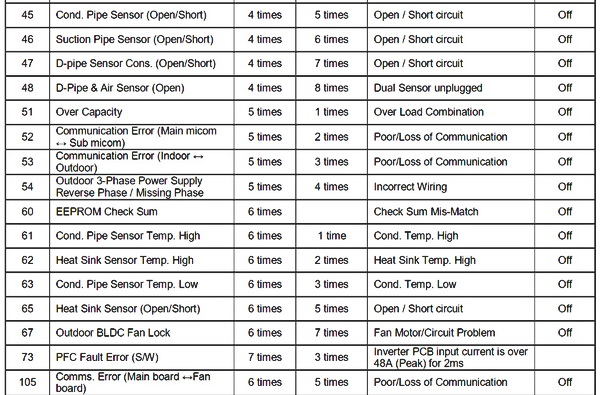
How to Read, Capture, and Log LG Mini Split Troubleshooting Codes
Capture codes fast to speed repairs. Follow these steps to read and log codes correctly.
- Step 1: Look at the indoor display and remote. Many codes appear as flashing numbers or letters.
- Step 2: Check the LG app or Wi‑Fi module if installed. App logs often show recent faults.
- Step 3: Power-cycle the unit and note if the code returns. A one-time code can be transient.
- Step 4: Write down exact wording and timing. Include ambient conditions (cold start, heavy use).
- Step 5: Take photos of the code display and of inside the panels if you open them.
Keeping a short log helps when you call support or a tech. Over time, patterns will point to recurring causes like blocked coils or wiring corrosion.
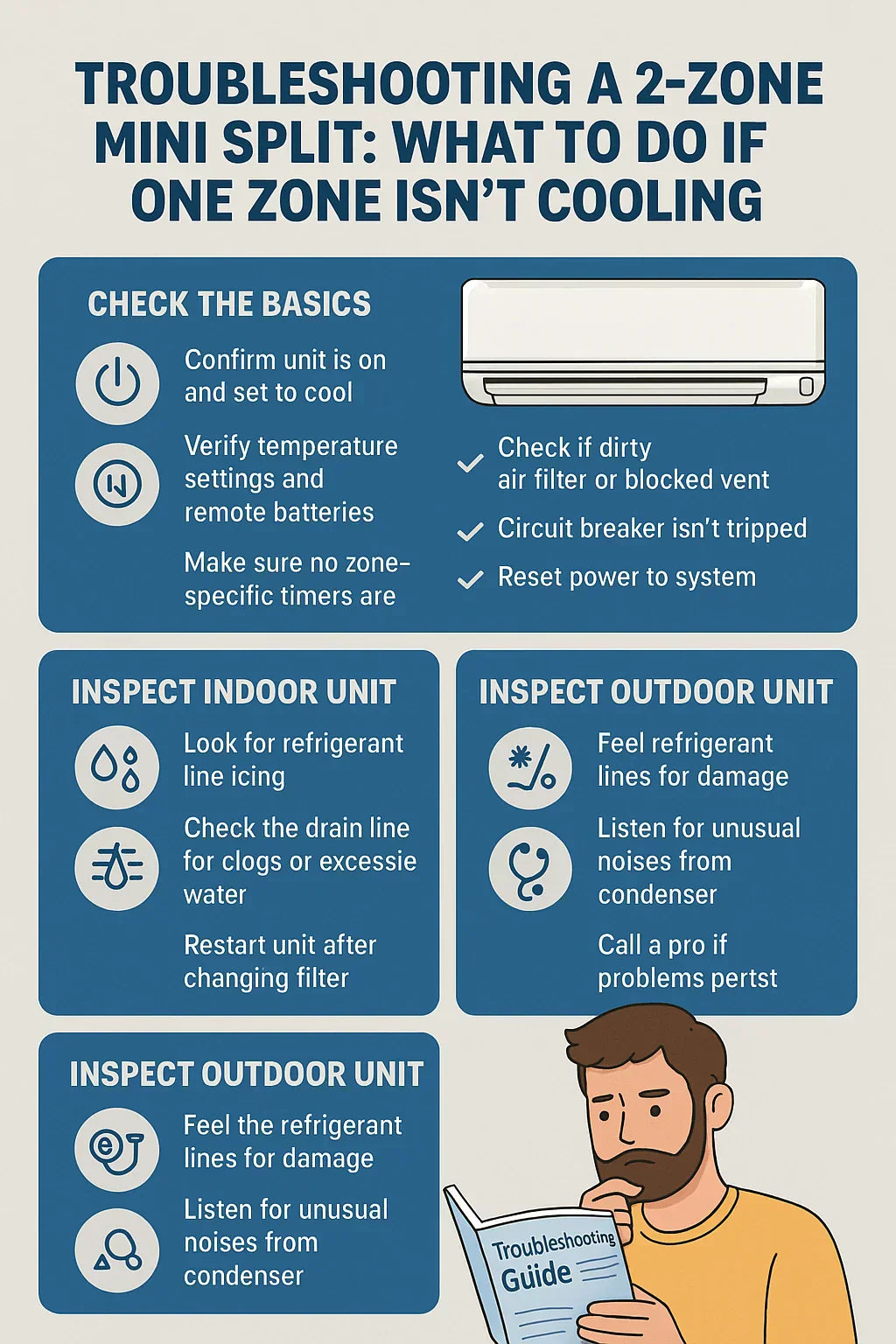
Step-by-Step Troubleshooting Workflow for LG Mini Split Troubleshooting Codes
Use a clear workflow to avoid mistakes. Follow this order on any code.
- Safety first. Turn off power at breaker before opening panels or touching wiring.
- Reset and observe. Power off for 30 seconds then back on. Check if code clears.
- Check simple items. Filters, airflow, remote lock, and visible connections are easy wins.
- Inspect wiring and connectors. Look for corrosion, water ingress, or rodent damage.
- Test sensors and fans. Swap or measure sensors if you have a multimeter and the manual.
- Monitor pressures and temperatures. Only a trained tech should handle refrigerant or compressor work.
If a code returns after these steps, stop DIY repairs. Continuing can void warranty or harm the unit. Document what you tried to help the technician.
Tools, Parts, and Safety Tips
You don’t need a van full of gear for basic checks. Keep these tools and follow safety tips.
-
Basic tools to have:
- Screwdrivers and nut drivers for access panels.
- Multimeter for voltage and sensor checks.
- Flashlight and phone camera for logs.
- Soft brush and coil cleaner for coils.
-
Safety tips:
- Cut breaker power before accessing wiring.
- Avoid touching refrigerant lines. They can be hot or cold and cause injury.
- Wear gloves and eye protection when cleaning coils.
- Never bypass safety devices or run the unit with panels off for long.
Buy replacement filters and fuses before calling a tech. Many fixes are simple and inexpensive.

When to Call a Technician for LG Mini Split Troubleshooting Codes
Some codes need a pro right away. Call a technician when:
- Refrigerant or compressor work is needed. This is licensed work.
- Communication or PCB errors persist after basic checks.
- You see electrical burning, smoke, or trip breakers repeatedly.
- The unit shows repeated high pressure, low pressure, or locked rotor codes.
- Warranty coverage requires authorized service only.
A trained tech has gauges, refrigerant tools, and board-level skills. Calling early can prevent bigger repairs.
Personal Experience and Lessons Learned
I once handled a week of calls where the same U4 code appeared in several homes. In each case, the root cause was a loose connector at the outdoor unit. A simple reseat and dielectric grease stopped the issue for months. From that job I learned to always check connectors first. It saves time and builds trust with homeowners.
Another lesson: never ignore intermittent PF codes. In one job, they signaled a failing home breaker. Replacing the breaker stopped random shutdowns and protected the outdoor unit.
I encourage you to document actions and temps when you troubleshoot. It helps pros diagnose faster if you need them.
Preventive Maintenance to Avoid LG Mini Split Troubleshooting Codes
Simple care cuts error codes dramatically. Add these steps to a seasonal routine.
-
Monthly checks:
- Clean or replace filters.
- Verify remote batteries and settings.
- Remove debris around outdoor unit.
-
Seasonal checks:
- Clean coils and straighten fins.
- Test sensors and check wiring connections.
- Confirm drain line is clear and slope is correct.
-
Annual service:
- Have a pro check refrigerant levels, pressures, and electrical components.
- Update software or firmware if your unit supports it.
A small investment in maintenance reduces error codes and extends system life.
Quick PAA-Style Questions
What does CL mean on an LG mini split?
- CL typically means the control or child lock is active. Disable lock from the remote or follow the manual to reset.
How do I reset LG mini split troubleshooting codes?
- Power off at the breaker for about 30 seconds, then power back on. If the code returns, log it and follow the specific repair steps.
Can I repair a sensor fault myself?
- You can inspect and reseat sensor wiring. Replace sensors only if you are comfortable with small electrical tasks and have the right parts.
How do I know if it’s a communication error?
- Communication errors show as U-codes or similar. They often follow wiring damage or board issues and need connector checks.
Is refrigerant work DIY-friendly?
- No. Refrigerant handling requires license and tools. Call a certified technician for sealed-system work.
Frequently Asked Questions of Lg Mini Split Troubleshooting Codes
What should I do first when a code appears on my LG mini split?
Always power cycle the unit by turning the breaker off for 30 seconds then on. Check filters, remote settings, and basic airflow before further work.
Why does my LG mini split show PF often?
PF means power failure or unstable power. Check home breakers and power stability; persistent PF may need an electrician to inspect service voltage.
How long can I run the unit with a minor error code?
If the code relates to control lock or a sensor that does not affect safety, short runs are okay. Stop use if codes indicate pressure, compressor, or electrical faults.
Can cleaning the coils fix many LG Mini Split Troubleshooting Codes?
Yes. Dirty coils cause high pressure, defrost, and efficiency errors. Regular coil cleaning solves many common faults and reduces codes.
Is it safe to replace the indoor sensor myself?
If you are comfortable with low-voltage wiring, you can replace sensors after cutting power. For PCB-level diagnostics, call a technician.
Why does the unit throw a communication error after a storm?
Water ingress, lightning, or surges can damage communication lines or PCBs. Inspect for water and call a pro if errors persist.
How often should I schedule professional maintenance?
Schedule a full service once a year, ideally before peak cooling or heating seasons. Annual checks catch small issues before they throw LG Mini Split Troubleshooting Codes.
Conclusion
LG Mini Split Troubleshooting Codes are a window into your system’s health. Learn the common codes, follow a safe troubleshooting workflow, and do regular maintenance to avoid repeat faults. Act early on persistent codes and call a trained technician for refrigerant, compressor, or PCB problems. Take one practical step today: check filters and connectors, log any code, and schedule yearly service. Share your experience or questions below and subscribe for more hands-on HVAC tips.

