

Septic Tank alarm problems usually mean a high water level, a stuck float, or a power/control issue.
I have spent years working on septic systems and training homeowners on septic care. This guide breaks down Septic Tank Alarm Troubleshooting into simple steps you can use today. Read on to learn how alarms work, common causes, clear troubleshooting steps, safety tips, and when to call a pro. My goal is to give clear, practical advice so you solve small problems fast and avoid costly failures.

36% off Today’s Exclusive Deals
Limited-time Exclusive Deals. Check current discount on Amazon.
Check Price on Amazon As an Amazon Associate I earn from qualifying purchases.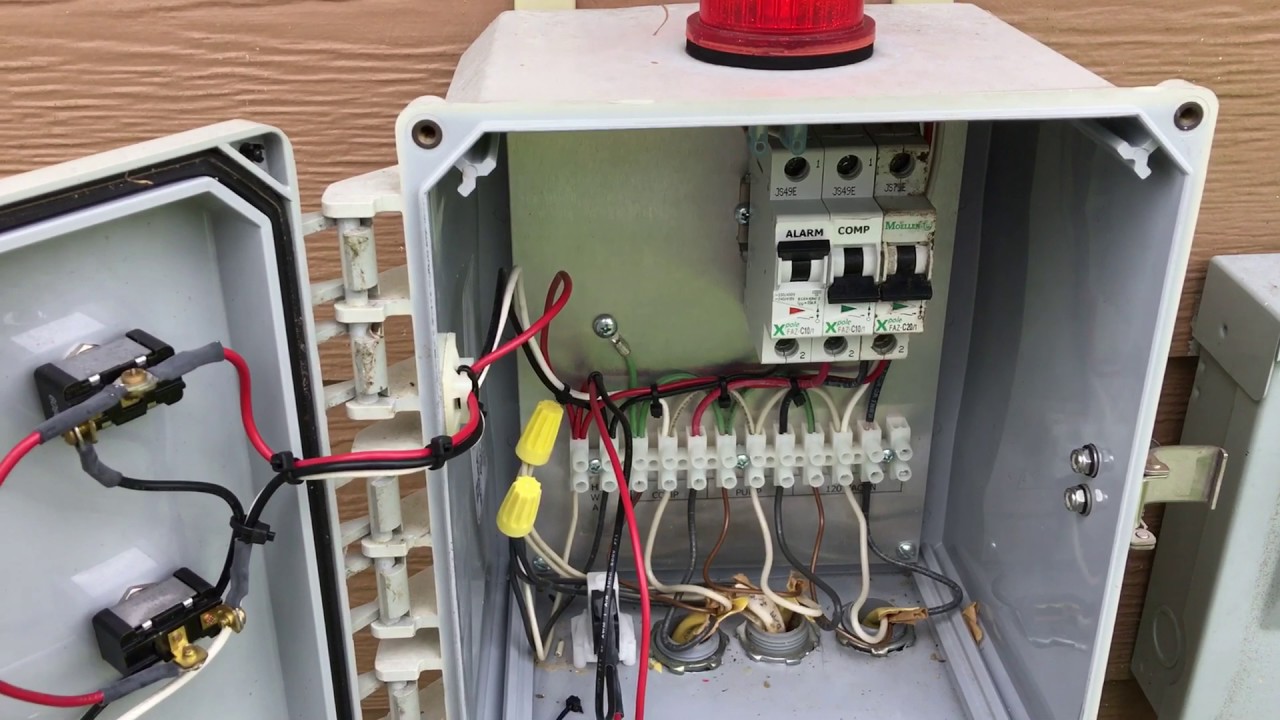
How septic tank alarms work
A septic alarm warns you when wastewater inside the tank reaches an unsafe level. Most alarms use a float switch or electronic sensor in a pump chamber or tank. When water pushes the float up, the switch closes and triggers a buzzer or light at the control panel.
Key parts to know:
- Control panel: receives the signal and sounds the alarm.
- Float switch or probe: senses high water.
- Pump: removes effluent when the alarm or timer calls for it.
- Power source: breaker, fuse, or battery backup.
Knowing how each part works helps with Septic Tank Alarm Troubleshooting. If one component fails, the alarm can be a life-saving warning or a false signal. I’ve seen alarms prevent overflows when acted on promptly.
Common causes of alarms
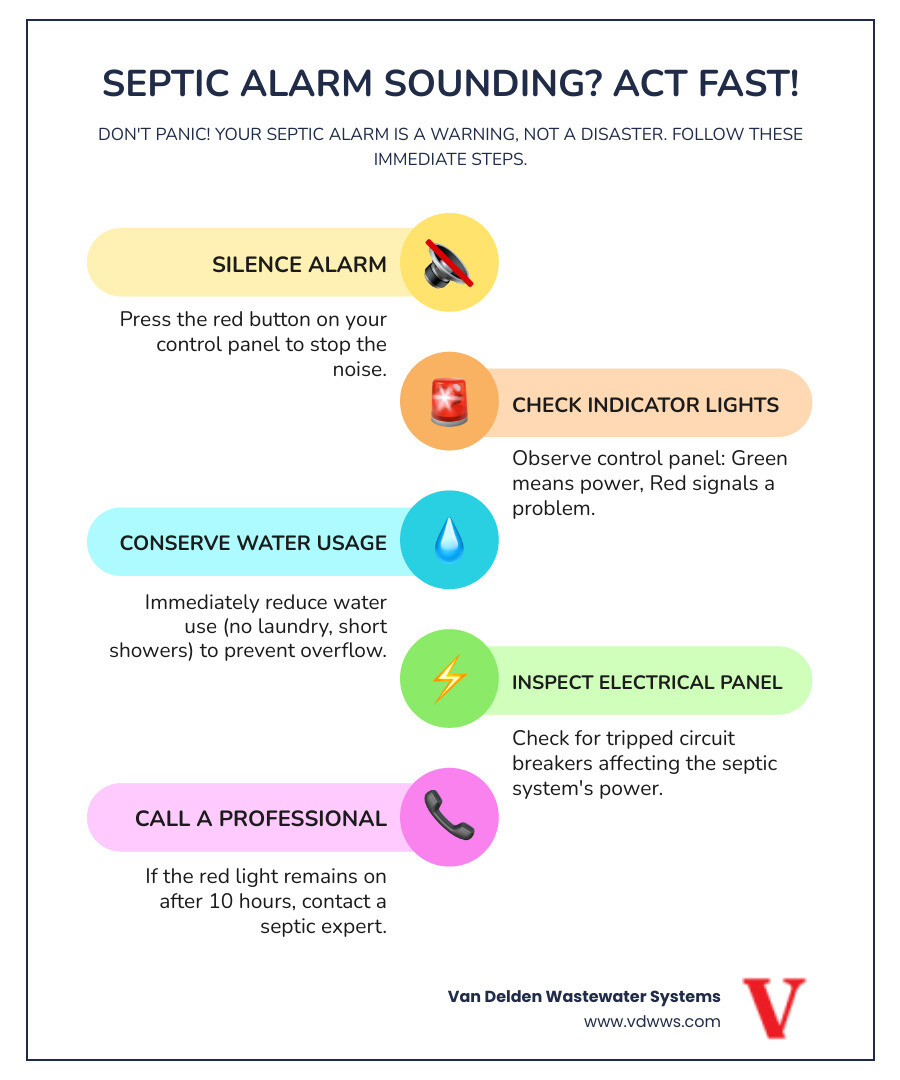
Alarms sound for many reasons. Most are simple to fix. Understand these common causes to save time.
Common causes:
- Stuck float switch due to debris, sludge, or rope.
- Broken or corroded wiring between float and control panel.
- Tripped breaker or blown fuse at the electrical box.
- Pump failure from clogging, burned motor, or seized impeller.
- High inflow to the system from heavy rain, lots of laundry, or a blocked drainfield.
- Sensor or control panel malfunction.
Each of these cause types shows up differently. For example, a constant alarm with no pump activity often points to power or pump failure. An alarm that resets after gentle nudging of the float usually means a stuck float.

Step-by-step Septic Tank Alarm Troubleshooting guide
Follow a clear order. This saves time and prevents mistakes.
- Stay safe first
- Turn off power to the pump at the control panel before opening lids.
- Wear gloves and eye protection when handling covers.
- Listen and observe
- Note if the alarm is steady, intermittent, or silent with a light on.
- Check the control panel for error lights or messages.
- Check power
- Look at the main breaker and any dedicated breakers for the pump and alarm.
- Reset a tripped breaker and test the alarm again.
- Inspect the float switch or sensor
- Open the pump chamber cover. Smell gases and work quickly but carefully.
- Look for floated debris, hair, grease, or string wrapped around the float.
- Gently move the float up and down. If the alarm clears, clean the float area.
- Test pump operation
- If power is on and the float calls for the pump, the pump should run.
- If the pump runs but water level stays high, the pump may be clogged or failing.
- If the pump does not run, check wiring at terminals and the motor, or use a multimeter to test for voltage.
- Check control panel
- Inspect for water, corrosion, or burn marks.
- Reset the panel if recommended by the manual.
- Replace fuses or call an electrician if wiring smells or shows damage.
- Clear blockages
- Remove accumulated solids or rags if safe and possible.
- Clean the effluent filter if your tank has one.
- Test after fixes
- Restore power and simulate a high level by raising the float carefully.
- Confirm the alarm works and the pump cycles as expected.
These steps cover most Septic Tank Alarm Troubleshooting scenarios. If you follow them methodically, you can often fix issues without a costly service call.

Tools, materials, and safety tips
Carry the right tools and stay safe while doing Septic Tank Alarm Troubleshooting.
Helpful tools:
- Screwdrivers and nut drivers for control panels and covers.
- Multimeter to check voltage.
- Flashlight or headlamp for dark basins.
- Long-handled tongs or pole to move floats from outside the sludge.
- Rubber gloves and eye protection.
- Replacement floats, wires, or float assemblies for common fixes.
Safety tips:
- Never stick your head into a septic tank.
- Avoid sparks near tank openings; methane can be present.
- Shut off circuit breakers before touching electrical parts.
- If the tank smells strong or you feel dizzy, leave and ventilate the area.
From my experience, having the right tools avoids common mistakes like cutting wires that only need tightening. Treat each task like a small repair job, not a rush emergency.

When to call a professional
Some problems need pro help. Know when to stop and call a licensed technician.
Call a pro if:
- You smell strong gas or see structural damage to the tank.
- The pump motor is burnt, or you don’t get voltage at the pump.
- Wiring issues go beyond simple connector checks.
- The tank is overflowing or the drainfield is saturated.
- You can’t identify the cause after basic checks.
Professionals bring diagnostic gear, replacement parts, and safe access equipment. For complex Septic Tank Alarm Troubleshooting, a pro can prevent system damage and ensure local codes are met.

Preventive maintenance to reduce alarms
Preventing alarms is better than fixing them. Regular checks cut risks and costs.
Maintenance tips:
- Pump the septic tank every 3 to 5 years, depending on household size.
- Inspect the alarm and floats twice a year.
- Use less water during storms to avoid high inflow.
- Avoid flushing non-degradable items, grease, or cloth.
- Install a backup float or alarm battery for power outages.
I learned to schedule checks after major holidays when water use is high. Small maintenance steps prevented several alarms and saved thousands in repairs.
Frequently Asked Questions of Septic Tank Alarm Troubleshooting
What does a steady septic alarm usually mean?
A steady alarm usually means a persistently high water level or a stuck float. Check pump operation and clear any debris around the float.
Can a tripped breaker cause the alarm to sound?
Yes. A tripped breaker can stop the pump, letting the water level rise and trigger the alarm. Reset breakers and test the system.
How do I safely test a float switch?
Turn off power first. Gently lift the float and listen for the alarm or pump activation. If it responds, clean the float area and recheck.
Will heavy rain trigger the septic alarm?
Heavy rain can saturate the drainfield or increase inflow, which may raise tank levels and trigger the alarm. Reduce water use and monitor the system after storms.
Is it okay to ignore occasional false alarms?
No. Occasional alarms may signal an emerging issue. Troubleshoot simple causes like debris and power, and call a pro if alarms continue.
Conclusion
Septic Tank Alarm Troubleshooting is a skill anyone can learn with a few tools and a methodical approach. Start with safety, check power, inspect floats and wiring, and test the pump. Regular maintenance and early action keep systems healthy and avoid costly failures. Take one step today: inspect your alarm and schedule your next tank pump-out to prevent future alarms. Leave a comment or subscribe for more practical septic system tips.

