

PowerFlex 755 faults are diagnosable through LEDs, fault codes, wiring, and parameter checks.
I’ve spent years working with Allen-Bradley drives and industrial control systems. This PowerFlex 755 Troubleshooting Guide brings practical steps, clear diagnostics, and real-world tips to help you find and fix problems fast. Read on to learn how to interpret LEDs and fault codes, test wiring and motor health, use the drive’s built-in tools, and avoid common mistakes when troubleshooting a PowerFlex 755.

36% off Today’s Exclusive Deals
Limited-time Exclusive Deals. Check current discount on Amazon.
Check Price on Amazon As an Amazon Associate I earn from qualifying purchases.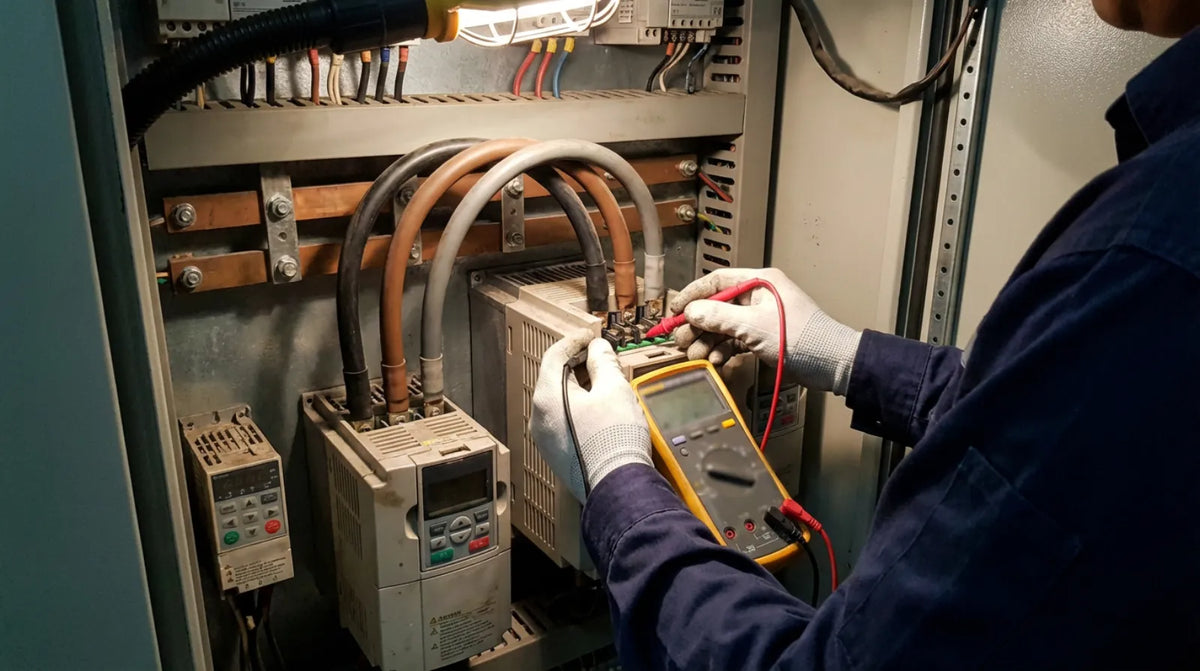
Overview: What the PowerFlex 755 is and why troubleshooting matters
The PowerFlex 755 is a medium-voltage AC drive used to control motors in demanding industrial applications. It integrates motor control, safety, and diagnostics into one package, but complexity means issues can be electrical, mechanical, or configuration-related. Good troubleshooting saves downtime, reduces risk, and improves equipment life, so a structured approach matters.

Safety essentials before you touch a PowerFlex 755
Always follow lockout/tagout rules and wear proper PPE when working on drives. De-energize the drive, wait for capacitors to discharge, and verify zero voltage before opening the cabinet. If the drive is part of a safety circuit, ensure that safety interlocks remain functional during testing.
Common symptoms and their likely root causes
Motor won’t start
- Possible causes: incorrect parameters, faulty motor, blown fuses, or drive fault.
- What to check first: local start/stop commands, enable status, and fault register.
Drive trips frequently
- Possible causes: overcurrent, overheating, ground fault, or unstable mains.
- What to check first: fault code, I/O status, ambient temperature, and current readings.
Unstable motor speed or torque
- Possible causes: tuning/parameter issues, encoder feedback errors, or mechanical load problems.
- What to check first: feedback wiring, control mode, and motor nameplate matches.
No communication with PLC/HMI
- Possible causes: network configuration mismatch, wrong communication protocol, or physical layer issues.
- What to check first: network LEDs, node addresses, baud rate, and protocol settings.
Step-by-step troubleshooting checklist for the PowerFlex 755
- Safety and isolation
- De-energize and lock out. Confirm stored energy is discharged.
- Visual inspection
- Look for burnt components, loose connectors, blown fuses, melted insulation, or coolant leaks.
- Check status LEDs and front panel
- Note LED patterns and messages on the local display. Record fault codes and timestamps.
- Review fault history
- Use the drive’s event log to identify recurring faults and their sequence.
- Verify supply and grounding
- Measure line voltages and check ground continuity and resistance.
- Test motor and cables
- Insulation resistance test, phase-to-phase resistance, and continuity of feedback wiring.
- Confirm parameters and control setup
- Ensure motor nameplate data, control mode, and I/O scaling match the system.
- Simulate conditions
- Run the drive with motor disconnected (as safe to do) to isolate electrical vs mechanical issues.
- Update firmware and backup parameters
- If stable, compare or reload parameter sets. Keep backups before changes.
- Seek vendor support if needed
- Provide fault logs, parameter snapshots, and measurement data for quicker resolution.
Interpreting fault codes and LED indicators on the PowerFlex 755
Use the local display and LED patterns as your primary clues. Each fault code corresponds to a category such as overcurrent, overvoltage, ground fault, thermal, or communication error. When a fault appears:
- Note the exact code and any pre-fault conditions.
- Check the event log for prior warnings that led to the fault.
- Clear the fault only after addressing the root cause; repeating resets can mask intermittent issues.
Common fault types and quick meaning
- Overcurrent trips indicate motor stall, short circuit, or incorrect tuning.
- DC bus overvoltage suggests regen energy with insufficient braking or supply spikes.
- Ground fault points to insulation breakdown or cable damage.
- Thermal trips point to overheating from load, poor ventilation, or wrong cooling direction.
Wiring, motor, and mechanical checks
Cables and connections
- Inspect terminations for tightness and corrosion. Loose lugs cause heating and intermittent faults.
- Ensure cable lengths and types match drive recommendations; long runs need attention to reflections and filters.
Motor tests
- Use an insulation resistance (megger) test to check motor insulation.
- Measure phase-to-phase resistance; imbalance suggests winding damage.
- Check bearings and coupling for mechanical binding.
Encoder and feedback systems
- Confirm supply voltage and wiring shield termination.
- Look for intermittent feedback signals or incorrect feedback scaling in parameters.
Firmware, parameters, and configuration checks
Parameter review
- Validate motor nameplate values: voltage, current, frequency, and rated speed. Incorrect values cause poor performance and trips.
- Verify control mode (V/Hz, closed-loop, open-loop, or vector) matches your setup and feedback devices.
Backups and resets
- Always save a parameter backup before making changes. If corruption is suspected, reload a known-good file.
- Soft resets can clear faults but won't fix hardware issues. Use resets only after diagnosing root cause.
Firmware updates
- Firmware can fix bugs and add features, but only update with stable power and a validated image. Keep release notes and version history.
Preventive maintenance and best practices
Scheduled inspections
- Weekly: visual check of LEDs, vents, and connectors.
- Monthly: clean air filters, confirm torque in terminal lugs.
- Annually: full electrical checks, software backups, and firmware audit.
Environmental control
- Keep ambient temperature within the drive’s rating. Dust and corrosive atmospheres shorten life.
- Use filtered cooling air and avoid mounting drives in direct sunlight or near heat sources.
Documentation and change control
- Maintain parameter backups, wiring diagrams, and event logs. Track changes with date and author. This avoids configuration drift and speeds troubleshooting.
People Also Ask (PAA) — quick answers
What causes frequent overcurrent faults on a PowerFlex 755?
- Overcurrent often comes from motor stalls, sudden load changes, incorrect motor parameters, or short circuits. Start by checking motor mechanical load and phase currents.
How do I read the fault log on a PowerFlex 755?
- Use the local display or the drive’s configuration software to view the event log. The log lists time-stamped faults and pre-fault signals.
Can parameter corruption cause strange drive behavior?
- Yes, corrupted or incorrect parameters can cause instability, trips, or incorrect control modes. Always compare with a known-good backup.
How often should I update the drive firmware?
- Only update firmware when a fix or feature is required. Validate updates in a test environment and follow vendor guidance.
Personal experience: lessons and tips from the field
From my work on factory floors, the fastest fixes are often the simplest. I once diagnosed a recurring overcurrent on a PowerFlex 755 caused by a loose lug that heated and changed contact resistance. Tightening the connection stopped the trips and avoided a costly motor replacement. Another time, a drive kept tripping because the wrong motor data was entered after a swap; restoring correct nameplate values fixed it immediately. My main lessons:
- Trust simple checks first: visuals, torque on lugs, and basic meter readings.
- Document every change and test one variable at a time.
- Use the drive’s logs and timestamps; they tell the story of failure.
Troubleshooting checklist you can print and use
- Safety: lockout, discharge, verify zero energy.
- Visual: burned parts, loose wires, venting issues.
- Power: measure incoming voltages and ground.
- Motor: insulation test and winding resistance.
- Cables: continuity and shielding checks.
- Feedback: verify encoder or resolver signals.
- Parameters: confirm nameplate data and control mode.
- Logs: capture fault codes and sequence of events.
- Backup: save parameters and firmware versions.
- Repair: replace damaged parts, then retest under controlled load.
Troubleshooting tools and software recommendations
- Multimeter for voltage and continuity checks.
- Insulation resistance tester for motor and cable insulation.
- Clamp meter for current measurement under load.
- Drive configuration software for event logs and parameter access.
- Thermal camera for hot spots on lugs, components, or busbars.
When to call in a specialist or vendor support
If you see repeated unexplained hardware faults, burned internal components, or cannot isolate a ground fault, involve the drive vendor or a qualified service technician. Provide them with fault logs, parameter backups, and a timeline of events to speed diagnosis. Complex firmware or hardware failures often require factory tools and expertise.
PowerFlex 755 Troubleshooting Guide: wrap-up best practices
- Start safe, document everything, and use a methodical approach.
- Use event logs and LED indicators to guide diagnostics.
- Test electrical and mechanical systems separately to isolate faults.
- Keep backups and maintain change control to prevent configuration drift.
Frequently Asked Questions of PowerFlex 755 Troubleshooting Guide
How do I reset a PowerFlex 755 after a fault?
Clear the displayed fault via the local keypad or drive software after you’ve addressed the root cause. Some faults require power cycling; avoid repeated resets without fixing the issue.
What tests confirm motor health with a PowerFlex 755?
Run insulation resistance tests, measure phase-to-phase resistance, and perform a no-load spin if safe. These tests reveal winding, insulation, and mechanical problems.
Can unstable line voltage cause PowerFlex 755 faults?
Yes, voltage sags, spikes, and imbalance can cause trips, overvoltage, or overheating. Measure supply quality and consider line conditioning if problems persist.
Is it safe to perform firmware updates on the drive?
Firmware updates are safe when you follow vendor instructions, use a stable power source, and back up parameters. Validate updates in a test setup if possible.
How do I isolate a ground fault in the system?
Disconnect motor cables and inspect insulation resistance of each conductor to ground. If the fault disappears, test the motor and cables separately to pinpoint the source.
Conclusion
A systematic approach makes PowerFlex 755 troubleshooting faster and more reliable: prioritize safety, read fault codes, inspect wiring and motor health, verify parameters, and keep clear documentation. Use the event log and simple tests first; escalate to firmware or hardware fixes only after isolating the problem. Start implementing these checks today to cut downtime and improve reliability, and share your experiences or questions below — I’ll help troubleshoot with practical advice.

