

Most Quiet Cool fan issues are simple: check power, capacitor, wiring, and controls first.
I have spent years diagnosing and fixing whole-house and attic cooling systems. This guide on Quiet Cool Fan Troubleshooting pulls together field experience, common failure patterns, and step-by-step fixes. You will learn how Quiet Cool Fan Troubleshooting works, what causes failures, practical diagnostic steps, and when to call a professional. Read on for clear, tested advice to get your fan running quietly and reliably again.

36% off Today’s Exclusive Deals
Limited-time Exclusive Deals. Check current discount on Amazon.
Check Price on Amazon As an Amazon Associate I earn from qualifying purchases.
How Quiet Cool Fans Work
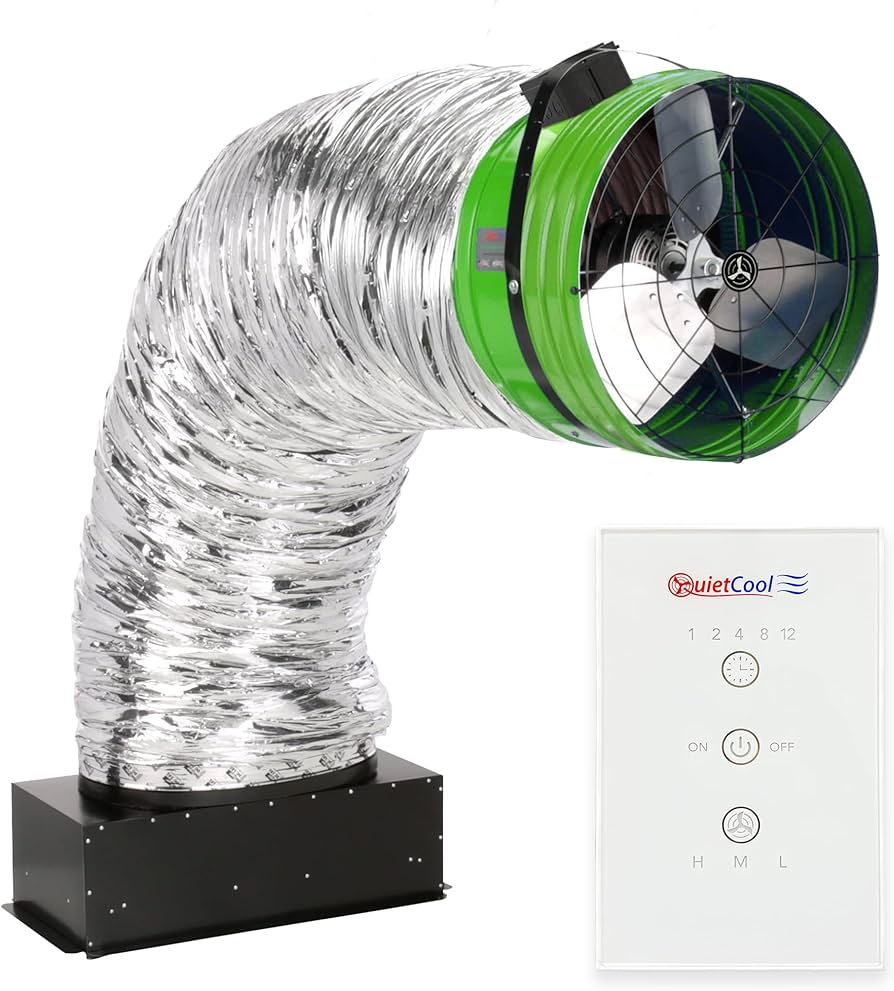
Quiet Cool fans are whole-house or attic fans designed to move large volumes of air with low noise. The system has a motor, fan blades, a speed control or relay, a thermostat or timer, and wiring that links everything to power. A typical Quiet Cool fan uses a capacitor-start motor and variable speed controller to balance airflow and noise.
Understanding the parts helps with Quiet Cool Fan Troubleshooting. If the motor gets power but does not spin, the problem is usually the motor, capacitor, or controller. If the fan runs but is noisy or weak, the issue is often blades, bearings, or airflow restrictions.

Common Problems and Causes
Many issues are recurring and predictable. Knowing likely causes reduces guesswork during Quiet Cool Fan Troubleshooting.
- Fan won't start
- Power loss, tripped breaker, blown fuse, or loose wiring.
- Fan starts slowly or hums
- Failed or weak start/run capacitor, bad motor windings, or worn bearings.
- Fan runs but has little airflow
- Blocked vents, dirty blades, or wrong speed setting.
- Fan is loud or vibrates
- Bent blades, loose mounts, unbalanced fan, or failing bearings.
- Timer or thermostat fails
- Faulty controller, weak battery (if applicable), or wiring faults.
- Intermittent operation
- Loose connections, failing relay, or thermal protection cycling.
These causes frame most Quiet Cool Fan Troubleshooting scenarios. Start with the easy checks and move to deeper tests only when needed.
Step-by-Step Troubleshooting Guide
Follow these steps in order. Stop when the problem is fixed. Always turn off power before touching electrical parts.
- Safety and basic checks
- Turn off the breaker for the fan.
- Inspect the fan visually for debris or obvious damage.
- Check the circuit breaker and fuses. Reset or replace if needed.
- Check power at the fan
- Turn the breaker on and use a non-contact tester to confirm voltage at the fan junction box.
- Verify the switch, timer, or thermostat sends power when engaged.
- Inspect wiring and connections
- Tighten loose wire nuts and terminal screws.
- Look for corrosion, damaged insulation, or rodent chew marks.
- Test the capacitor
- A weak or open capacitor is a common cause of slow start or hum.
- Discharge the capacitor safely, then use a multimeter with capacitance mode or swap with a known-good capacitor.
- Spin the fan by hand
- With power off, try to rotate the blades. Rough or stiff movement points to bearings or obstructions.
- Smooth rotation suggests electrical issues instead.
- Check motor and controller
- If the capacitor and power are good but the motor doesn't run, the motor may be bad.
- For units with a speed control board, test for output voltage or replace the controller if faulty.
- Diagnose noise and vibration
- Tighten mounting bolts and isolate the fan from loose framing.
- Inspect blades for bends and clean off dirt and debris.
- Verify airflow and vents
- Ensure attic vents, louvers, or house intake are open and clear.
- Restricted airflow can make the fan work harder and sound worse.
- Final checks
- Run the fan at different speeds to confirm stable operation.
- Monitor for a few cycles to ensure the issue is resolved.
People Also Ask: How long should Quiet Cool fans last? Most motors last 8–15 years with proper maintenance. Bearings and capacitors often fail earlier and are inexpensive to replace.
People Also Ask: Can I replace the capacitor myself? Yes, if you are comfortable with basic electrical work and follow safety steps. Turn power off and discharge the capacitor before touching it.

Tools and Parts You'll Need
Having the right tools speeds Quiet Cool Fan Troubleshooting. Keep these basics on hand.
- Non-contact voltage tester
- For quick safety checks without opening wiring.
- Multimeter with capacitance
- To test voltage, continuity, and capacitor value.
- Nut drivers and screwdrivers
- For access panels, terminals, and mounting bolts.
- Replacement capacitors
- Carry common microfarad values your fan uses.
- Wire nuts and electrical tape
- For secure, code-compliant connections.
- Safety gear
- Gloves, eye protection, and a stable ladder if the unit is in an attic.
I learned to always bring a spare capacitor on service calls. It solves many Quiet Cool Fan Troubleshooting visits fast.

Maintenance Tips to Prevent Issues
Regular care reduces failures and keeps Quiet Cool Fan Troubleshooting simple.
- Clean fan blades every 6–12 months
- Dust and debris reduce airflow and unbalance the fan.
- Lubricate bearings when applicable
- Some motors require periodic oiling; check the manual.
- Inspect wiring annually
- Tighten terminals and look for heat damage.
- Test capacitors every few years
- Replace at the first sign of reduced performance.
- Keep intake and exhaust vents clear
- Proper airflow lowers motor stress and noise.
Consistent maintenance extends life and reduces emergency repairs. My best clients schedule a quick inspection each spring.

When to Call a Professional
Some faults need a pro. Call for Quiet Cool Fan Troubleshooting help when:
- You find burnt wiring, smoke, or a hot motor.
- The motor hums but will not run after capacitor replacement.
- You are not comfortable with electrical testing or ladder work.
- The fan serves a critical area and downtime is risky.
A licensed technician can safely test motor windings, replace the motor, or diagnose complex control issues. Be clear about symptoms and steps you tried; it saves time and cost.

Frequently Asked Questions of Quiet Cool Fan Troubleshooting
What is the most common cause of a Quiet Cool fan not starting?
The most common cause is a bad capacitor or a tripped breaker. Loose wiring and faulty controllers are also frequent culprits.
How do I know if the capacitor is bad?
A bad capacitor often causes slow starts, humming, or no start at all. Test with a multimeter that measures capacitance or swap with a known-good capacitor.
Can a faulty thermostat stop my Quiet Cool fan?
Yes, a failed thermostat or timer can prevent the fan from receiving a start signal. Bypass the control carefully to test if the fan runs with direct power.
Why is my Quiet Cool fan noisy after a season?
Noise usually comes from dirt buildup, bent blades, or worn bearings. Clean the fan and check mounts; replace bearings or blades if needed.
Is it safe to repair the fan myself?
Simple tasks like cleaning, tightening, and capacitor swaps are doable for confident DIYers. Stop and call a professional if you encounter complex wiring, a hot motor, or signs of electrical damage.
Conclusion
Quiet Cool Fan Troubleshooting becomes straightforward with a clear process. Start with power and visual checks, move to capacitor and wiring tests, and then inspect mechanical parts. Regular maintenance prevents many common failures and keeps the fan quiet and efficient. Take action today: check simple items now, plan a maintenance routine, or contact a pro if the problem is electrical or complex. Share your experience, ask questions, or subscribe for more practical how-to guides.

