

Most Xlerator hand dryer issues stem from power, sensor, or airflow problems.
I’ve spent years installing and servicing commercial dryers, including many Xlerator models. This guide on Xlerator Hand Dryer Troubleshooting condenses hands-on know-how, clear diagnostics, and step-by-step fixes you can trust. Read on to learn how these dryers work, diagnose common faults, perform safe repairs, and keep units running longer with simple maintenance.

36% off Today’s Exclusive Deals
Limited-time Exclusive Deals. Check current discount on Amazon.
Check Price on Amazon As an Amazon Associate I earn from qualifying purchases.
How Xlerator Hand Dryers Work: Basics to Know
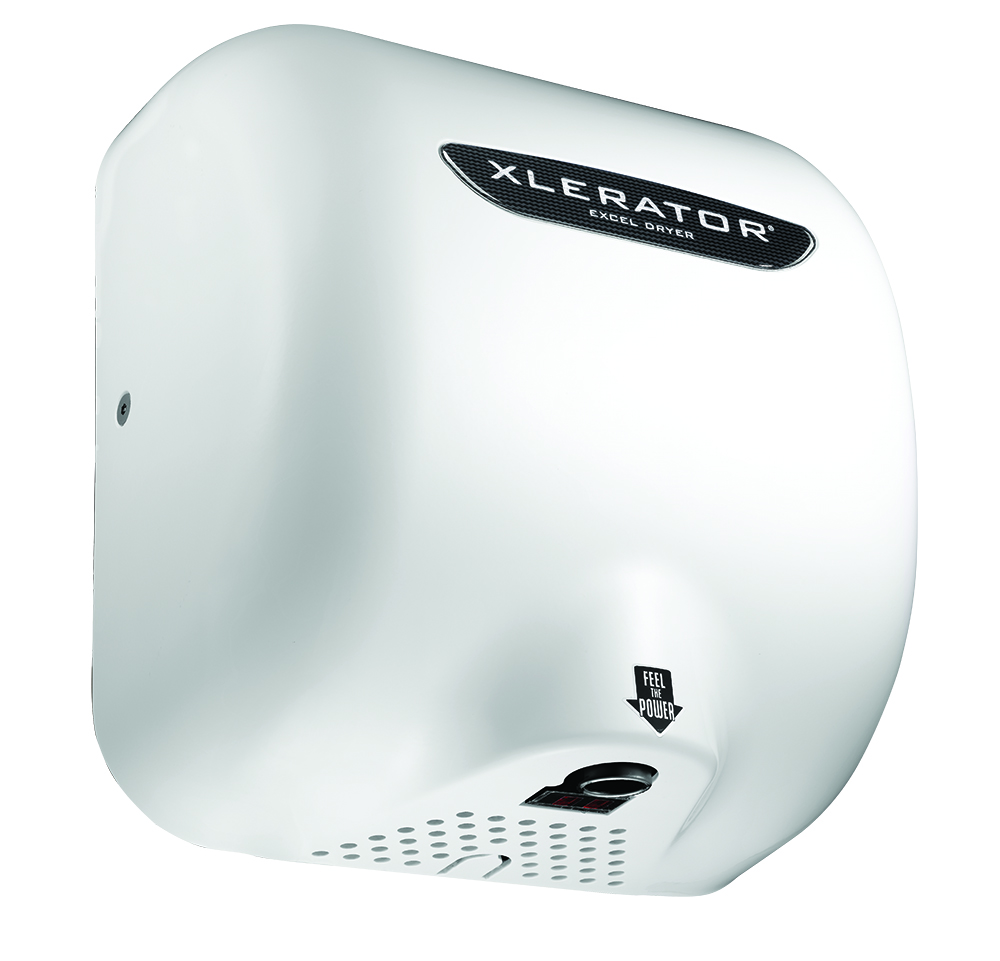
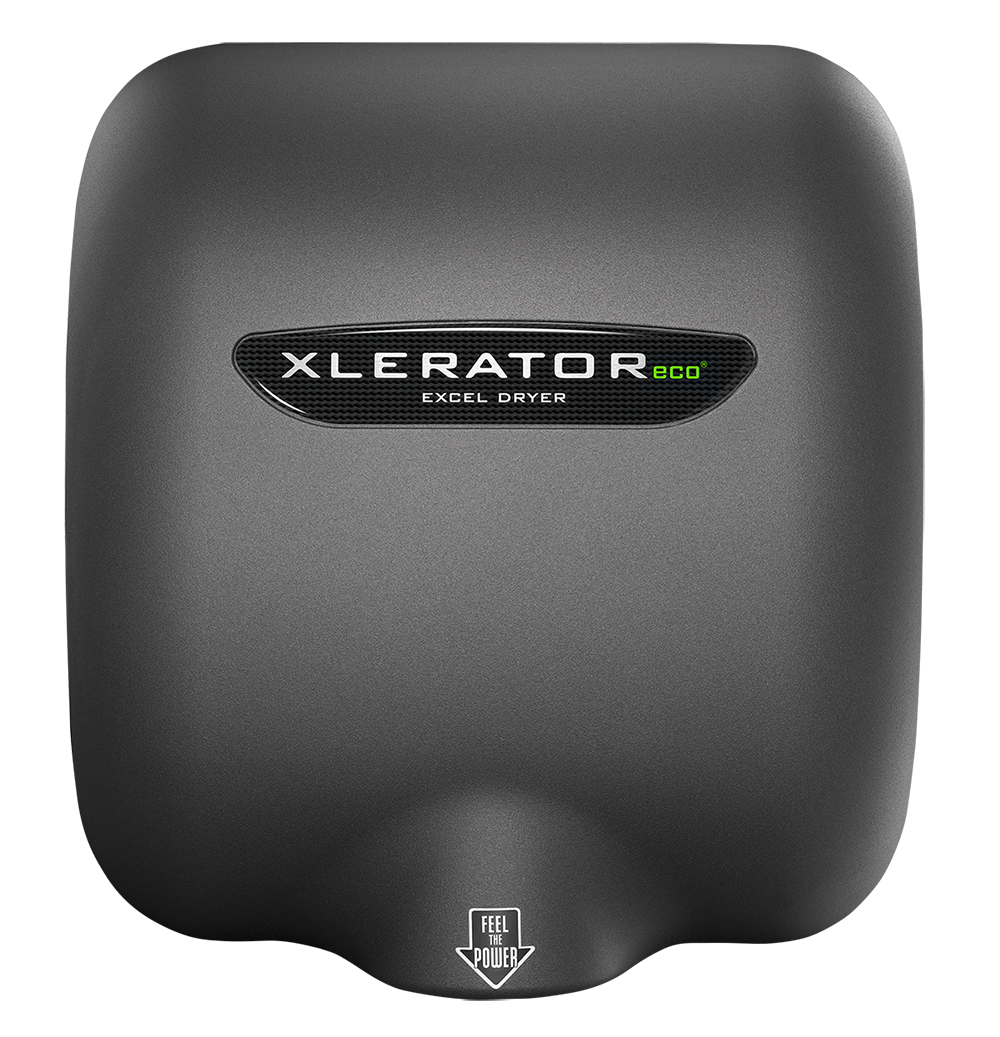
Xlerator hand dryers use a high-speed motor that forces air through a nozzle. They rely on an electronic sensor or switch to start the motor and a thermal protection device to prevent overheating. Knowing these parts helps you narrow down problems fast.
Important components to recognize:
- Sensor assembly that detects hands
- Motor and impeller that generate airflow
- Power supply and internal wiring
- Thermal cutoff and fuse for safety
A quick grasp of these parts sets the stage for efficient Xlerator Hand Dryer Troubleshooting.
Common Problems and What They Mean
Most failures fall into a few clear groups. Identifying the symptom will guide the fix.
Frequent issues:
- No power at all: likely wiring, circuit breaker, or internal fuse.
- Unit powers but doesn’t run: sensor or switch failure, or motor fault.
- Sporadic operation: loose wiring or intermittent sensor.
- Weak airflow: clogged inlet, worn impeller, or degraded motor.
- Excess noise or vibration: loose parts, damaged impeller, or worn bearings.
- Overheating or tripping: blocked airflow or failed thermal cutoff.
When you see a symptom, use a process of elimination to isolate the cause. This makes Xlerator Hand Dryer Troubleshooting faster and safer.
Step-by-Step Troubleshooting Guide
Follow safe steps. Turn off power at the breaker before opening the unit.
-
Visual and basic checks
- Look for loose screws, dirt, and obvious damage.
- Verify the circuit breaker and wall switch are on.
- Smell for burnt components; this can indicate motor or board failure.
-
Test power and connections
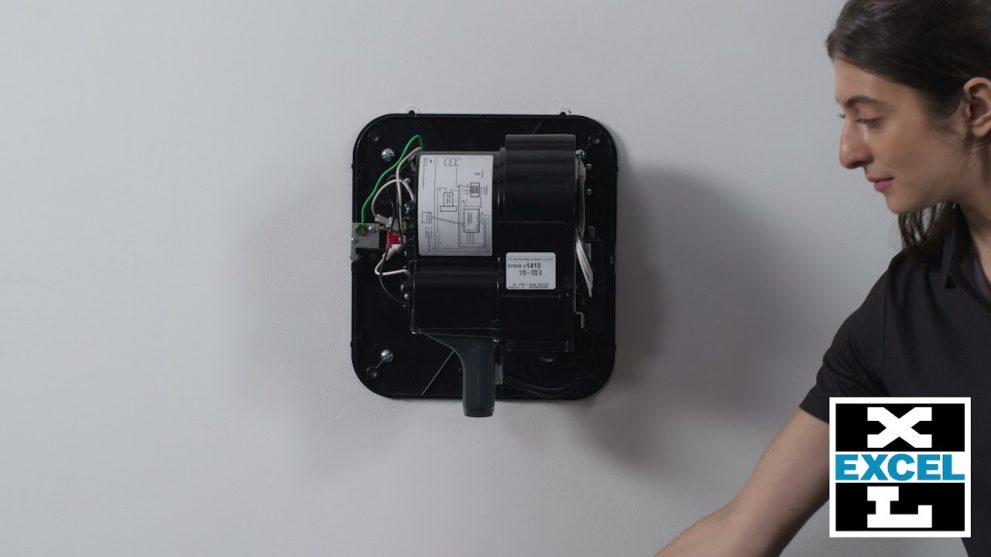
- Use a multimeter to check incoming voltage at the terminal block.
- Inspect wiring for frays or corrosion.
- Tighten terminal screws to ensure firm contacts.
-
Sensor and control checks
- Clean the sensor window; dirt can block detection.
- Test sensor response by placing your hand near it while power is on.
- If sensor fails, replace the sensor module or board per model instructions.
-
Motor and airflow checks
- Remove debris from inlet and outlet.
- Spin the impeller by hand to feel resistance.
- Measure motor current; high draw suggests worn bearings or blockage.
-
Safety devices
- Check thermal cutoff and fuses for continuity with a meter.
- Replace safety parts with exact manufacturer specs.
-
Reassembly and test
- Reassemble and test multiple cycles.
- Verify stable operation and normal airflow.
These steps cover most Xlerator Hand Dryer Troubleshooting needs. If a step points to a major part failure, consider a replacement motor or controller.
Tools, Parts, and Supplies You’ll Need
Having the right gear shortens repair time and reduces mistakes.
Essential tools:
- Multimeter for voltage and continuity
- Screwdrivers and nut drivers that fit the unit
- Contact cleaner and soft brush for sensor cleaning
- Replacement fuses, thermal cutoffs, and sensor modules
- Replacement motor or impeller for severe wear
Always use manufacturer-approved parts for safety and warranty reasons. Using the right parts is a key part of reliable Xlerator Hand Dryer Troubleshooting.

Maintenance Tips to Prevent Problems
A little upkeep prevents most callouts. I’ve seen units last much longer with monthly simple care.
Routine checks to schedule:
- Clean sensor lenses and air inlets monthly.
- Tighten external and internal fasteners every quarter.
- Inspect wiring and terminal blocks for heat signs twice a year.
- Replace air filters or screens if your model has them.
- Log service actions and notes for future troubleshooting.
Regular care reduces downtime and simplifies any future Xlerator Hand Dryer Troubleshooting you must do.
When to Call a Professional
Some fixes are simple. Others need licensed technicians.
Call a pro when:
- You detect burnt wiring, smoke, or a melting smell.
- The motor or control board needs replacement and you lack experience.
- The unit is under warranty—professional service protects coverage.
- Local electrical codes require a licensed electrician for repairs.
Know when to step back. Safety and compliance matter in every Xlerator Hand Dryer Troubleshooting scenario.

Real-World Examples and Lessons Learned
I once replaced three motors in a busy office after ignoring weak airflow signs. The cost of parts was far lower than the lost comfort and complaints that followed. From that job I learned:
- Act on early signs of reduced airflow.
- Keep simple parts like fuses and thermal cutoffs on hand.
- Document repairs; patterns emerge and save time.
Those small habits make Xlerator Hand Dryer Troubleshooting faster and less stressful.
People Also Ask (PAA-style)
What causes a Xlerator hand dryer to stop working?
- Power loss, sensor failure, or motor burnout are the main causes. Check breakers, wiring, and the sensor first.
How do I clean a Xlerator hand dryer sensor?
- Turn off power and use a soft cloth and mild cleaner to wipe the sensor window. Avoid abrasive cleaners and let it dry before powering on.
Can I replace the motor myself on a Xlerator?
- If you have electrical experience and follow safety rules, yes. If not, hire a licensed technician to avoid hazards.
Is it normal for a Xlerator hand dryer to be noisy?
- A mild hum is normal, but loud bangs or grinding indicate a worn impeller or loose parts. Inspect and replace as needed.
How long do Xlerator hand dryers last?
- With proper maintenance, many last over 7–10 years in moderate use settings. Heavy-use sites may need parts or motor refresh sooner.

Frequently Asked Questions of Xlerator Hand Dryer Troubleshooting
What should I do if my Xlerator hand dryer has no power?
Check the building breaker and any local switches. If those are fine, open the unit with power off and test incoming voltage at the terminal block.
Why does the dryer run intermittently?
Intermittent runs often mean loose wiring, a failing sensor, or a marginal power supply. Tighten connections and test the sensor next.
How do I fix weak air output on a Xlerator?
Clean the inlet and outlet of debris, inspect the impeller for damage, and measure motor current; replace the motor if the current is high.
Can a dirty sensor cause constant running?
Yes. If the sensor is blocked or misaligned, it may register a false signal. Clean or realign the sensor per the manual.
Are thermal cutoffs common failures?
Thermal cutoffs can fail if airflow is blocked or the motor overheats. Replace them only after fixing airflow or motor issues.
How often should I service a Xlerator hand dryer?
Light-use locations can be checked quarterly. High-traffic sites benefit from monthly checks to prevent failures.
What safety steps should I take before troubleshooting?
Always turn off power at the breaker and confirm with a meter. Wear safety glasses and avoid wet hands when working near electrical parts.
Conclusion
Xlerator Hand Dryer Troubleshooting becomes simple when you know the parts, follow safe steps, and perform routine care. Start with power and sensor checks, clean and tighten parts, and only replace components when tests point to failure. Take action early to save time and money, and call a pro for major electrical or warranty-covered repairs.
Try a small inspection today: clear the sensor lens, check the breaker, and note any odd sounds. If this guide helped, subscribe for more practical maintenance tips or leave a comment with your dryer issue.

