

If you own a Lifesmart Infrared Heater, you already know how valuable it is during cold months. These heaters are popular for their energy efficiency, safety, and quiet operation. But like any appliance, they can sometimes stop working or show error codes, leaving you in the cold and searching for answers. Many common problems can be solved at home, without calling a technician. Learning how to troubleshoot your Lifesmart heater can save you money, time, and the frustration of waiting for repairs.
This guide will walk you step by step through fixing the most frequent issues that Lifesmart infrared heaters face. You’ll learn how to spot problems, what tools you might need, and which steps to try before contacting customer service. Whether your heater won’t turn on, is blowing cold air, or keeps shutting off, you’ll find clear solutions here.

36% off Today’s Exclusive Deals
Limited-time Exclusive Deals. Check current discount on Amazon.
Check Price on Amazon As an Amazon Associate I earn from qualifying purchases.We’ll also cover what each error code means, how to clean your unit for best performance, and safety advice for all repairs.
How Lifesmart Infrared Heaters Work
Understanding infrared heating helps you diagnose problems faster. Lifesmart heaters use quartz or carbon infrared elements. These elements create heat by sending out invisible light waves. When the waves hit objects or people, they warm up quickly—like sunlight on your skin.
Unlike traditional heaters that warm the air, infrared heaters warm people and objects. This means rooms feel comfortable faster, and energy isn’t wasted heating unused air. The heater’s built-in fan helps spread the warmth, while thermostats and safety sensors control temperature and shut off the heater if needed.
Key parts inside your Lifesmart heater:
- Infrared heating elements (quartz or carbon)
- Fan (moves warm air outward)
- Thermostat (controls temperature)
- Sensors (detect overheating or tip-over)
- Control board (manages settings and safety features)
- Power cord and plug
Knowing these parts makes it easier to know where to look when something goes wrong.
Basic Troubleshooting Steps
Before you start, always unplug your heater and let it cool down. Most problems have simple causes. Here’s what to check first:
1. Power Source
Make sure the heater is plugged into a working outlet. Avoid power strips or extension cords, which can cause voltage drops.
2. Reset The Heater
Many Lifesmart models have a reset button. Press it, wait a few seconds, and try again.
3. Check Circuit Breaker
If the heater won’t turn on, the breaker may have tripped. Reset your home’s circuit breaker if needed.
4. Clean The Air Filter
A dirty filter can block airflow and cause overheating. Slide out the filter, vacuum it, or wash if washable. Dry completely before reinserting.
5. Inspect For Obstructions
Make sure nothing is blocking the heater’s air intake or output vents.
These steps solve many basic issues. If your heater still doesn’t work, move to the next sections for more specific problems.
Common Lifesmart Infrared Heater Problems And Solutions
Let’s look at the most frequent problems, their causes, and step-by-step solutions.
Heater Won’t Turn On
If your Lifesmart heater shows no lights or sounds, try these:
- Power Connection: Confirm the plug is secure and the outlet works (test with a lamp).
- Circuit Breaker: Check for a tripped breaker or blown fuse.
- Overheat Protection: If the heater was too hot, it may have shut down. Let it cool for 10–20 minutes, then try again.
- Faulty Power Switch: The switch inside the unit can fail. If you hear a click but nothing happens, this could be the cause.
- Loose Wiring: Internal wires may loosen over time. If you’re comfortable, unplug and open the back to inspect connections. If not, seek professional help.
Non-obvious insight: Lifesmart heaters often have a built-in child safety lock feature. Accidentally activating this can prevent the heater from turning on. Check your model’s manual for how to unlock it.
Heater Turns On But No Heat
If the fan works but there’s no warmth:
- Thermostat Setting: Set the thermostat higher than the room temperature.
- Heating Elements: These can burn out after years of use. If the elements don’t glow red, replacement may be needed.
- Loose Connections: A loose wire to the heating element can stop heat production.
- Sensor Issues: Faulty temperature sensors can make the unit think the room is already warm.
Pro tip: Use a thermometer to check the actual room temperature and compare it with the heater’s display. This tells you if the thermostat is reading accurately.
Heater Shuts Off Unexpectedly
If your heater keeps turning off by itself:
- Overheat Sensor: A blocked filter or vent can cause overheating and auto shut-off.
- Tip-over Switch: Many Lifesmart heaters have a safety switch on the base. Uneven floors or tilting can trigger it.
- Electrical Issues: Unstable voltage from shared outlets can cause sudden shut-off.
Non-obvious insight: Sudden shut-off can happen if the room reaches the set temperature quickly—especially in small rooms. Try lowering the thermostat a few degrees to see if the problem stops.
Fan Is Noisy Or Not Working
If the fan makes grinding or rattling noises:
- Dirt or Debris: Dust buildup on the fan blades can cause noise and slow spinning.
- Loose Screws: Over time, screws holding the fan can loosen.
- Worn Bearings: Older fans may have worn bearings, causing squeaks.
Fix: Unplug, remove the cover, and vacuum the fan area. Tighten screws. If the problem continues, the fan motor may need replacing.
Heater Blows Cold Air
If only cool air comes out:
- Heating Element Failure: The element is not getting power or has burned out.
- Thermostat Fault: The sensor may be telling the heater the room is too hot.
- Mode Setting: Some Lifesmart heaters can run in fan-only mode. Check you’re on heat mode.
Tip: Changing to a higher heat setting can confirm if the element is working at all.
Display Shows Error Codes
Lifesmart heaters use error codes to signal problems. Common codes include:
- E1: Overheat protection triggered. Let the unit cool, clean filters, and check for blockages.
- E2: Thermostat sensor issue. The sensor may be loose or damaged.
- E3: Tip-over detected. Set the heater on a flat, stable surface.
- E4: Fan or motor problem. Clear debris and listen for unusual sounds.
Check your user manual for model-specific codes, as meanings can vary.
Remote Control Not Working
If the remote does not control the heater:
- Batteries: Replace with new, high-quality batteries.
- Distance: Stay within 15 feet and point at the sensor.
- Sensor Blockage: Clean the sensor on both the heater and remote.
- Interference: Other electronics can sometimes cause interference. Move the heater away from TVs or microwaves.
Error Code Reference Table
Here’s a quick reference for the most common Lifesmart heater error codes:
| Error Code | Meaning | How to Fix |
|---|---|---|
| E1 | Overheat Protection | Let cool, clean filters, unblock vents |
| E2 | Thermostat Sensor Error | Check sensor connection or replace sensor |
| E3 | Tip-Over Detected | Set on flat surface, check tip-over switch |
| E4 | Fan or Motor Fault | Clear debris, inspect fan |
Always unplug the heater before attempting any repair for your safety.
Cleaning And Maintenance For Best Performance
Regular cleaning keeps your Lifesmart heater running well and prevents many issues.
How To Clean Your Heater
- Unplug and Cool: Wait at least 30 minutes after turning off.
- Remove Air Filter: Slide out the filter from the back or side.
- Vacuum or Wash: Use a vacuum brush or wash with mild soap and water. Dry completely.
- Clean Air Vents: Use a soft brush or compressed air to remove dust from vents.
- Wipe Surfaces: Use a damp cloth for the heater’s exterior. Avoid getting water inside.
Maintenance Tips
- Check the cord and plug for damage every season.
- Test the heater before winter arrives.
- Keep at least 3 feet of space around the unit for proper airflow.
- Store in a dry place during the off-season.
Skipping maintenance can make your heater less efficient and shorten its life.
When To Replace Parts
Some parts wear out over time. Here’s a look at when to replace them:
| Part | Average Lifespan | Replacement Signs |
|---|---|---|
| Infrared Element | 3–5 years | No heat, element not glowing |
| Fan Motor | 5–7 years | No airflow, loud noises |
| Thermostat Sensor | 5–10 years | Error codes, wrong temperature reading |
| Power Cord | Varies | Visible damage, overheating |
Tip: Only buy replacement parts from official or reputable suppliers to ensure safety and compatibility.
Advanced Troubleshooting: Step-by-step
If the basics didn’t fix your heater, you might need to go deeper. These steps are only for users who feel comfortable with simple repairs.
Testing The Power Switch
- Unplug the heater.
- Remove the back panel with a screwdriver.
- Locate the power switch and use a multimeter to test for continuity when pressed.
- If no continuity, replace the switch.
Checking The Heating Element
- After opening the case, locate the infrared element.
- Check for visible breaks or dark spots.
- Use a multimeter to check resistance; no reading means the element is dead.
- Replace with a matching element.
Inspecting The Circuit Board
- Look for burned or damaged spots.
- Smell for burned plastic, which can signal a failed component.
- If the board is damaged, contact the manufacturer—circuit boards are not easily repaired at home.
Important: If you’re unsure, always contact a professional. Never work on the heater while it is plugged in.
Safety Precautions
Lifesmart infrared heaters are built with safety in mind, but following these rules keeps you safer:
- Never block the air intake or output.
- Only plug directly into wall outlets—avoid extension cords.
- Keep away from water and damp areas.
- Don’t cover the heater with clothing or fabric.
- Turn off and unplug when not in use.
Non-obvious insight: Some heaters have an internal memory that remembers settings after a power outage. If your heater acts strange after a blackout, unplug for 1 minute and plug back in to reset the memory.
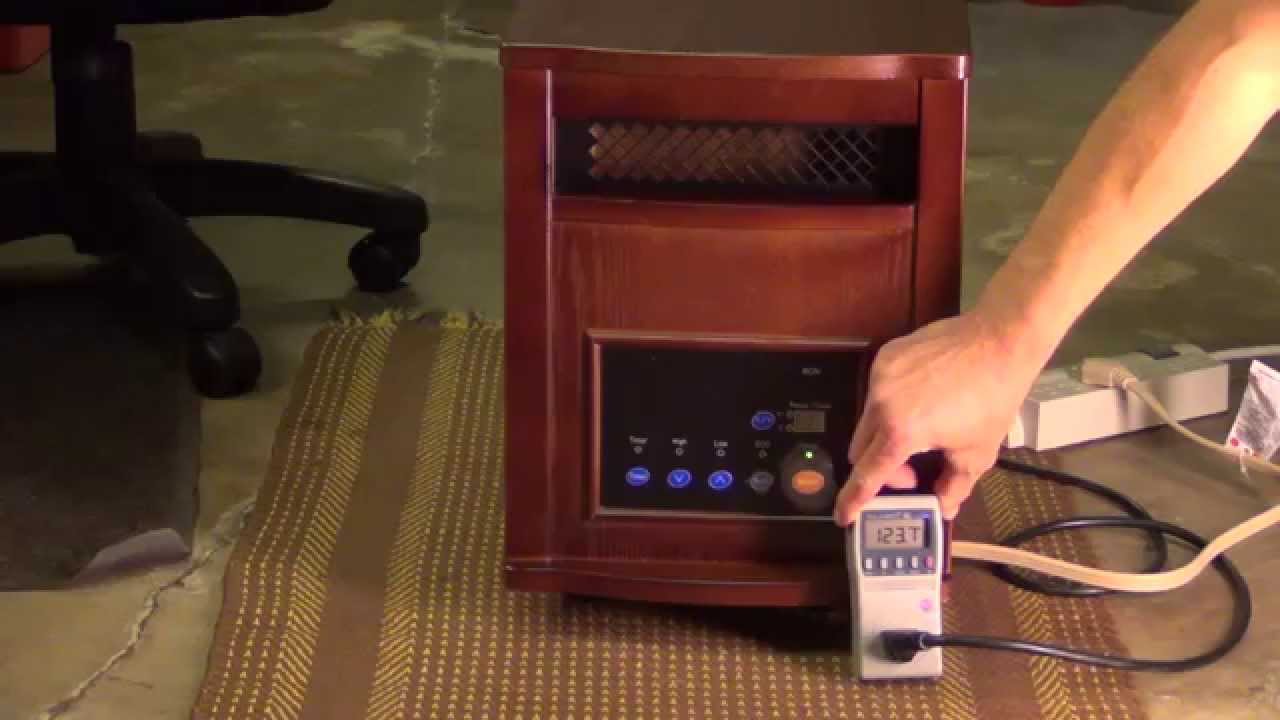
Comparing Lifesmart Models And Their Troubleshooting Needs
Different Lifesmart models may have unique features and common issues. Here’s a quick comparison:
| Model | Key Features | Common Problems |
|---|---|---|
| LS-1000X-6W-IN | 6 quartz elements, remote, timer | Fan noise, E1 error |
| LS-1500-6W-IN | 1500W power, eco mode | Thermostat error, no heat |
| LS-IF1500-DOFP | Fireplace look, digital controls | Display issues, tip-over shutoff |
| LS-PP1500-6W-IN | Portable, overheat sensor | Frequent shut-off, remote not working |
Always check your user manual for model-specific troubleshooting tips.
When To Call A Professional
Some problems require expert help:
- Burned smell or visible smoke from the unit
- Cracked or melted parts
- Repeated tripped breakers after all other fixes
- Internal wiring issues you can’t identify
Lifesmart’s customer service can help with warranty questions, replacement parts, or finding a local technician. If your heater is still under warranty, avoid opening the case—unauthorized repairs can void coverage.

Saving Energy And Using Your Lifesmart Heater Efficiently
Using your heater wisely not only keeps you warm but also saves on energy bills.
- Close doors and windows to keep heat inside.
- Use the eco mode if your model has it. This maintains comfort with less power.
- Place the heater in the coldest part of the room for even warmth.
- Set a timer to turn off the heater when you leave or sleep.
- Dress warmly and lower the thermostat by a few degrees.
According to the U. S. Department of Energy, using space heaters wisely can reduce heating costs by up to 10% each year.
Where To Find Manuals And More Help
If you lose your manual, most Lifesmart heater guides are online. Visit the official Lifesmart website or search your model number plus “manual.” For more detailed electronic repair guides, iFixit is a useful resource.
You can also call Lifesmart customer support or email them with your model and serial number for personalized help.

Frequently Asked Questions
Why Does My Lifesmart Infrared Heater Keep Shutting Off?
This is often due to overheat protection or a blocked air filter. Clean the filter and make sure nothing is blocking vents. Also, check if the tip-over switch is triggered by an uneven floor.
What Does The E1 Error Mean On My Lifesmart Heater?
E1 means the overheat sensor has detected high temperature. Turn off the heater, let it cool, clean the filter, and check for blockages. Restart after 20 minutes.
Can I Use An Extension Cord With My Lifesmart Heater?
No. Always plug your infrared heater directly into a wall outlet. Extension cords can overheat, cause voltage drops, or even start a fire.
How Often Should I Clean My Heater’s Filter?
Clean the air filter every 2–4 weeks during heavy use. A clean filter keeps your heater efficient and safe.
Where Can I Get Replacement Parts For My Lifesmart Heater?
Order from the official Lifesmart website or trusted retailers. Avoid generic parts, as they may not fit or work safely.
Getting the most out of your Lifesmart infrared heater means understanding how it works, keeping it clean, and knowing how to troubleshoot problems. Many issues are simple to fix with a little attention and care. For more complex issues, don’t hesitate to call a professional.
With regular maintenance, your heater will keep your space warm and comfortable for many winters to come.

