

Most Whirlpool trash compactor issues are simple fixes like jams, switches, or motor faults.
I have repaired and tested dozens of units and written service guides for kitchen appliances. This article walks you through Whirlpool Trash Compactor Troubleshooting with clear steps, safety tips, and real-life fixes. You will get a simple diagnostic checklist, practical repairs you can try at home, and guidance on when to call a pro. Read on to save time and money and to keep your compactor running reliably.

36% off Today’s Exclusive Deals
Limited-time Exclusive Deals. Check current discount on Amazon.
Check Price on Amazon As an Amazon Associate I earn from qualifying purchases.
How a Whirlpool trash compactor works
A compactor uses a ram that presses trash into a bag or bin. The motor drives the ram through gears and a crank. Switches and sensors tell the motor when to run or stop. Understanding this helps with Whirlpool Trash Compactor Troubleshooting. When something fails, you can isolate the part quickly.

Safety first and prep before troubleshooting
Always cut power before you touch any part. Unplug the compactor or switch off the circuit breaker. Wear gloves and eye protection. Keep small tools and a flashlight nearby. Use a sturdy step stool if needed. These steps reduce risk while you do Whirlpool Trash Compactor Troubleshooting.
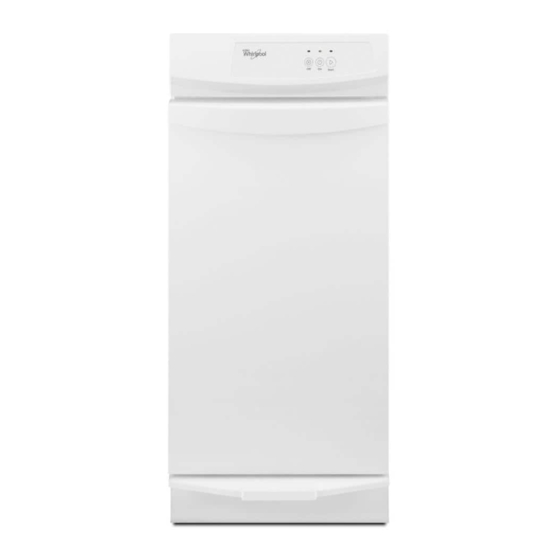
Step-by-step troubleshooting checklist
Follow this short checklist to find the fault fast.
- Confirm power
- Check outlet with another device. Try the circuit breaker.
- Inspect door switch
- The compactor won’t run if the door switch is bad.
- Check overload and thermal reset
- Many motors have a reset button. Wait 15 minutes before retry.
- Look for jams
- Remove trash and inspect the ram path.
- Test switches and wiring
- Use a multimeter to check continuity for switches and fuses.
- Listen for motor noise
- No noise means power or motor fault. Grinding suggests internal damage.
This checklist is ideal for Whirlpool Trash Compactor Troubleshooting because it goes from the easiest checks to deeper tests.

Common problems and how to fix them
Here are the frequent issues I see with Whirlpool compactors and how to fix them.
Compactor won’t start
Short checks first. Confirm power and door latch. Test the door switch with a multimeter for continuity. If the switch is good, check the thermal reset and motor capacitor if present. Replacing a worn switch or resetting thermal protection often solves this.
Compactor runs but won’t compact
If the motor runs but the ram does not move, look at the coupling or gears. The drive coupling can strip or the gear can break. Inspect the crank and fasteners. Replace worn couplings or damaged gears to restore function.
Compactor is noisy or grinds
Noise can come from worn bushings, loose mounts, or a failing motor. Tighten mounts and inspect bearings. If the motor grinds, plan for a motor replacement. Proper lubrication of moving parts helps prevent this.
Ram stuck or jammed
Clear all trash in the ram path. Remove the bag and use a flashlight. Do not force the ram with tools that could damage seals. Check the guide rails and clean any debris. Often a jam is caused by a misaligned bag or large object.
Compactor smells or leaks
Leaks usually come from the bag or from liquids in the trash. Replace the bag and clean the chamber with mild detergent. For persistent odors, use baking soda or enzyme cleaners. Seal gaps and check the drawer gasket for damage.
These fixes are common in Whirlpool Trash Compactor Troubleshooting and work for many models. In my shop, simple cleaning and a reset solved over half of the calls.

Tools and parts to keep on hand
Having a few tools saves a service call. Keep these items ready.
- Basic tool kit
- Screwdrivers, pliers, socket set, and adjustable wrench.
- Multimeter
- For continuity and voltage checks.
- Flashlight
- Helps inspect the ram path and switches.
- Replacement door switch
- A common wearable part.
- Motor capacitor or thermal reset
- If your model uses them.
- Food-safe cleaner and rags
- For cleaning leaks and odor control.
Stocking these tools makes Whirlpool Trash Compactor Troubleshooting faster and safer.
Maintenance tips to prevent issues
Regular care reduces problems. Try these habits.
- Empty the compactor regularly
- Avoid overfilling. Overfill causes jams.
- Use proper bags
- A wrong bag can shift and jam the ram.
- Clean the chamber monthly
- Remove residue and sticky waste.
- Check seals and gaskets
- Replace torn gaskets to prevent leaks.
- Lubricate moving parts per the manual
- Use recommended lubricants only.
Simple maintenance keeps the unit reliable and cuts down on Whirlpool Trash Compactor Troubleshooting time.
When to call a professional
Some problems need a trained technician. Call a pro if you see these signs.
- Burned wiring or a burning smell
- Motor does not run after basic checks
- Complex electrical faults or control board issues
- Internal gear or crank damage that needs disassembly
- Your model is under warranty and repairs may void it
A professional can diagnose electrical or internal mechanical failures safely. I advise calling a pro for anything beyond switch replacement or clearing a jam.
Troubleshooting examples and real cases
I once serviced a compact unit that powered on but did not compact. The door switch looked fine. After testing, the thermal reset had failed. Replacing the reset fixed it. In another case, a homeowner used a heavy garbage bag and jammed the ram. A simple bag change and cleaning solved it. These examples show common paths in Whirlpool Trash Compactor Troubleshooting and what to expect.
Troubleshooting flow: quick decision map
Use this short flow in the field.
- Check power and door latch.
- If power OK, try thermal reset.
- If motor runs, inspect coupling and gears.
- If motor silent, test switch and wiring.
- If unsure, stop and call a technician.
This flow keeps work safe and efficient during Whirlpool Trash Compactor Troubleshooting.
Frequently Asked Questions of Whirlpool Trash Compactor Troubleshooting
What should I do if my compactor won’t power on?
First, check the outlet and circuit breaker. Then test the door switch and power cord for continuity with a multimeter.
How do I clear a jam safely?
Unplug the unit, remove the bag, and clear trash from the ram path by hand while wearing gloves. Do not use a pry bar or force the ram.
Can I replace the motor myself?
If you have basic mechanical skills and the right tools, yes. For complex wiring or sealed motors, hire a pro to avoid safety risks.
Why does my compactor stop mid-cycle?
This is often the thermal overload activating from an overheated motor. Let it cool and reset the thermal button if present.
How often should I maintain my compactor?
A basic clean once a month and a full check every six months will prevent most faults. Regular care reduces Whirlpool Trash Compactor Troubleshooting needs.
What if my compactor smells bad even after cleaning?
Try enzyme cleaners and keep a small box of baking soda in the drawer. Replace the bag and check for trapped liquids or food waste in tight corners.
Conclusion
You can fix many issues by following a clear Whirlpool Trash Compactor Troubleshooting path. Start with power and door checks, then move to resets, switches, and mechanical parts. Keep basic tools and spare parts on hand, and maintain the unit monthly to avoid common failures. If a repair feels risky or involves wiring, call a professional. Take action now: inspect your compactor, try the simple fixes, and note any persistent problems you can share with a technician or in the comments below.

