

Toyota troubleshooting codes are OBD-II and Toyota-specific fault codes that pinpoint vehicle issues.
I’ve spent over a decade diagnosing Toyota vehicles in shops and on the roadside. I know how Toyota troubleshooting codes work, what they mean, and which fixes are simple versus those that need a pro. This guide breaks down OBD-II basics, Toyota-specific codes, how to read them, real repair steps, and practical tips you can trust. Read on for clear, tested advice that helps you decode, diagnose, and decide what to do next.

36% off Today’s Exclusive Deals
Limited-time Exclusive Deals. Check current discount on Amazon.
Check Price on Amazon As an Amazon Associate I earn from qualifying purchases.
What Toyota Troubleshooting Codes Mean
Toyota troubleshooting codes are numbered fault messages.
Most are OBD-II codes used across brands. Toyota also adds manufacturer-specific codes.
A code looks like P0301 or C1234. The first letter shows the system. P means powertrain. C means chassis. B means body. U means network.
Common code parts:
- P0xxx codes indicate standardized engine or transmission issues.
- P1xxx codes are manufacturer-specific powertrain faults.
- C, B, and U codes cover brakes, body systems, and communication networks.
Why this matters:
- A code narrows the fault. It is not always the exact bad part.
- Codes point you where to start. They save time and money.

How to Read and Pull Toyota Troubleshooting Codes
You can read Toyota troubleshooting codes two main ways.
Use an OBD-II scanner or use Toyota’s Techstream software with a compatible adapter.
Step-by-step:
- Locate the OBD-II port under the dash near the steering column.
- Plug in the scanner and turn the ignition to ON.
- Read stored and pending codes. Note freeze-frame data if available.
Tips for accurate reads:
- Clear codes only after you record them. Clearing removes freeze-frame data.
- If the check engine light is flashing, drive minimally and avoid long trips. A flashing CEL usually means active misfire that can damage the catalytic converter.

Common Toyota Troubleshooting Codes and Practical Fixes
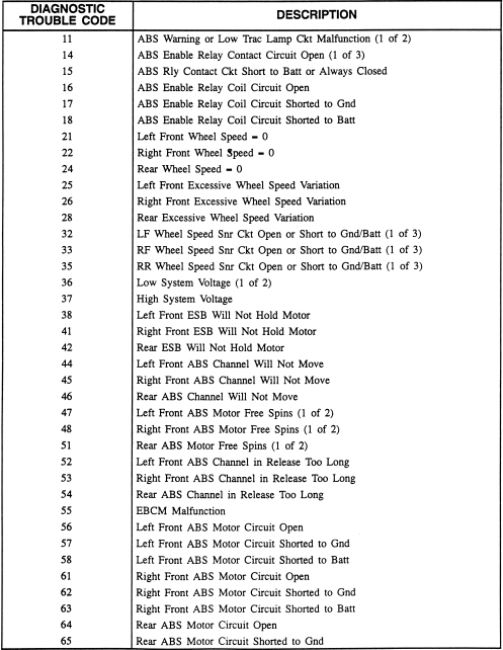
Below are frequent Toyota troubleshooting codes and straightforward steps to address them. Always diagnose before replacing parts.
P0300 — Random/Multiple Cylinder Misfire
- Symptoms: Engine shakes, rough idle, reduced power.
- Likely causes: Bad spark plugs, failing ignition coils, vacuum leaks, clogged fuel injectors.
- Fix: Inspect plugs and coils first. Swap coils to isolate misfiring cylinder. Clean injectors or perform compression test if problem persists.
P0171 / P0174 — System Too Lean (Bank 1/2)
- Symptoms: Hesitation, poor fuel economy, check engine light.
- Likely causes: Vacuum leak, faulty MAF sensor, weak fuel pump, clogged filter.
- Fix: Check for vacuum leaks. Clean or test MAF. Verify fuel pressure.
P0420 — Catalyst System Efficiency Below Threshold
- Symptoms: Persistent check engine light, reduced fuel economy.
- Likely causes: Worn catalytic converter, exhaust leaks, bad oxygen sensor.
- Fix: Inspect exhaust for leaks. Test O2 sensors. Replace catalytic converter only after confirming true catalyst failure.
P0442 — Evaporative Emission Control System Leak (small leak)
- Symptoms: Smell of fuel, check engine light.
- Likely causes: Loose gas cap, cracked hose, bad purge valve.
- Fix: Tighten or replace gas cap. Inspect hoses and purge valve.
U codes (communication) — e.g., U0101
- Symptoms: Multiple systems fail, dashboard errors.
- Likely causes: Faulty ECU, wiring or battery problems.
- Fix: Check battery voltage and ground. Inspect connectors and wiring. Reprogram or replace module if necessary.
I typically start with the cheapest, easiest checks first. That saves time and money and avoids unnecessary part swaps.
Step-by-Step DIY Troubleshooting Process
Follow a clear process to use Toyota troubleshooting codes effectively.
- Record the code(s).
- Check freeze-frame data and readiness monitors.
- Inspect obvious items: gas cap, hoses, connectors, battery.
- Run simple tests: spark check, MAF cleaning, fuel pressure test.
- Use elimination: swap known-good parts like coils if possible.
- Re-scan after each fix. See if the code returns.
Practical tips:
- Always check battery voltage. Low voltage can cause false codes.
- Use a multimeter to test sensors before replacing them.
- Document each step and the results for future reference.

Tools and Apps for Reading Toyota Troubleshooting Codes
Tools you need:
- Basic OBD-II scanner for reading and clearing codes.
- Bluetooth OBD-II adapter (ELM327 class) plus a phone app for live data.
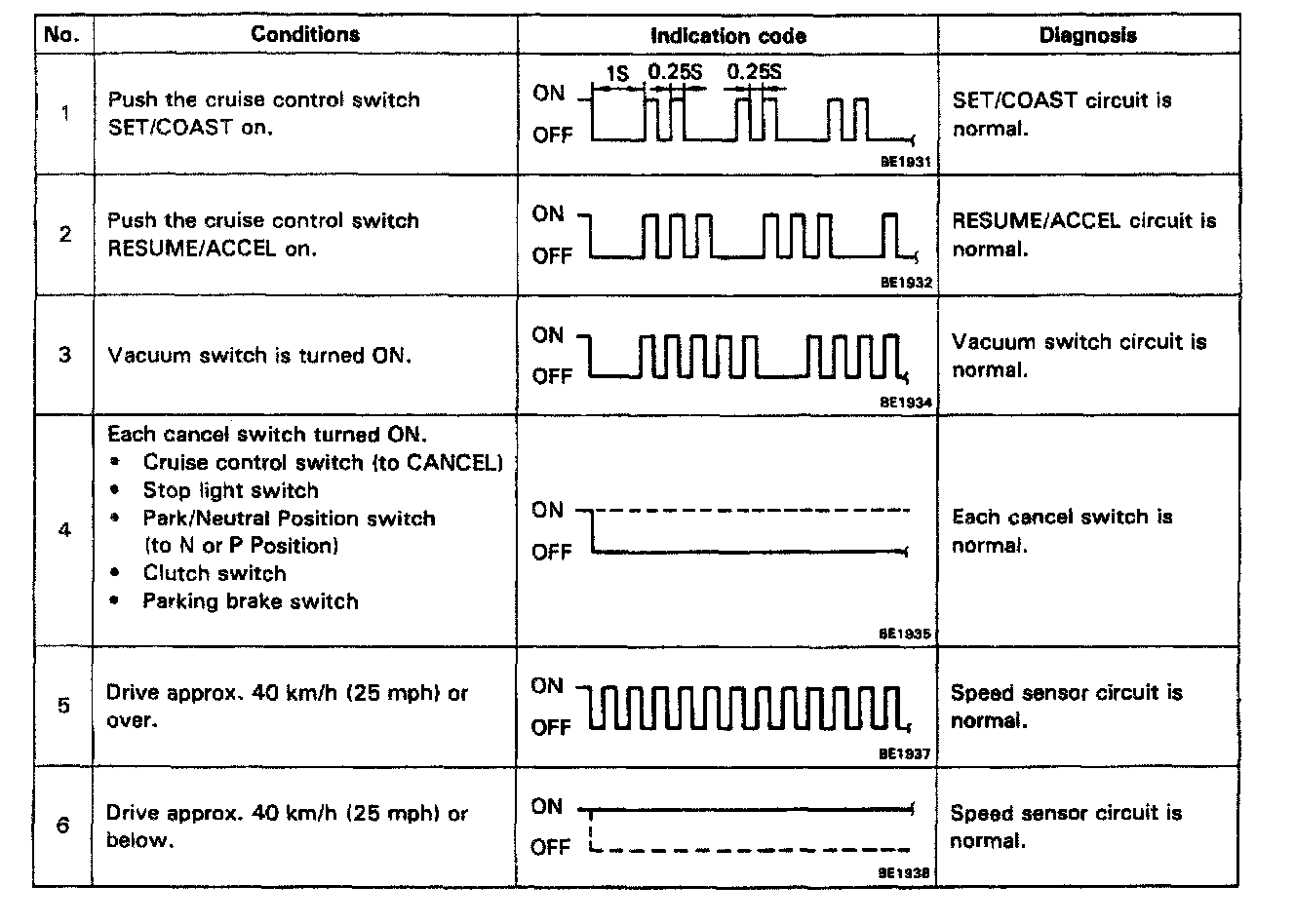
- Toyota Techstream for deeper diagnostics and OEM-level tests.
- Multimeter for voltage and resistance checks.
- Fuel pressure gauge and vacuum gauge for engine diagnostics.
Recommended apps and features:
- Live data streaming to watch sensor values in real time.
- Freeze-frame display to see engine conditions when code set.
- Component tests (with Techstream) to activate parts and test responses.
Preventive Maintenance to Reduce Toyota Troubleshooting Codes
Simple care prevents many codes. Regular checks reduce breakdown risk.
Maintenance checklist:
- Replace spark plugs per schedule.
- Clean or replace the air filter and MAF as needed.
- Maintain fuel filter and fuel system cleaner use.
- Inspect vacuum lines and engine seals for cracks.
- Keep battery and grounds clean and secure.
My shop experience shows that many codes come from neglected basics. A 10-minute check often stops repeat visits.
Limitations and When to Seek Professional Help
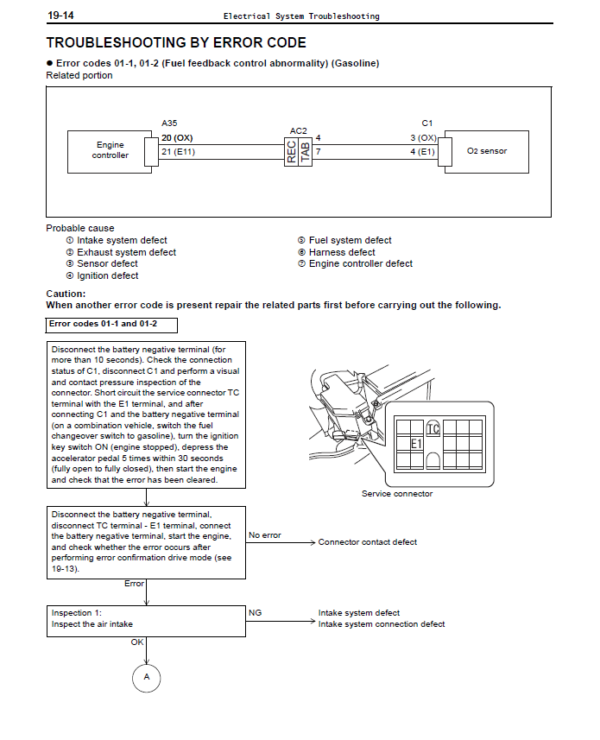
Toyota troubleshooting codes guide diagnosis but do not always name the failed part. Codes indicate symptoms. Complex systems like hybrid batteries, immobilizer issues, or intermittent faults often need pro tools.
Seek a professional if:
- The code returns after simple fixes.
- You see flashing check engine lights or drivability safety issues.
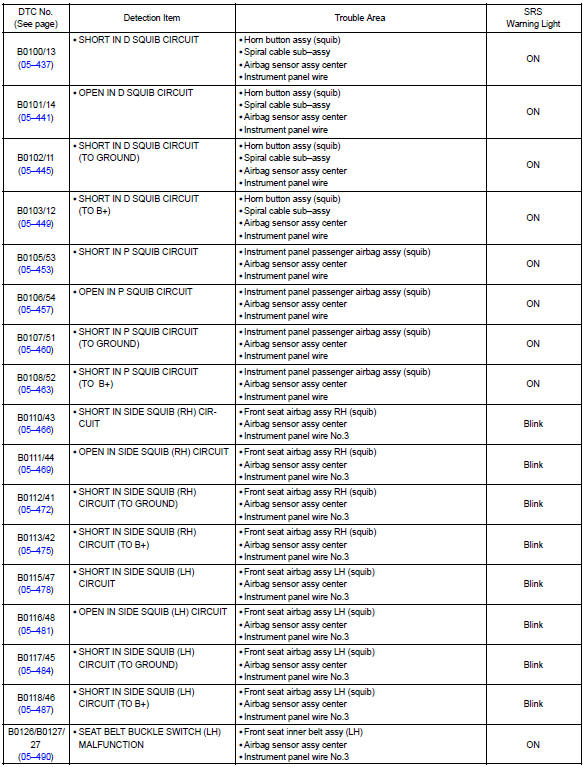
- The issue involves hybrid systems, airbag, or ABS modules.
- You lack tools like fuel gauges or Techstream.
Honest limits:
- DIY can save money. But misdiagnosis can waste more.
- Professionals have scope and training for complex electric or COMs faults.
Common Questions People Also Ask
How long will a check engine light stay on after a fix?
- The light can turn off after a few drive cycles if the issue is fixed. A code clear will turn it off immediately but readiness monitors need time to reset.
Can I drive with a Toyota troubleshooting code?
- It depends. A non-flashing check engine light often allows driving short distances. A flashing light signals a serious fault like misfire; stop driving to avoid damage.
Does clearing codes fix the problem?
- Clearing codes only erases the stored data. It does not fix the underlying fault. The code will return if the problem persists.
How accurate are OBD-II code descriptions?
- Codes provide a diagnostic starting point. They are accurate for symptoms but not always for the failed component. Further testing is needed.
What is the difference between an OBD-II and a Toyota-specific code?
- OBD-II codes are standardized across brands. Toyota-specific codes give extra detail tailored to Toyota systems and may start with P1xxx.

Frequently Asked Questions of Toyota Troubleshooting Codes
What does a P0300 code mean on a Toyota?
P0300 indicates random or multiple cylinder misfires. It can stem from spark plugs, coils, fuel delivery, or mechanical issues and needs stepwise testing.
How do I read Toyota troubleshooting codes without a scanner?
You need a scanner; however, older models had blink codes via the check engine light. Modern Toyotas require an OBD-II reader or Techstream for full data.
Will disconnecting the battery clear Toyota troubleshooting codes?
Disconnecting the battery may clear codes temporarily but also resets ECU data and readiness monitors. It’s better to use a scanner to record codes before clearing.
Can a bad gas cap trigger Toyota troubleshooting codes?
Yes. A loose or damaged gas cap can cause evaporative emissions codes like P0442. Tightening or replacing the cap often clears the code.
How many drive cycles to clear Toyota readiness monitors?
After repairs, it usually takes several drive cycles under varied conditions for monitors to complete, often up to a few days or 50–100 miles depending on the fault and driving patterns.
Is Techstream necessary for Toyota troubleshooting codes?
Techstream is not always required for basic OBD-II codes, but it unlocks manufacturer-level tests, live data, and ECU programming, which helps with complex or intermittent faults.
Conclusion
You can get far with the right knowledge and tools. Toyota troubleshooting codes give clear starting points. They cut guesswork and guide repair steps. Use simple tests first, document results, and escalate to advanced tools or professionals when issues persist. From my years under hoods, slow systematic testing wins more often than quick parts swaps.
Act now: scan your Toyota, record the codes, and follow the step-by-step checks in this guide. If you found this helpful, leave a comment or subscribe for more practical car care tips.

