

The Kenmore Series 500 washer is a popular appliance found in many homes across the United States. Known for its reliability and performance, it helps families keep their laundry clean and fresh. But like any machine, problems can happen. You might notice strange noises, leaks, or your clothes not coming out as clean as before.
Sometimes, the washer won’t start at all. These issues can be frustrating, especially if you depend on your washer every week. Understanding how to troubleshoot your Kenmore Series 500 washer can save you time, money, and stress. This article will guide you through common problems, practical solutions, and smart tips so you can fix your washer confidently.

36% off Today’s Exclusive Deals
Limited-time Exclusive Deals. Check current discount on Amazon.
Check Price on Amazon As an Amazon Associate I earn from qualifying purchases.Common Problems With Kenmore Series 500 Washer
The Kenmore Series 500 washer is built to last, but certain issues are more likely to occur. Here are the most frequent problems users report:
- Washer won’t start
- Washer won’t fill with water
- Washer won’t drain
- Washer won’t spin
- Washer leaks water
- Excessive vibration
- Strange noises
- Clothes not cleaned properly
- Error codes on display
- Washer stops mid-cycle
Each problem can have several causes. The good news is, most issues can be fixed without needing a professional. Let’s look at how to troubleshoot each one.
Troubleshooting Steps For Each Common Problem
Washer Won’t Start
When your washer won’t start, check these things first:
- Power supply: Make sure the washer is plugged in and the outlet is working. Try another device in the same outlet to confirm power.
- Door/lid: The washer will not start if the door or lid is not completely closed. Listen for a click or check for obstructions around the door seal.
- Control settings: Confirm the cycle is selected and the start button is pressed firmly. Sometimes, the start button needs a solid press to respond.
- Child lock: If the child lock is on, the machine will not start. Look for a padlock symbol or check the control panel for child lock indicators.
- Fuse/breaker: Check your home’s fuse box. Reset breakers if needed. Sometimes, a tripped breaker can affect only one outlet.
If everything looks correct, but the washer still won’t start, the control board or lid switch may need replacement. A faulty control board is less common but does happen, especially in older machines. If the lid switch doesn’t click or feels loose, that can prevent the washer from starting as well.
Washer Won’t Fill With Water
If your washer isn’t filling, try these solutions:
- Water supply: Confirm both hot and cold water valves are open. Sometimes, only one valve gets closed during home repairs.
- Inlet hoses: Check for kinks or blockages. Even a slight kink can reduce water flow.
- Filters: The small screens in the hoses can get clogged. Clean them gently with a brush, but don’t damage the screens.
- Water pressure: Low pressure can prevent filling. Test faucets to compare. If your house has water pressure issues, the washer may not get enough flow.
- Cycle settings: Some cycles use less water. Select a different cycle to test. Eco-friendly cycles, for example, use less water by design.
A less obvious reason for water fill issues is the washer’s pressure switch. If this sensor is faulty, it may incorrectly signal that the tub is full, stopping water early. If you hear clicking but no water comes in, the switch could be the problem.
Washer Won’t Drain
A washer that won’t drain can leave clothes soggy. Do this:
- Drain hose: Make sure the hose is not clogged or kinked. Run water through it to see if it flows freely.
- Drain pump: Listen for pump sounds. If silent or noisy, the pump may be faulty. Pumps can fail after years of lint or small items passing through.
- Filter: Some models have a drain filter. Clean it every few months. A blocked filter is a common cause of slow draining.
- Coin trap: Items like coins or buttons can block drainage. If the washer stops draining suddenly after a noisy wash, check the trap.
Sometimes, the pump works but is blocked by something inside. Unplug the washer, remove the back panel, and check for small objects around the pump. Don’t forget to lay down towels, as water may spill out.
Washer Won’t Spin
If your clothes are still wet after the cycle, check these:
- Load balance: Too many or too few clothes can stop spinning. Redistribute the load. Try mixing large and small items for better balance.
- Lid switch: The washer won’t spin if the lid isn’t closed. Some models have a sensor that can wear out over time.
- Drive belt: If broken, spinning stops. Inspect and replace if needed. The belt can slip off or get worn, especially after years of use.
- Motor issues: If the motor overheats, let it cool before restarting. If the washer spins sometimes but not always, the motor capacitor may be weak.
A little-known tip: If the washer spins slowly, but not at full speed, it could be the clutch or transmission. These are more advanced repairs, but knowing the difference helps with diagnosis.
Washer Leaks Water
Water leaks can damage your floor. Find the source:
- Hoses: Inspect all hoses for cracks and tight connections. Sometimes, leaks only happen during filling.
- Door seal: Wipe and check for tears or dirt. Small objects can get stuck and break the seal over time.
- Detergent drawer: Overfilling can cause leaks. Always use the recommended amount of detergent and softener.
- Drain pump: Replace if leaking from the bottom. Check the pump housing for cracks.
Don’t overlook the tub-to-pump hose. This hose can develop pinhole leaks, especially if it rubs against the washer frame.
Excessive Vibration
Too much movement can be noisy or cause damage:
- Leveling feet: Adjust the washer’s feet so it sits flat. Use a bubble level for best results.
- Floor: Soft or uneven floors increase vibration. Placing a rubber mat under the washer can help.
- Load balance: Don’t overload or underload. If washing one heavy item (like a blanket), add towels to balance the load.
Over time, the suspension rods that support the drum can wear out. If adjusting the feet doesn’t help, these rods may need replacement.
Strange Noises
Unusual sounds mean something is wrong:
- Objects in drum: Coins, buttons, or small items can make noise. Always check pockets before washing.
- Drive belt: Worn or loose belts cause thumping or squealing. Inspect if noises are loudest during spinning.
- Bearings: If you hear grinding, bearings may need replacement. This is a bigger repair, but catching it early can prevent more damage.
If the washer makes a knocking noise only during certain cycles, it could be a loose tub or suspension problem, not just the drum contents.
Clothes Not Cleaned Properly
If clothes come out dirty:
- Detergent: Use the right type and amount. Too much detergent can leave residue; too little won’t clean well.
- Water temperature: Cold water may not remove stains well. Use warm or hot for heavily soiled items unless the fabric care label says otherwise.
- Cycle selection: Choose the correct cycle for the type of laundry. Delicate cycles use less agitation and water.
- Overloading: Do not fill beyond the recommended capacity. Clothes need space to move for best cleaning.
Sometimes, buildup inside the drum or under the agitator can affect cleaning. Running a cleaning cycle monthly removes hidden residue.
Error Codes On Display
Kenmore washers display codes for specific issues. Common codes include:
- F21: Drain problem
- F22: Door lock issue
- F23: Heater problem
- F33: Pump drive issue
Refer to your manual for details. Reset the washer after fixing the issue. Note that sometimes an error code will stay on the display until you unplug the machine and plug it back in.
Washer Stops Mid-cycle
If the machine stops during washing:
- Power supply: Fluctuations can interrupt cycles. If your house loses power briefly, the washer may pause.
- Door/lid: If opened, the cycle will pause. Make sure nothing blocks the latch.
- Control board: A faulty board may cause interruptions. Signs include lights flashing or cycles skipping steps.
- Timer: Replace if not advancing. If the cycle knob doesn’t move, it’s likely a timer issue.
Sometimes, water supply problems can make the washer stop and wait. If the water takes too long to fill, the washer pauses for safety.
Kenmore Series 500 Washer Error Codes And Meanings
Error codes help you identify specific problems. Here are some common codes:
| Error Code | Meaning | Possible Solution |
|---|---|---|
| F21 | Drain problem | Check hoses, pump, filter |
| F22 | Door lock issue | Ensure door is closed, check lock |
| F23 | Heater problem | Inspect heating element |
| F33 | Pump drive issue | Replace pump, check wiring |
These codes are helpful but sometimes can be confusing. Always check the manual for your model. For less common codes, searching the exact code online or calling Kenmore support can provide extra details.
Maintenance Tips To Prevent Washer Problems
Regular maintenance keeps your washer running smoothly. Here are some tips:
- Clean the drum: Run an empty cycle with hot water and vinegar once a month. This removes detergent buildup and odors.
- Check hoses: Inspect hoses for cracks or leaks every 6 months. Replace hoses every 3-5 years, even if they look fine.
- Clean filters: Remove lint and debris from filters regularly. This helps water flow and prevents pump damage.
- Level the washer: Make sure the machine sits flat. Check stability after moving the washer or cleaning underneath.
- Avoid overloading: Follow the recommended load size. Overloading wears out parts faster and reduces cleaning performance.
A bonus tip: leave the washer door open for a few hours after each use. This helps dry out the drum and prevents mold and mildew.

Comparing Kenmore Series 500 Washer With Other Models
Is the Series 500 better than other washers? Here’s a quick comparison.
| Feature | Kenmore Series 500 | Kenmore Series 600 | Whirlpool Top Load |
|---|---|---|---|
| Capacity | 4.5 cu ft | 5.2 cu ft | 4.7 cu ft |
| Spin Speed | 800 rpm | 900 rpm | 750 rpm |
| Energy Rating | Energy Star | Energy Star | Energy Star |
| Price | $600 | $750 | $650 |
While the Series 500 offers good capacity and energy savings, newer models may have extra features like smart controls or higher spin speeds. If you want Wi-Fi connectivity or a larger drum, the Series 600 or similar Whirlpool models could be better.
But for most families, the Series 500 is enough and offers solid value.
Practical Troubleshooting Examples
Let’s look at some real-life situations to make troubleshooting easier.
Example 1: Washer Won’t Drain
You find water in the tub after the cycle. First, unplug the machine. Check the drain hose for blockages. You might find lint or a sock stuck inside. If the hose is clear, open the filter compartment and remove debris.
Run a short cycle to test. If it still doesn’t drain, the pump may need replacement. If you hear the pump running but water does not move, the pump impeller could be broken.
Example 2: Washer Leaks From Bottom
Water pools under your washer after use. Inspect the hoses for leaks. If hoses are fine, check the drain pump. Look for cracks or water marks. Replace the pump if damaged. Sometimes, the leak only happens during the spin cycle, which can mean a tub seal problem.
Place a towel under the washer to check exactly where the water drips from.
Example 3: Washer Makes Loud Banging Noise
The washer shakes and bangs during spinning. Pause the cycle, redistribute the clothes, and restart. If the noise continues, check the leveling feet. Adjust them so the washer sits flat. If you see the washer “walking” across the floor, a vibration pad may help.
If the noise started after moving the washer, check that all shipping bolts (used in transport) have been removed.
Non-obvious Insights For Beginners
Many beginners miss these important points:
- Washer cycles differ by load type: Heavy duty uses more water and longer times. Always select the right cycle for your laundry. Using the wrong cycle can waste energy or damage clothes.
- Detergent matters: High-efficiency washers need HE detergent. Using regular detergent can cause suds and blockages. Too many suds can confuse sensors and lead to error codes.
- Resetting the washer: Sometimes, unplugging for 5 minutes resets the electronics and solves minor issues. This can fix problems like stuck cycles or flashing lights.
Another helpful tip: Don’t ignore small problems. A little noise or leak often grows into a big repair if not fixed early.
Signs You Need Professional Help
While many issues can be fixed at home, some require expert attention:
- Repeated error codes: If codes keep appearing after repairs, there may be an electrical issue or a faulty sensor.
- Electrical smells: Burning or electrical odors mean serious problems. Unplug the washer right away.
- Flooding: Major leaks need urgent help. Water near outlets or under the washer can be dangerous.
- Washer won’t turn on: If all checks fail, the control board might need replacement. This is best done by a technician.
Don’t hesitate to call a qualified technician if you feel unsure. Attempting complex repairs without experience can make things worse.
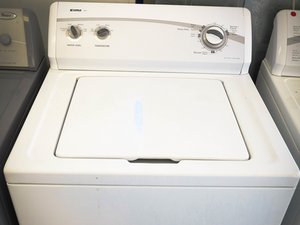
Kenmore Series 500 Washer Specifications
Here are the main specifications for the Series 500 washer:
| Specification | Detail |
|---|---|
| Capacity | 4.5 cubic feet |
| Spin Speed | 800 rpm |
| Cycles | 12 preset cycles |
| Energy Rating | Energy Star certified |
| Dimensions | 27 x 27 x 43 inches |
These specs make the Series 500 a solid choice for families and single users. The large drum fits bulky items like comforters or jackets, and the Energy Star rating means lower power bills over time.
Smart Troubleshooting Tools
Modern washers come with smart features. The Kenmore Series 500 has:
- LED display: Shows error codes and cycle status. This helps you quickly identify what’s wrong if the washer stops.
- Delay start: Lets you schedule washes. Ideal for running loads when electricity rates are lower.
- Automatic water adjustment: Saves water based on load size. This reduces water bills and is good for the environment.
If your washer has Wi-Fi, you can monitor cycles from your phone. Some newer Kenmore models even send alerts when a cycle ends or if a problem is detected. If you don’t have the manual, download it from the official Kenmore website or visit Sears Parts Direct for parts and troubleshooting guides.

Frequently Asked Questions
How Do I Reset My Kenmore Series 500 Washer?
To reset, unplug the washer from the wall, wait for 5 minutes, then plug it back in. This clears minor errors and restarts the control board. For some models, you may also press and hold the “Start/Pause” button for 5 seconds.
Why Does My Washer Smell Bad?
Bad odors are usually caused by mildew or trapped detergent. Run a cleaning cycle with hot water and vinegar. Leave the door open after each use to air out. Clean the detergent drawer and rubber seal regularly to prevent buildup.
What Should I Do If My Washer Shows An Error Code?
Check your manual for the code meaning. Most codes relate to water, door, or drainage issues. Fix the cause, then reset the washer. If the code won’t clear, there could be a sensor or wiring problem.
How Often Should I Clean The Filter?
Clean the filter every 3 months or if you notice poor drainage. Remove debris and rinse with water. If you have pets or wash lots of linty clothes, check filters more often.
Can I Use Regular Detergent In My Kenmore Series 500 Washer?
No, you should use HE detergent. Regular detergent makes too many suds, which can cause blockages and damage. The wrong detergent can also void your warranty.
Keeping your Kenmore Series 500 washer running well is easy if you follow these troubleshooting steps and tips. Regular maintenance, careful use, and quick action when problems appear will help you avoid costly repairs and keep your laundry routine stress-free.
If you ever feel stuck, don’t hesitate to reach out to a professional for help. Your washer is a valuable appliance—take care of it, and it will serve you for many years.

